 Chore Quest
Chore Quest
Real chores feed a pet that grows
Chore Quest is a chore chart that a child and a parent use together. The parent picks today's chores from picture cards, the child does them for real and taps the card, and a grown-up confirms. Every confirmed chore gives a treat for a pet that hatched from an egg and grows through four stages.
Version 1.0 · 1.7 MB · Android 8.0+
- Plays offline
- No ads
- No purchases
- No account
- No permissions
- 20 languages
About the game
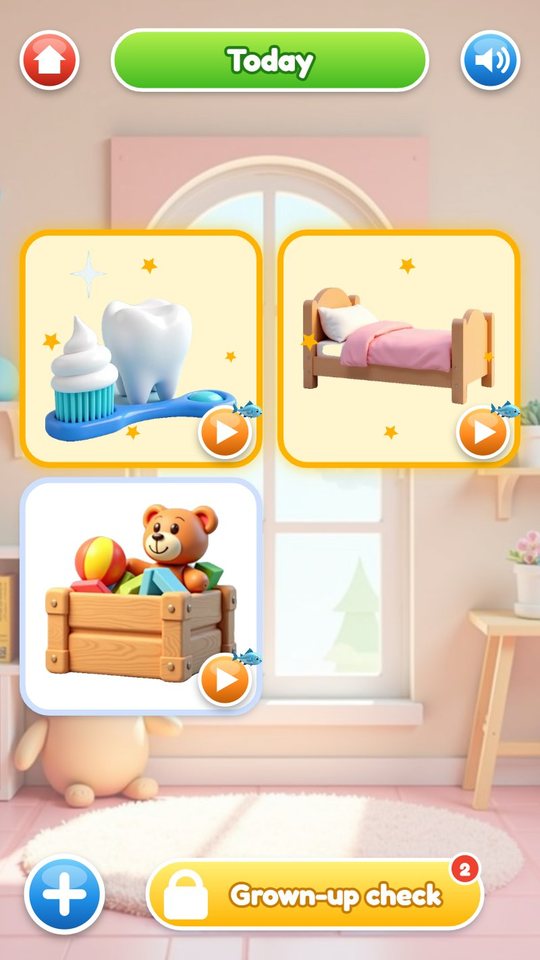
Most of this game happens away from the screen. The cards on the Today screen stand for things in the house: brushing teeth, making the bed, putting toys in the box. The child goes and does one, comes back and taps its card. The card turns gold and waits. Later a grown-up opens a small panel, looks at what was claimed and ticks it off, and a treat drops into the jar.
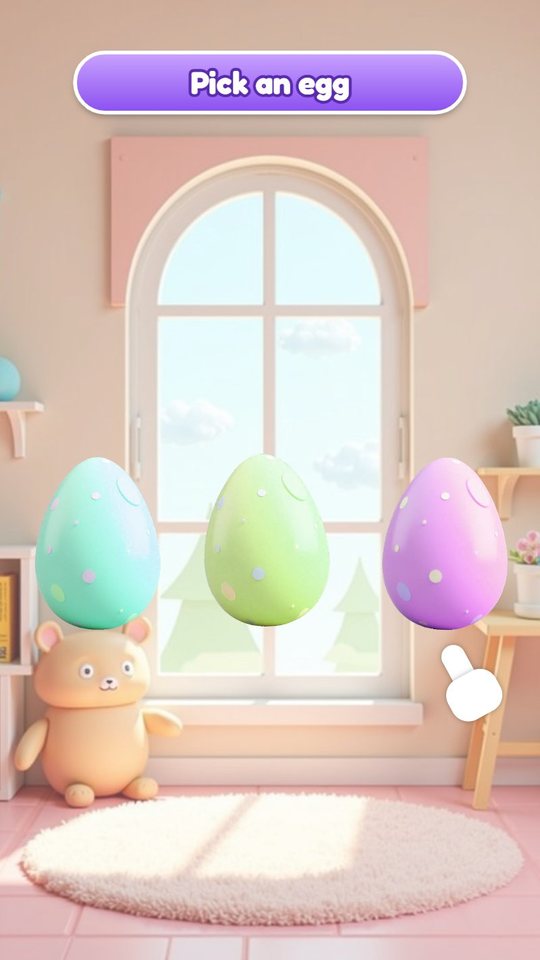
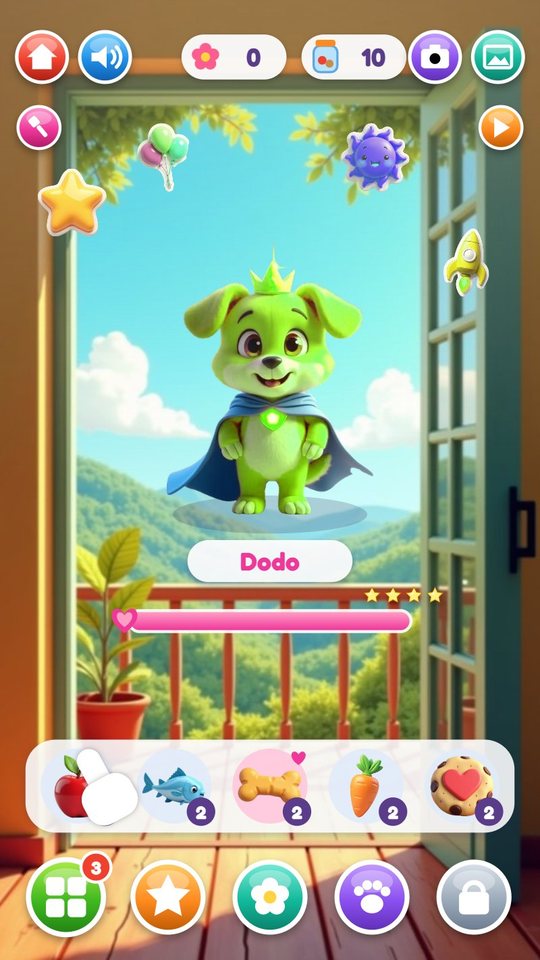
The treats are for the pet. The child chooses one of three eggs, it hatches into a kitten, a puppy or a bunny in one of six colours, and from then on it lives in a room on the home screen. Fed with treats, it grows at 8, 24 and 50 treats, and its fourth stage is a super pet with a crown and a cape.
A day with every chore done also leaves two lasting marks: a sticker on the page of the week and a flower in the garden. Nothing is taken away for a missed day. The pet does not get sad or hungry, and the worst that happens is that the day count in the garden starts again.
What is inside
The Today screen: tap the card after the chore
Today shows up to six large picture cards. When a chore is done in real life, the child taps its card, the button the game calls I did it. The card gets a gold frame and joins the queue for the grown-up check, and the yellow button at the bottom shows how many cards are waiting.
No reading is involved. Each chore is a picture, and a card looks different when it is ready, waiting or done.
The grown-up check
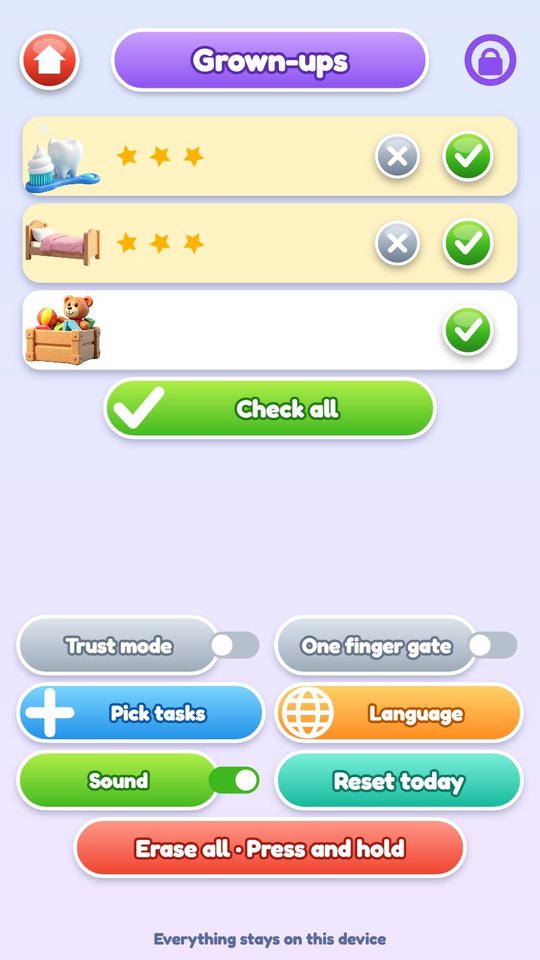
The check sits behind a gate that opens when two fingers are held on the screen for two seconds. Inside, every chore of the day is a row: a green tick confirms it, a grey cross sends a claimed chore back, and Check all confirms everything at once. Chores can also be ticked here without the child having claimed them first.
The gate is friction, not a lock. There is no password, and the panel offers a one-finger version of the gate that takes three seconds. Families who do not want a check can switch on Trust mode, and then the child's own tap counts straight away.
- Trust mode: no grown-up check needed
- One finger gate: an easier way in for a parent with one free hand
- Pick tasks: opens the plan
- Reset today: clears today's claims and ticks
- Erase all: wipes everything after two long holds
Planning the week from 12 cards
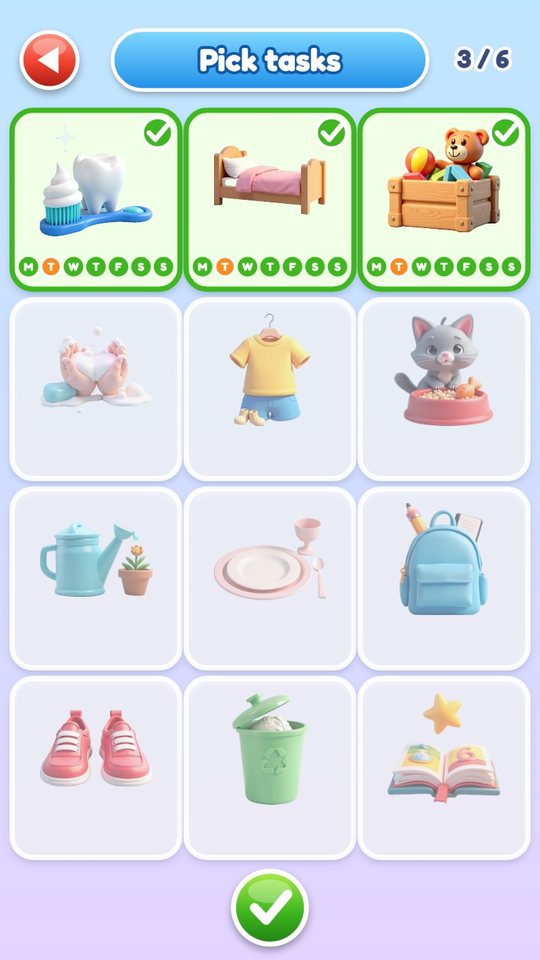
The plan screen shows all twelve chores: brush teeth, make the bed, tidy the toys, wash hands, get dressed, feed the cat, water the plant, set the table, pack the school bag, put shoes away, take out the trash and read a book. A tap adds a card to the plan, up to six at a time.
Each chosen card has seven small dots, one per weekday. Tapping a dot switches the chore off for that day, so feeding the cat can be an every-day job and packing the bag a school-day job. The game starts with teeth, bed and toys on every day.
A pet that grows with every treat
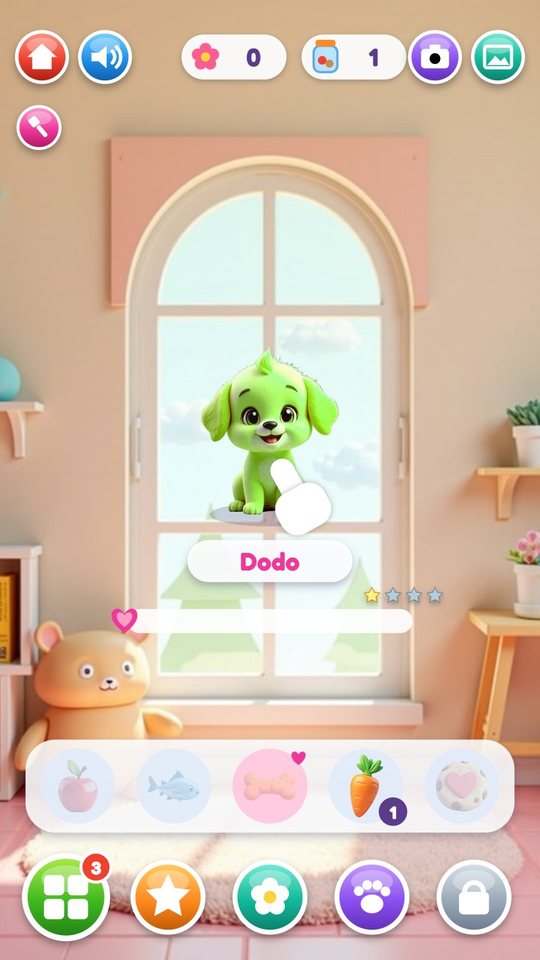
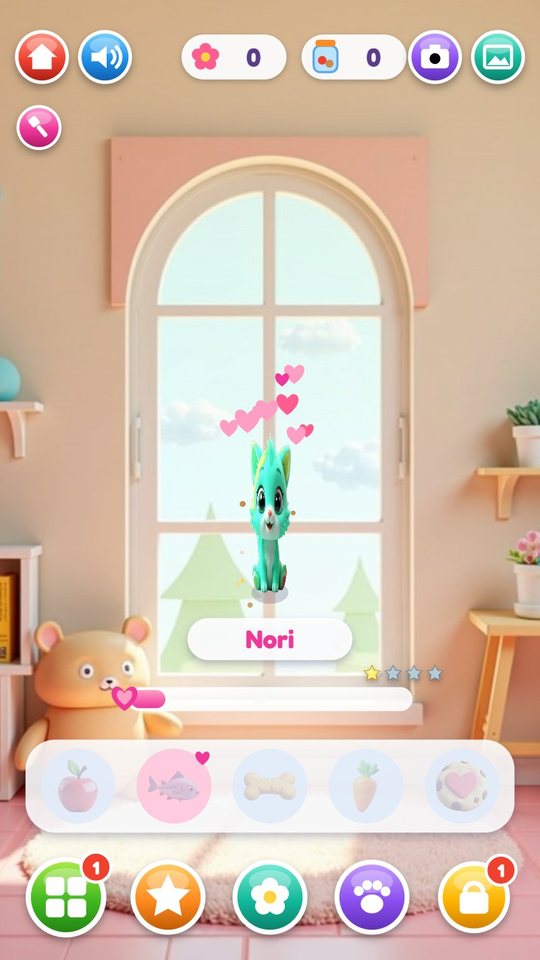
On the home screen the pet sits in its room with its name on a plate and a heart bar under it. The tray holds five kinds of treats: apple, fish, bone, carrot and cookie. The child drags a treat to the pet's mouth, the pet chews and hearts fly up. Each species has a favourite, fish for the kitten, bone for the puppy and carrot for the bunny, and a favourite gets a bigger burst of hearts.
Four small stars show the stage. When the pet reaches the fourth stage it parties for the rest of the day, moves to the Pet hall the next morning, and three new eggs are offered. The hall has room for all 18 looks.
Pretend chores: 12 short mini games
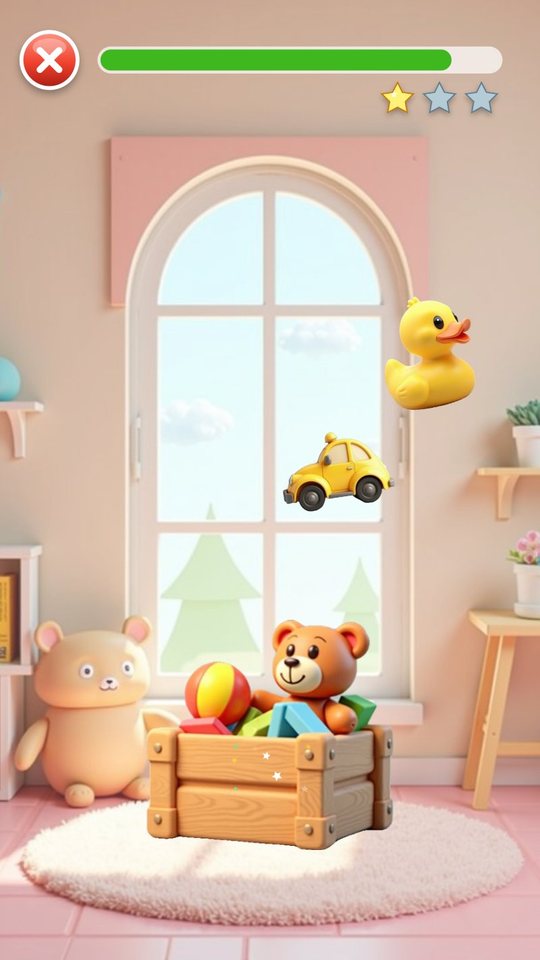
Every chore card has a small play button that starts a 20-second pretend version of the chore. They run on six simple ideas, and nobody can lose. A mini game never counts as the real chore; it gives one bonus treat per chore per day and up to three stars for fun.
- Scrub: brush the germs off a tooth, wash the germs off hands
- Smooth: stroke the wrinkles out of the bed
- Tidy: drag toys into the box, trash into the bin, things into the bag, shoes to their place, plate and cutlery onto the table
- Pour: fill the cat's bowl, water the plant
- Tap: catch the shirt, shorts and socks to get dressed
- Find: tap the sparkles hiding in the book
My week: one sticker for each finished day
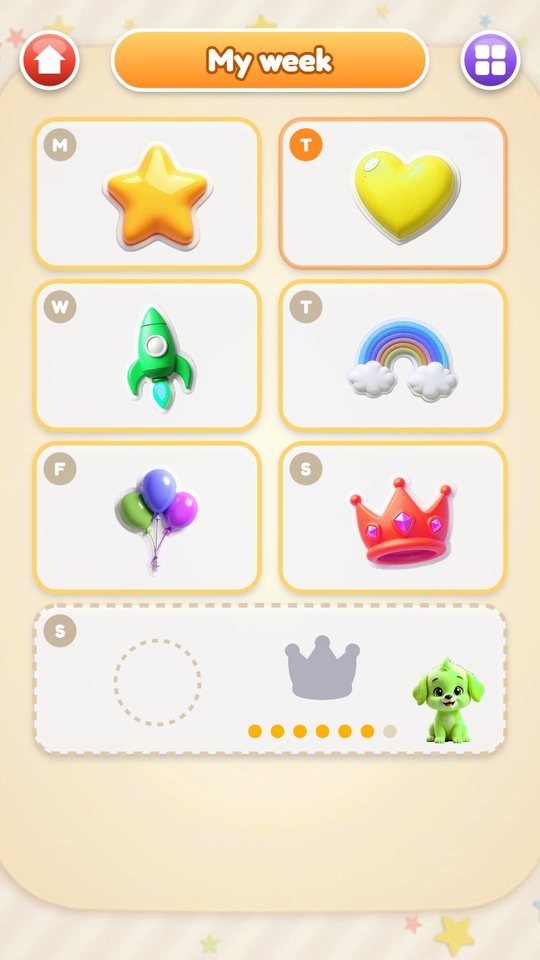
When the last chore of the day is confirmed, the child gets two extra treats and a sticker, and the sticker lands on that day's square of the week page. Seven squares out of seven earn a bonus sticker, marked by a crown. On Sunday the page offers a gentle look back at the week.
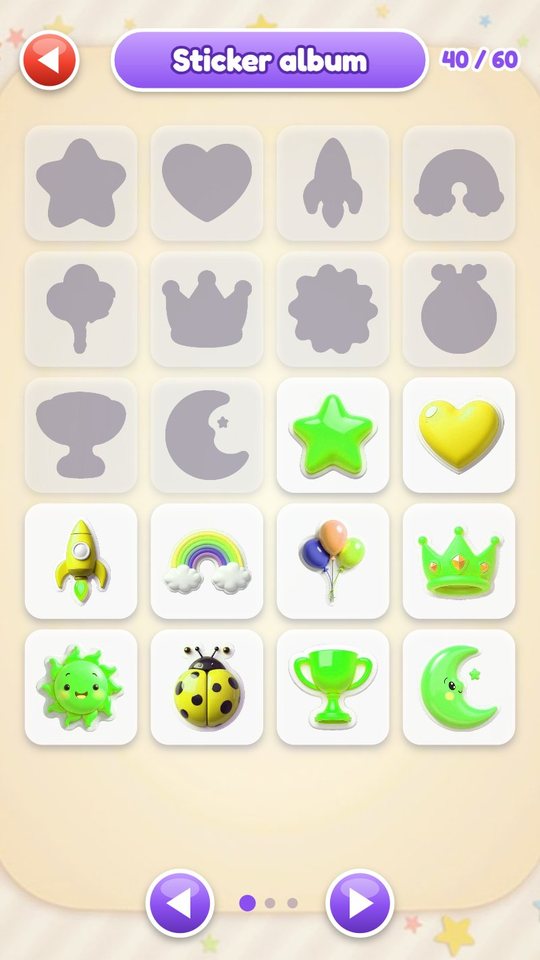
All stickers also go into an album of 60: ten designs in six colours each. Stickers from the album can be stuck on the wall of the pet's room.
The streak garden
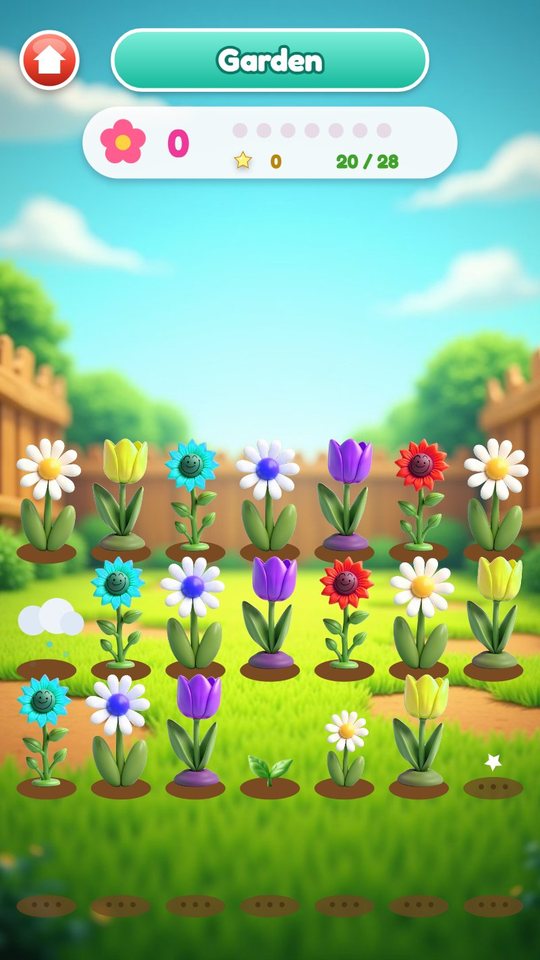
Each finished day also plants a flower in a garden of 28 plots: a daisy, a tulip or a sunflower, depending on the weekday. A new flower starts as a sprout and grows one step on each later day the game is opened.
The garden counts days in a row, and it forgives. Once a week a missed day turns into a rain cloud in the plot and the count goes on. After a second miss the count starts again, but the flowers, the pet and the stickers all stay. A full garden is celebrated with a party and a picture in the album, and then a new garden begins.
How to play
- Tap Play and pick one of three eggs. It hatches into the first pet.
- A grown-up opens Pick tasks and chooses up to six chores, with the days for each.
- The child does a chore in real life and taps its card on the Today screen.
- A grown-up holds two fingers on the gate and ticks the claimed chores.
- The child drags the treats from the tray to the pet.
- When every chore of the day is done, look for the new sticker on My week and the new flower in the garden.
- Come back tomorrow: the flowers have grown and the daily gift chest is full again.
Screenshots
Full specification
| Chore cards (12) | Brush teeth, Make the bed, Tidy the toys, Wash hands, Get dressed, Feed the cat, Water the plant, Set the table, Pack the bag, Put shoes away, Take out the trash, Read a book. Shown as pictures without text |
|---|---|
| In the plan at one time | Up to 6 |
| Weekdays | 7 dots per chosen chore, each can be switched off |
| Plan at first start | Teeth, bed and toys on every day |
| Card states on Today | Ready, waiting for the grown-up check, done |
| Gate | Hold two fingers for 2 seconds. With One finger gate on: hold one finger for 3 seconds. No password |
|---|---|
| After opening | The panel stays unlocked for 60 seconds after the last touch |
| Panel actions | Confirm one chore, send a claimed chore back, Check all |
| Switches and buttons | Trust mode, One finger gate, Pick tasks, Language, Sound, Reset today, Erase all (two long holds) |
| Trust mode | The child's tap on a card confirms the chore at once |
| Species (3) | Kitten, puppy, bunny |
|---|---|
| Colour looks | 6 per species, 18 pets in all |
| Egg choice | 3 eggs are offered; looks not yet in the Pet hall come first |
| Names (12, given by the game) | Momo, Pip, Bo, Lulu, Toby, Mimi, Kiki, Dodo, Nori, Coco, Fifi, Zuzu |
| Growth stages (4) | Stage 2 at 8 treats, stage 3 at 24, stage 4 (super pet) at 50 |
| Evolution | A short scene and a sticker at each new stage |
| Super pet | Parties for the rest of the day, moves to the Pet hall the next day, then new eggs are offered |
| Pet hall | Shelves for all 18 looks, plus the current pet and its treat count |
| Needs | None. The pet never gets hungry, sad or ill |
| Treat kinds (5) | Apple, Fish, Bone, Carrot, Cookie |
|---|---|
| Favourites | Kitten: fish. Puppy: bone. Bunny: carrot. A favourite gives more hearts; every treat counts the same for growth |
| Jar | Holds 20 treats |
| Feeding | Drag a treat from the tray to the pet's mouth |
| A confirmed chore | 1 treat |
|---|---|
| All chores of the day done | 2 more treats, 1 sticker on the week page, 1 flower in the garden, 1 day added to the streak |
| 7 of 7 days in a week | 1 bonus sticker (the crown on the week page) |
| A new pet stage | 1 sticker |
| A mini game | 1 bonus treat per chore per day |
| Daily gift chest | Once a day: a treat or a sticker |
| Coming back after 2 or more days | A welcome-back treat |
| Money or money words | None anywhere in the game |
| Length | 20 seconds each, 1 to 3 stars, cannot be lost |
|---|---|
| Scrub | Teeth, Hands |
| Smooth | Bed |
| Tidy by dragging | Toys, Trash, Bag, Shoes, Table |
| Pour | Cat food, Plant |
| Tap the clothes | Get dressed |
| Find the sparkles | Book |
| Sticker designs (10) | Star, Heart, Rocket, Rainbow, Balloon, Crown, Sun, Ladybug, Trophy, Moon |
|---|---|
| Colours | 6 per design, 60 stickers in the album |
| Order | New designs come first, then their colour versions; repeats only when all 60 are owned |
| Week page | 7 squares from Monday to Sunday, starts fresh each Monday, a look back on Sunday |
| Room wall | Stickers from the album can be put on the wall of the pet's room |
| Plots | 28 |
|---|---|
| Flowers (3) | Daisy, Tulip, Sunflower, by weekday, in 6 colours |
| Growth | Sprout first, one step on each later day the game is opened |
| Rain day | One missed day per 7 days becomes a rain cloud and the streak continues |
| Any other missed day | The streak count restarts. Garden, pet and stickers are kept |
| Days without chores in the plan | Do not count as missed |
| Full garden | A party and a picture in the album, then a new garden starts |
| Bottom buttons | Today, Stickers, Garden, Pet hall, Grown-ups |
|---|---|
| Top row | Title, Sound, flower streak counter, treat jar counter, Snap, Photos |
| Rooms (3) | The second opens when a pet first reaches stage 2, the third at stage 3 |
| Wall colours | 6, changed with the brush button |
| Time of day | Morning 7 to 11, day 11 to 17, evening 17 to 20, night 20 to 7. At night the pet sleeps and the tune is slower |
| Snap | Saves a framed portrait of the pet. The 24 newest are kept in an album inside the game and are never exported |
| Sound | All synthesised by the game, no recordings: effects, a jingle per mini game type and two background tunes |
|---|---|
| Switch | One Sound switch, on the title, home and Today screens and in the Grown-ups panel |
| Language | Chosen automatically; the globe on the title screen or Language in the Grown-ups panel changes it |
| What is saved | The plan, today's claims and ticks, the pet and its growth, the Pet hall, treats, stickers, the week page, garden and streak, photos, room and wall colour, settings |
|---|---|
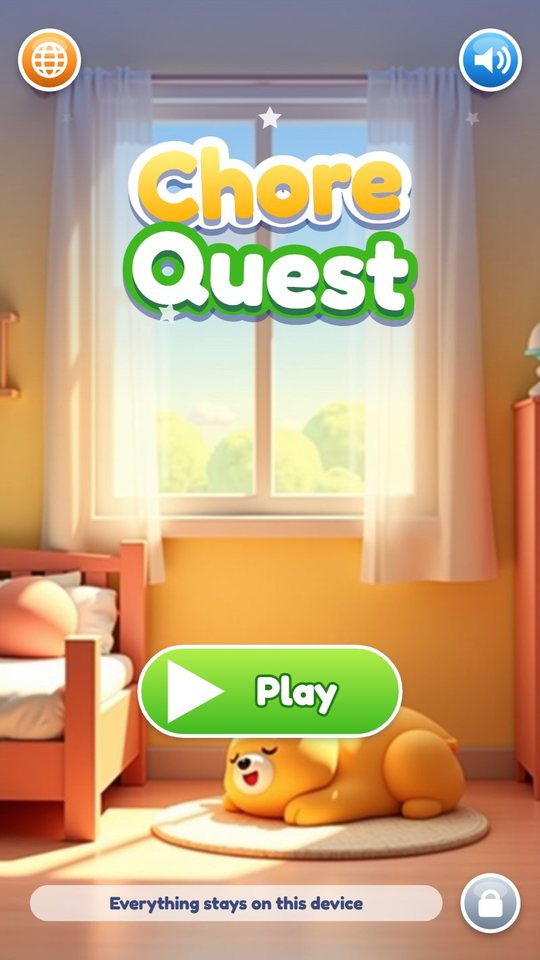
| Where | On the device only, as the title screen says: Everything stays on this device |
| Day change | By the local date of the phone. Setting the clock back changes nothing and cannot give a second day reward |
| Not in the game | Reminders or notifications, several child profiles, typing |
| Orientation | Portrait |
| Version | 1.0 |
|---|---|
| File | ChoreQuest-1.0.apk, 1.7 MB |
| Android package | com.chorequest.kids |
| Requires | Android 8.0 or newer, phone or tablet, portrait |
| Internet | Not used. The game works fully offline |
| Android permissions | None |
| Ads and purchases | None |
| Accounts and data | No account. Nothing is collected or sent; progress is saved on the device only |
| Interface languages (20) | English, Español, Português, Français, Deutsch, Italiano, Nederlands, Polski, Русский, Українська, Türkçe, Bahasa Indonesia, Tiếng Việt, हिन्दी, বাংলা, العربية, ไทย, 中文, 日本語, 한국어 |
| Price | Free |
For parents
Chore Quest is a tool for a routine first and a game second. The time on screen is short: a tap after each chore, a minute of feeding the pet, perhaps a 20-second mini game. A day ends by itself when the last card is ticked, with the All done message, a sticker and a flower, and there is nothing more to earn until tomorrow apart from the mini game treats.
A grown-up sets it up once: choose up to six chores from the twelve cards and switch off the weekdays on which a chore does not apply. After that the parent's part is the check. The gate needs two fingers held for two seconds, or one finger for three seconds if that option is on. It has no password and is meant to slow a small child down, not to stop a determined one. Trust mode removes the check for families who prefer that.
The game is built not to punish. The pet has no needs and cannot be neglected. A missed day costs only the streak number, and one miss a week is forgiven with a rain day. The game uses no money, coins or prices, and it sends no notifications.
It works fully offline, with no ads, no purchases, no account, no chat and no links out. It asks for no Android permissions and collects nothing; the plan, the progress and the pet portraits stay on the device. The interface has 20 languages, chosen from the device language, and one sound switch. The child does not need to read: chores, treats and rewards are pictures.
Questions and answers
What age is Chore Quest for?
About 3 to 9. The cards are pictures, so a child who cannot read can use the Today screen alone. The planning and the check are done by a grown-up.
Can my child tick off chores without doing them?
A child's tap only claims a chore. It counts when a grown-up confirms it behind the hold-to-open gate. The gate has no password, so it relies on the grown-up looking at the panel. In Trust mode the child's tap counts at once.
What happens if we miss a day?
The pet, the stickers and the flowers stay as they are. One missed day a week becomes a rain day and the streak goes on. Otherwise the streak number starts again from the next finished day.
Can I add my own chores?
No. The plan is built from the 12 picture cards in the game, up to six at a time, each with its own weekdays. There is no typing anywhere in the game.
Does it send reminders?
No. The game sends no notifications, because it asks for no permissions at all.
Does it work offline, and where is the data?
It works without internet. Everything is saved on the device and nothing is sent anywhere. Erase all in the Grown-ups panel, or uninstalling the game, removes it.
Can two children use it on one phone?
The game keeps one plan and one pet. Separate profiles for several children are not part of it.
Download and install
Open the downloaded file on your Android device. If prompted, allow installation from the browser or file manager, install the game, then switch that permission off again.
The game itself is available in 20 languages and picks yours automatically.
Original filename: ChoreQuest-1.0.apk · 1.7 MB · SHA-256:
87ea58c28766b08abd232bef20ffe858ef15998d6a318d0ce90476c1e25cc0c1 Dentist Game
 Call Santa
 Spooky Tales
 Toy Hospital
 Keyboard Builder
 Unbox Surprise
 Slime Pet
 Emoji Doctor
 Post Office
 Hero Maker
 Ear Spa
 Birthday Party
 Pretend Bakery
 Tiny Restorer
 Calm Corner
 Dino Egg Lab
 Monster Salon
 Crunchy Lab
 Marble Wonder
 Hair Salon