 Pretend Bakery
Pretend Bakery
Bake it, decorate it, hand it over
Animal customers come to the counter and show a picture of what they would like. Your child pours and whisks the batter, shapes it, bakes it, decorates it with finger-drawn icing, glaze, sprinkles and toppings, boxes it and hands it over. The customer gets exactly what the child made, and nothing can be done wrong.
Version 1.0 · 1.7 MB · Android 8.0+
- Plays offline
- No ads
- No purchases
- No account
- No permissions
- 20 languages
About the game
Pretend Bakery follows one treat from the mixing bowl to the customer's paws in seven short steps: pour, whisk, shape, bake, decorate, box and serve. Each step is a different hand movement, so the game feels like a row of small toys and not one repeated tap.
The decorating step is the centre of it. The icing is drawn with a finger, the sprinkles fall where the shaker is shaken and the toppings sit where they are dropped, so no two cakes come out alike. Every treat is accepted and paid for in coins, and it is kept on a shelf in the My Bakery showcase.
What is inside
A customer with a picture order
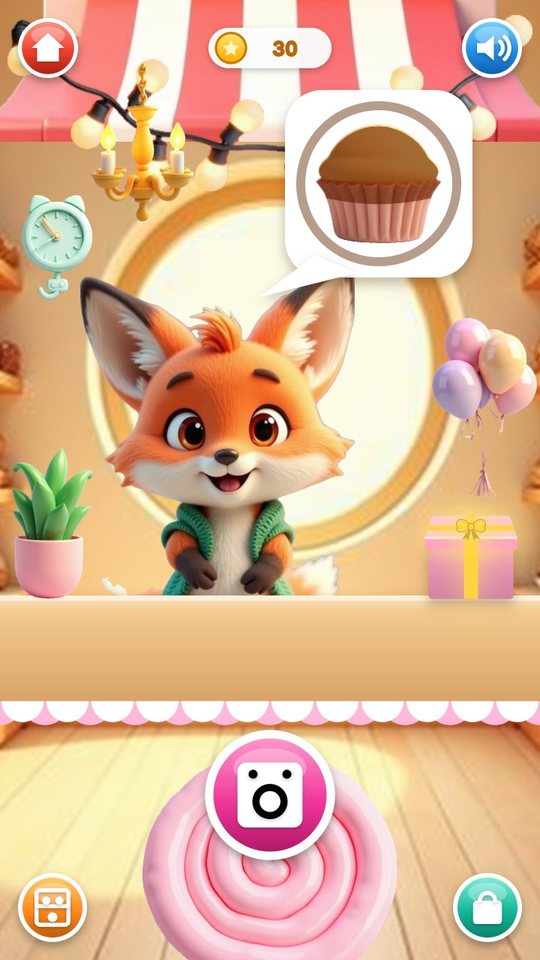
Eight animals take turns at the counter: a bunny, a bear, a cat, a dog, a fox, a panda, a penguin and an owl. The customer's speech bubble shows a picture of the treat, sometimes with a flavour and a topping. There are no words and no numbers to read.
The round pink button starts the baking. The same small order picture stays in the corner of the kitchen through all the steps as a reminder. Following it earns more coins, but a child who would sooner make something else is paid as well.
Pour and whisk
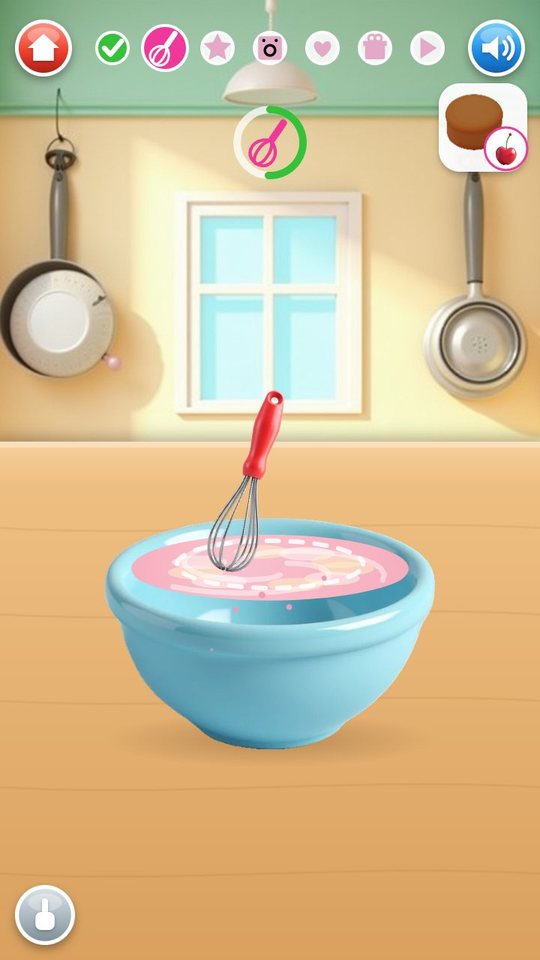
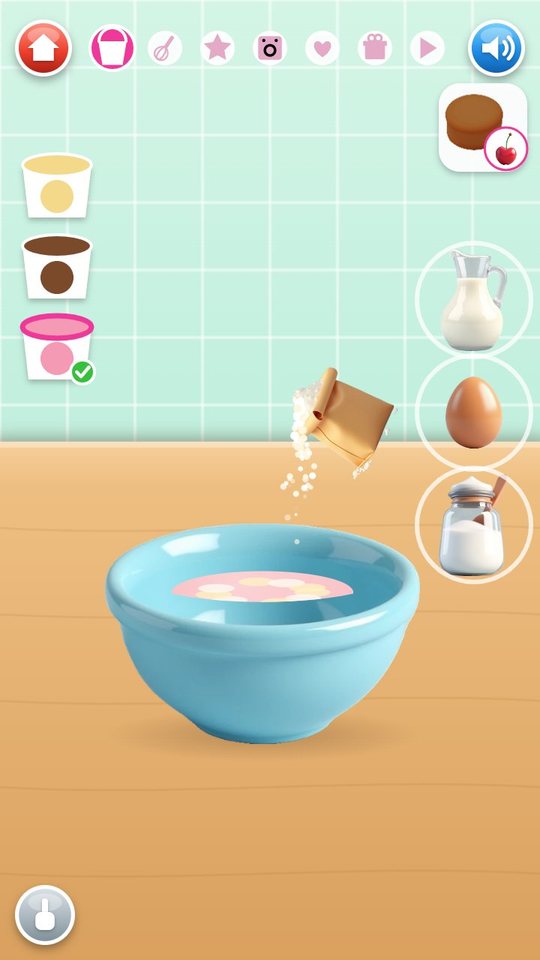
The ingredients stand beside a blue bowl. The child drags each one over it: the flour bag and the milk jug tilt and pour, the sugar is shaken and the egg cracks. Three flavour cups on the left, vanilla, chocolate and strawberry, colour the batter, and three more flavours can be bought later.
Then the whisk goes in and the child draws circles in the bowl until the ring above it is full and the batter is smooth.
Six ways to shape, one way to bake
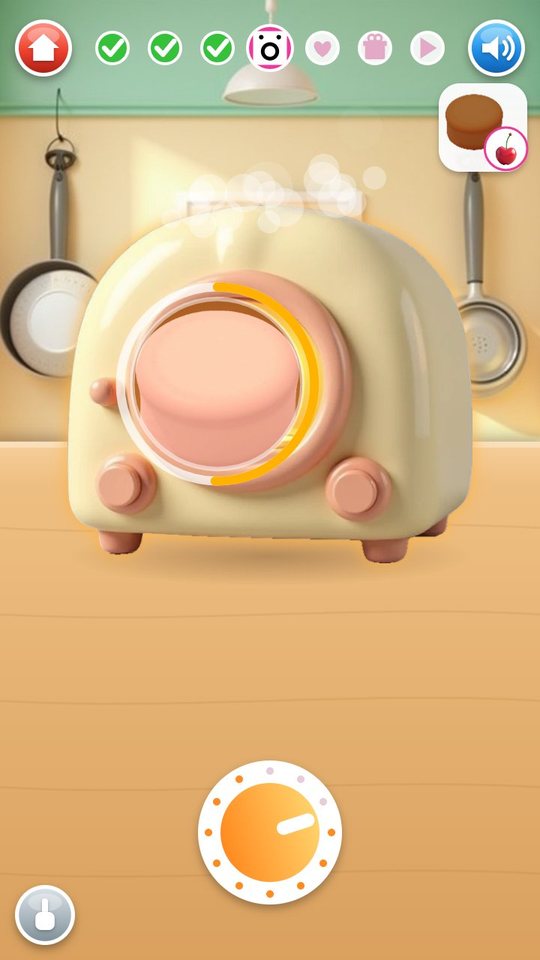
Shaping depends on the treat, which keeps the middle of the game fresh. The oven step is the same for all: push the tray in, turn the dial, watch the treat rise through the window and take the tray out. The first oven bakes in 6 seconds; better ovens from the shop take 4, 3 and 2.
- Cake: tilt the bowl over the pan, twice for the tall cake.
- Cupcake: hold the bowl over each paper liner.
- Cookies: roll the dough, then stamp a circle, star, heart or flower.
- Donut: roll, stamp the big ring, then poke out the hole.
- Bread: pat the dough, pull it into a loaf and slash the top.
- Pretzel: trace the dotted pretzel with a rope of dough.
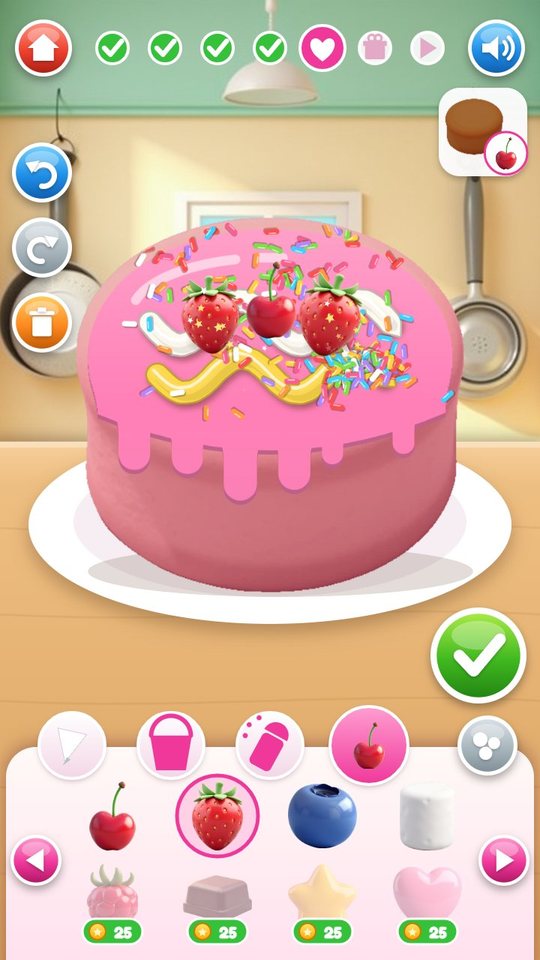
Decorate with a finger
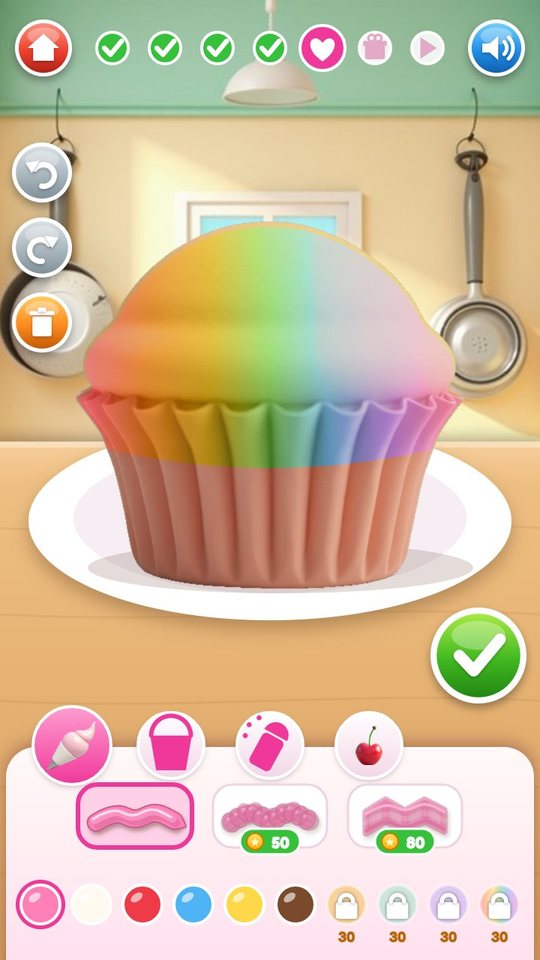
Four tools sit above the tray. The piping bag draws icing wherever the finger goes, in six free colours and with a round nozzle; a star nozzle, a ribbon nozzle and four more colours are in the shop. The bucket pours a glaze that runs down the sides in drips. The shaker drops jimmies, stars, hearts or pearls while it is shaken over the treat.
Toppings are dragged on one at a time, or stamped again and again with the repeat button, and a topping dragged to the bin is removed. Cherry, strawberry, blueberry and marshmallow are free. Undo, redo and a clear-all button are on the left, so a child can try things without worry. The green tick ends the step.
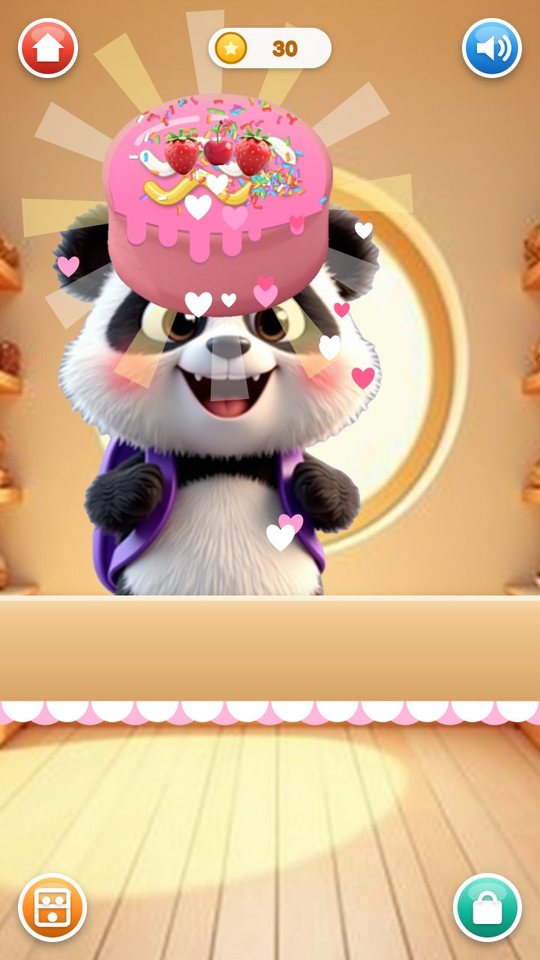
Box it and hand it over
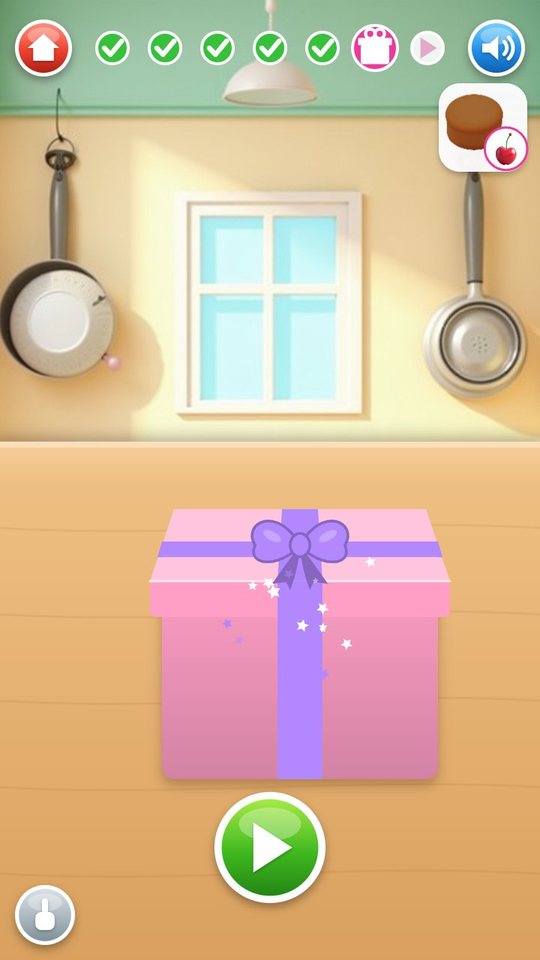
The finished treat is dragged into a cake box, a pastry box or a paper bag, the lid closes and a swipe across it ties a ribbon. Back at the counter the child gives the box to the customer, who lifts out the very same treat, with every line of icing in place, and is delighted with it.
A result card shows the treat, one to three stars and the coins. One star is for serving, one for matching the flavour and topping of the order, and one for a richly decorated treat. A heart button marks a favourite.
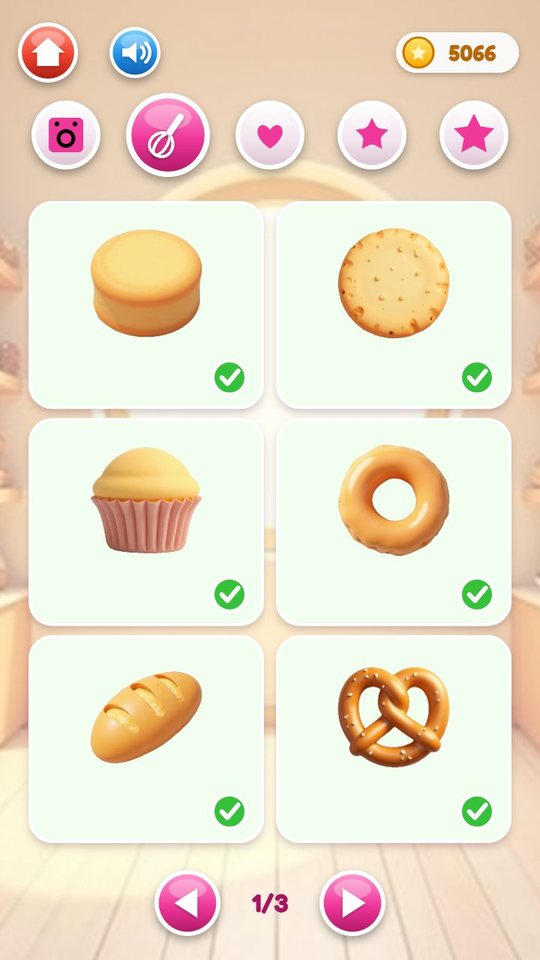
Coins and the shop
Each served treat pays up to 60 coins, and every fifth customer leaves a gift box with 25 to 50 more. The shop has five tabs: ovens, baking (treats and flavours), toppings, icing (nozzles and colours) and shop decorations such as fairy lights, a clock and a chandelier, which then appear around the counter.
Three treats are free at the start, cake, cookie and cupcake. The donut, bread, pretzel and tall cake cost 40 to 90 coins. Coins come from play only; nothing in the game can be bought with real money.
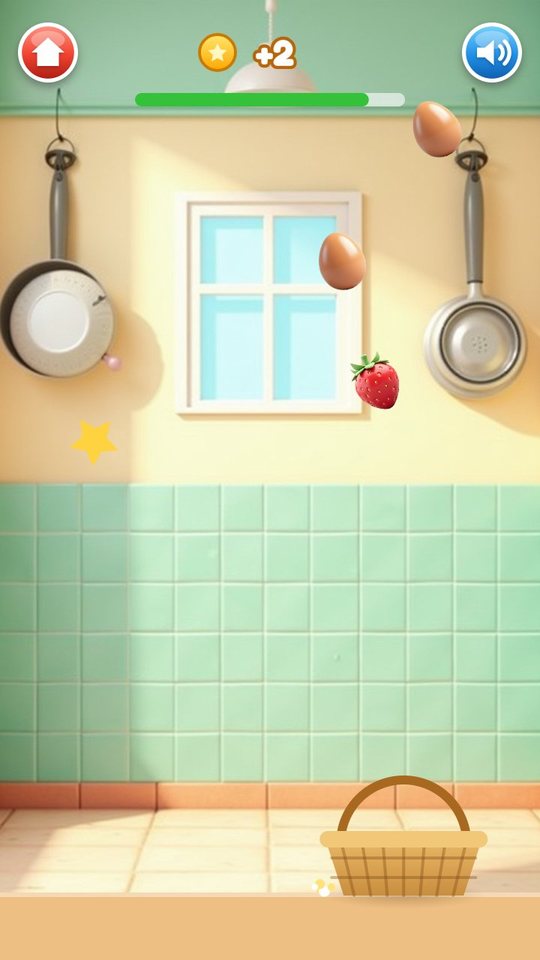
Free Bake, mini games and collections
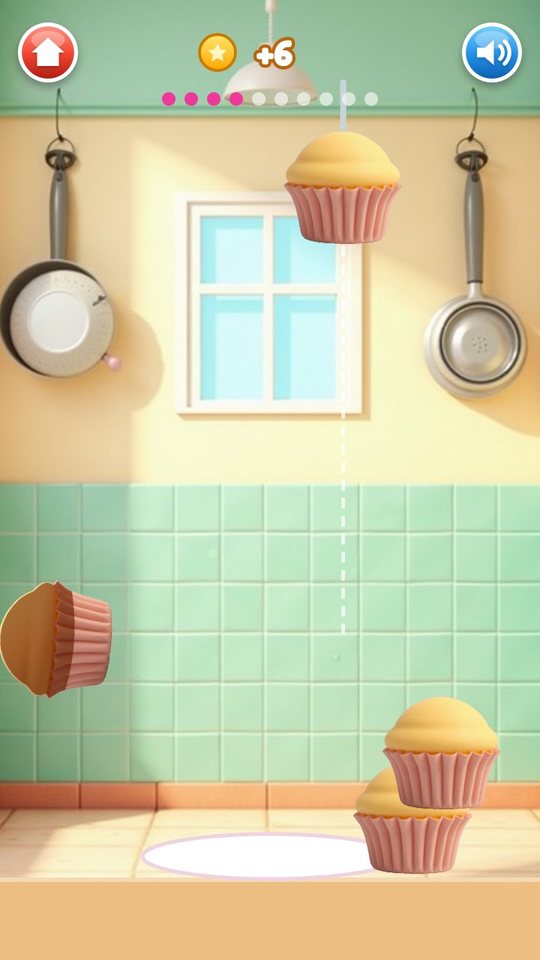
Free Bake lets the child choose any owned treat and bake with no customer and no order. The Games button opens two coin games: Egg Catch, where a basket slides under falling eggs and berries for 40 seconds, and Cupcake Tower, where ten cupcakes are dropped one by one onto a wobbly stack.
My Bakery keeps up to 48 finished treats on shelves. A tap opens one, and the fork button invites an animal to eat it. The sticker book has 30 stickers: three for each customer, earned after 1, 5 and 15 visits, and six for achievements. A daily gift on the counter gives coins and lends one locked topping for the day.
How to play
- Tap the green play button and look at the customer's picture order.
- Press the pink button, drag the ingredients into the bowl and pick a flavour.
- Whisk in circles, then shape the treat the way it asks for.
- Push the tray into the oven, turn the dial and take the treat out.
- Decorate with icing, glaze, sprinkles and toppings, then tap the green tick.
- Put the treat in the box and swipe to tie the ribbon.
- Give the box to the customer and collect stars and coins.
Screenshots
Full specification
| Cake | Free. Flour, milk, egg, sugar. Shaped by pouring into a pan. Cake box. Pays 20 coins |
|---|---|
| Cookie | Free. Flour, sugar, egg. Rolled and cut. Pastry box. Pays 15 coins |
| Cupcake | Free. Flour, milk, egg, sugar. Poured into paper liners; icing goes on the top, not on the liner. Cake box. Pays 15 coins |
| Donut | 40 coins. Flour, sugar, egg. Rolled, cut as a ring, hole poked out. Pastry box. Pays 18 coins |
| Bread | 40 coins. Flour, milk. Patted, pulled into a loaf, slashed. Paper bag. Pays 14 coins. No flavour choice |
| Pretzel | 60 coins. Flour, milk. Traced with a rope of dough. Paper bag. Pays 14 coins. No flavour choice |
| Tall cake | 90 coins. Flour, milk, egg, sugar. Poured into the pan twice. Cake box. Pays 30 coins |
| Cookie cutters (4) | Circle, star, heart, flower |
| 1. Pour | Drag the ingredients over the bowl and pick a flavour |
|---|---|
| 2. Whisk | Draw circles in the bowl |
| 3. Shape | One of six ways, depending on the treat |
| 4. Bake | Push the tray in, turn the dial, take the tray out |
| 5. Decorate | Icing, glaze, sprinkles, toppings |
| 6. Box | Put the treat in, close the lid, tie a ribbon with a swipe |
| 7. Serve | Give the box to the customer |
| Progress bar | Seven icons at the top of the kitchen, ticked as the steps are done |
| Flavours (6) | Free: vanilla, chocolate, strawberry. 40 coins: matcha, blueberry. 80 coins: rainbow |
|---|---|
| Ovens (4) | Basic, free, 6 seconds. Pink, 60 coins, 4 seconds. Gold, 180 coins, 3 seconds. Rainbow, 400 coins, 2 seconds |
| Tools (4) | Icing, glaze, sprinkles, toppings |
|---|---|
| Icing nozzles (3) | Round, free. Star, 50 coins. Ribbon, 80 coins |
| Icing and glaze colours (10) | Free: pink, white, red, blue, yellow, brown. 30 coins each: gold, mint, lavender, rainbow |
| Glaze | Covers the top and runs down in drips |
| Sprinkles (4) | Jimmies, stars, hearts, pearls; they fall while the shaker is shaken |
| Toppings (16) | Free: cherry, strawberry, blueberry, marshmallow. 25 coins: raspberry, chocolate chunk, candy star, candy heart. 40 coins: gummy, macaron, candle, sugar flower, lollipop, mint. 100 coins: crown, unicorn |
| Placing toppings | Drag onto the treat, or switch on the repeat button to stamp; drag a topping to the bin to remove it |
| Editing | Undo, redo, clear all |
| Limits | Up to 120 icing strokes, 400 sprinkles and 40 toppings per treat; the game then says So much icing! |
| Bunny | Favourite: cake |
|---|---|
| Bear | Favourite: cookie |
| Cat | Favourite: donut |
| Dog | Favourite: cupcake |
| Fox | Favourite: bread |
| Panda | Favourite: pretzel |
| Penguin | Favourite: tall cake |
| Owl | Favourite: cookie |
| Orders | A picture of a treat the child owns, sometimes with a flavour and a topping |
| Stars | 1 for serving, 1 more when the flavour and topping match the order, 1 more for a richly decorated treat |
|---|---|
| Coins for an order | The pay of the treat, plus 10 for the right flavour, plus 10 for the right topping, plus up to 22 for decoration, plus 5 when it is the customer's favourite treat; 60 at most |
| Decoration bonus | 1 coin per three icing strokes up to 10, 5 for 40 or more sprinkles, 5 for a varied decoration, 2 for a glaze |
| Free Bake pay | Half the pay of the treat plus the decoration bonus |
| Gift box | After every fifth customer: 25 to 50 coins |
| Daily gift | Once per calendar day: 30 to 60 coins, and one topping not yet owned can be used for that day |
| Starting coins | 30 |
| Wrong results | None: every treat is accepted and paid |
| Ovens | 4 |
|---|---|
| Baking | 7 treats and 6 flavours |
| Toppings | 16 |
| Icing | 3 nozzles and 10 colours |
| Shop decorations (8) | Plant 30, fairy lights 40, flowers 40, clock 50, rug 60, balloons 60, awning 100, chandelier 150 coins; they appear around the counter |
| Paying | Game coins only |
| Egg Catch | 40 seconds; slide the basket to catch what falls; up to 30 coins |
|---|---|
| Cupcake Tower | 10 cupcakes to drop onto a stack; 3 coins for each one that lands; up to 30 coins |
| My Bakery | A showcase of the child's own treats, 9 to a page, up to 48; favourites marked with a heart are kept the longest |
|---|---|
| Treat card | Heart to mark a favourite, fork to let an animal eat the treat, bin held for 1 second to delete it |
| Free Bake | Pick any owned treat and bake with no order |
| Customer stickers (24) | 3 for each of the 8 animals, after serving it 1, 5 and 15 times |
| Achievement stickers (6) | A donut baked, 10 toppings used, 100 sprinkles shaken, all ovens owned, all shop decorations owned, 50 orders served |
| First launch | A choice of two hands: the small hand switches the helper on, the big hand leaves it off |
|---|---|
| Helper | A pointing hand shows what to do in each step and finishes a step by itself after a long pause; the hand button in the kitchen switches it on or off |
| Skip | A skip button appears after 15 seconds in a step |
| Sound button | On the title, counter, kitchen, shop and mini game screens |
| Parent gate | Hold the circle for 3 seconds; behind it are the language list and Start over |
| Start over | Hold for 2 seconds; clears coins, purchases, the showcase and stickers |
| Music | A synthesised waltz |
|---|---|
| Effects | Looping sounds for pouring, whisking and baking and one-shot effects, all generated on the device |
| Recordings | None |
| What is saved | Coins, purchases, the chosen oven, the showcase of treats, visits per customer, stickers, counts for achievements, daily gift date, helper choice, language and sound setting |
|---|---|
| Where | On the device only |
| Typed input | None |
| Orientation | Portrait |
| Version | 1.0 |
|---|---|
| File | PretendBakery-1.0.apk, 1.7 MB |
| Android package | com.pretendbakery.kids |
| Requires | Android 8.0 or newer, phone or tablet, portrait |
| Internet | Not used. The game works fully offline |
| Android permissions | None |
| Ads and purchases | None |
| Accounts and data | No account. Nothing is collected or sent; progress is saved on the device only |
| Interface languages (20) | English, Español, Português, Français, Deutsch, Italiano, Nederlands, Polski, Русский, Українська, Türkçe, Bahasa Indonesia, Tiếng Việt, हिन्दी, বাংলা, العربية, ไทย, 中文, 日本語, 한국어 |
| Price | Free |
For parents
The child makes one treat at a time with simple hand movements: drag, tilt, draw circles, trace, swipe. One order takes about three to five minutes, most of it spent decorating, and ends on a result card with stars and coins, which is a natural stopping point. Nothing is timed in the bakery itself and no result is rejected; the only clock is in the Egg Catch mini game.
On the first launch the game shows two hands. Choosing the small one switches on the helper, a pointing hand that shows each movement and completes a step by itself if the child is stuck for a long time; this suits the youngest players. The big hand leaves the helper off. It can be changed at any moment with the hand button in the kitchen. No reading is needed: orders are pictures and the buttons are icons.
The language list and the Start over button are behind a parent gate, a circle that has to be held for three seconds. The interface comes in 20 languages and picks the device language automatically. A sound button is on every main screen.
Pretend Bakery works fully offline. It has no ads, no purchases, no account, no Android permissions, no chat and no links out, and it collects nothing. The shop uses coins earned in play. All sound is synthesised on the device, and progress is kept on the device only.
Questions and answers
What age is Pretend Bakery for?
It is made for children of about 2 to 7. With the helper switched on, a two or three year old can get through every step; older children spend their time on the decorating and on saving coins for the shop.
Can my child do something wrong?
No. Every treat is accepted, the customer is always happy and coins are always paid. Matching the order only adds stars and a few more coins.
Does my child need to read?
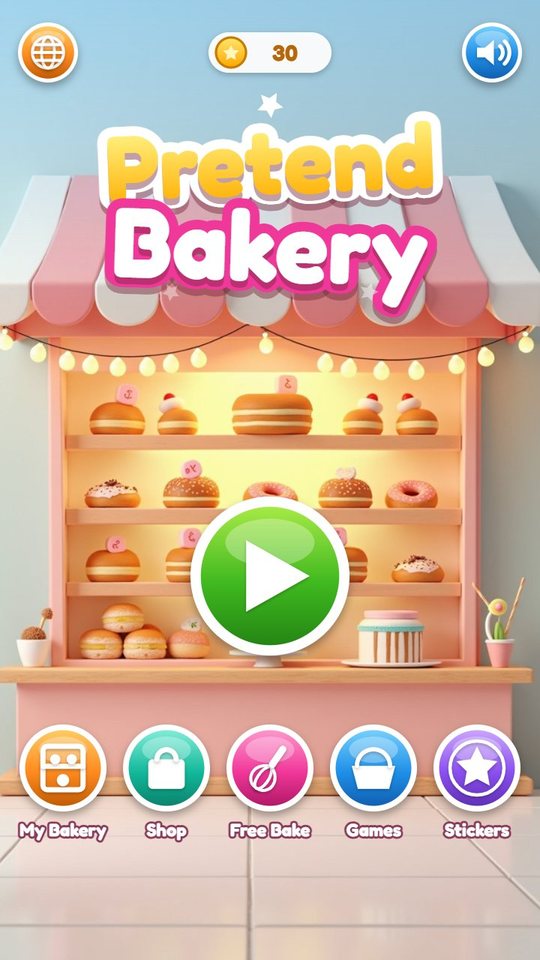
No. Orders are pictures and all controls are icons. The few words are labels on the title screen.
Does it work offline? Are there ads or purchases?
It works fully offline and has no ads. Everything in the shop is paid for with coins earned by baking and in the two mini games.
Are the treats my child makes kept?
Yes. Up to 48 are kept in the My Bakery showcase on the device, and treats marked with a heart are kept the longest. Removing the app or using Start over deletes them.
How do I change the language or reset the game?
Open the parent gate by holding the circle for three seconds. The language list and the Start over button are behind it.
How long is one session?
One customer takes about three to five minutes. The mini games are shorter: Egg Catch lasts 40 seconds and Cupcake Tower is ten drops.
Download and install
Open the downloaded file on your Android device. If prompted, allow installation from the browser or file manager, install the game, then switch that permission off again.
The game itself is available in 20 languages and picks yours automatically.
Original filename: PretendBakery-1.0.apk · 1.7 MB · SHA-256:
e937a8bbd6d7b9907a8bded48f415ca5e82f5e2b962a1a16d41ff6f37ec4b490 Dentist Game
 Call Santa
 Spooky Tales
 Toy Hospital
 Keyboard Builder
 Unbox Surprise
 Slime Pet
 Emoji Doctor
 Post Office
 Hero Maker
 Ear Spa
 Birthday Party
 Tiny Restorer
 Calm Corner
 Dino Egg Lab
 Monster Salon
 Crunchy Lab
 Marble Wonder
 Chore Quest
 Hair Salon