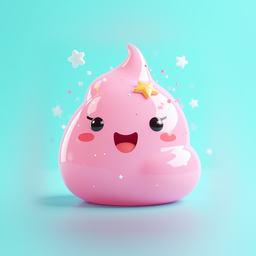
 Slime Pet
Slime Pet
Mix a slime, give it a name, squish it all day
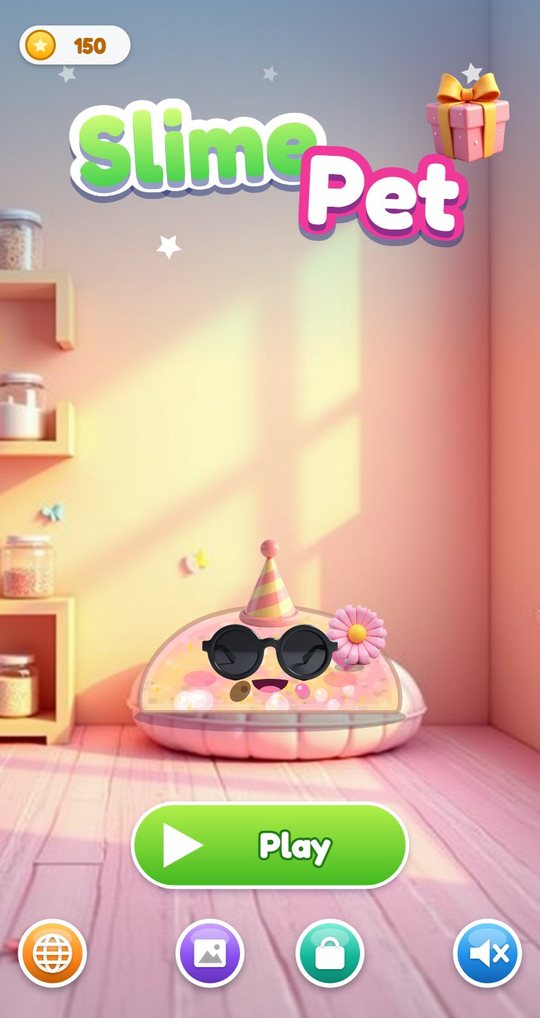
In Slime Pet a child mixes a slime in a small lab: a finish, two colours, glitter, charms, beads, foam and a scent. The lump then drops into a room, opens its eyes and becomes a pet. It can be poked, squished, stretched and flung with a finger, and it likes to be fed, washed, dressed and put to bed.
Version 1.0 · 2.1 MB · Android 8.0+
- Plays offline
- No ads
- No purchases
- No account
- No permissions
- 20 languages
About the game
The slime in this game is not a picture. It is a soft body drawn from the child's own recipe, so a clear slime with gold glitter and a star charm looks and wobbles differently from a fluffy pink one. A fingertip leaves a dent, a pulled piece stretches into a string and snaps back, and a quick swipe sends the whole pet flying across the room.
Around that toy sits a small pet game. Four rings on the right of the screen show hunger, cleanliness, fun and sleep. They go down slowly while the child plays and never drop to zero, so the pet asks for things but is never in trouble. Caring for it earns coins and love, love makes the pet grow, and coins open more ingredients, accessories and rooms. Coins are earned only by playing; nothing in the game costs money.
What is inside
Mix a slime in six steps
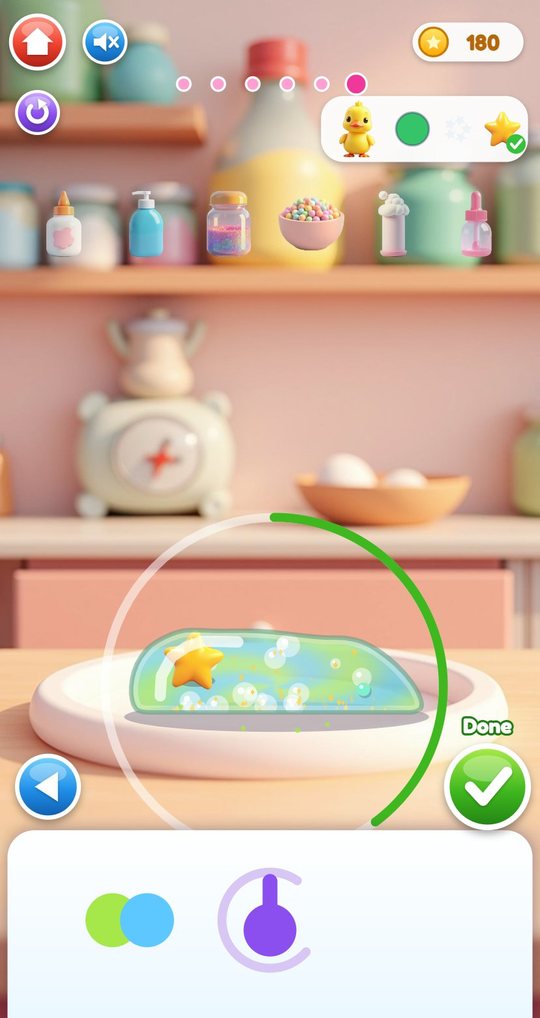
The lab shows a lump on a plate and six tools on a shelf: glue, activator, a glitter jar, a bowl of beads, a foam bottle and a scent dropper. Step one picks the finish, step two the colours (the slime keeps the last two tapped), step three shakes glitter in from the jar. Step four drops in charms and up to 12 beads, step five adds up to three pumps of foam and a scent, and in step six the child kneads with a finger going round and round until the colours blend.
Dots at the top show the step, and the arrows go forwards and back, so nothing is final until the green tick. A card in the corner shows an order from a small critter, for example a duck that wants a green slime with a star charm. Matching it is optional and pays a star and 25 coins.
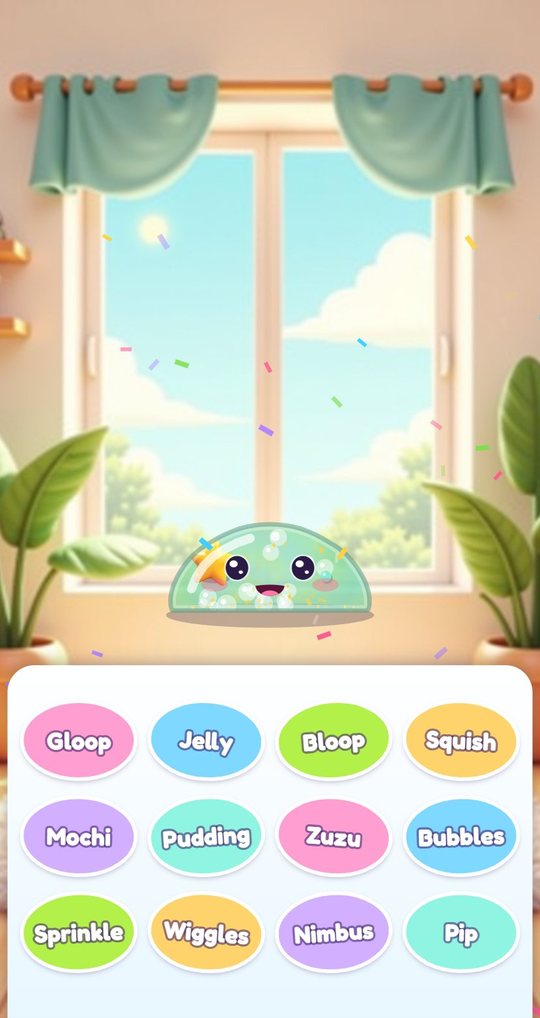
It wakes up and gets a name
When the slime is done it drops into the room, lands with a wobble and opens its eyes. Twelve name stickers appear: Gloop, Jelly, Bloop, Squish, Mochi, Pudding, Zuzu, Bubbles, Sprinkle, Wiggles, Nimbus and Pip. The child taps one and the pet moves in. No typing is needed at any point.
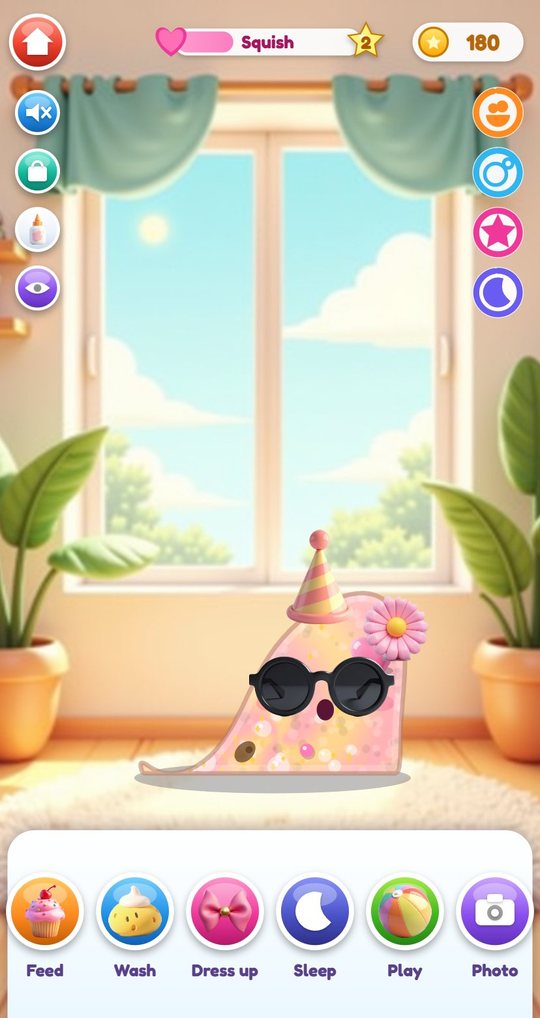
Poke, squish, stretch and fling
At home the whole screen is a place to touch the pet. A tap pokes it, and it jumps with a surprised face. Holding a finger down squishes it flat. Dragging an edge pulls out a string that snaps back when it gets too long, and dragging the middle picks the pet up so it can be carried or thrown. Each finish answers in its own way: jelly is stiff and bouncy, butter is slow and soft.
The eye button starts quiet mode, which hides every button and stops the music, leaving only the slime and its sounds.
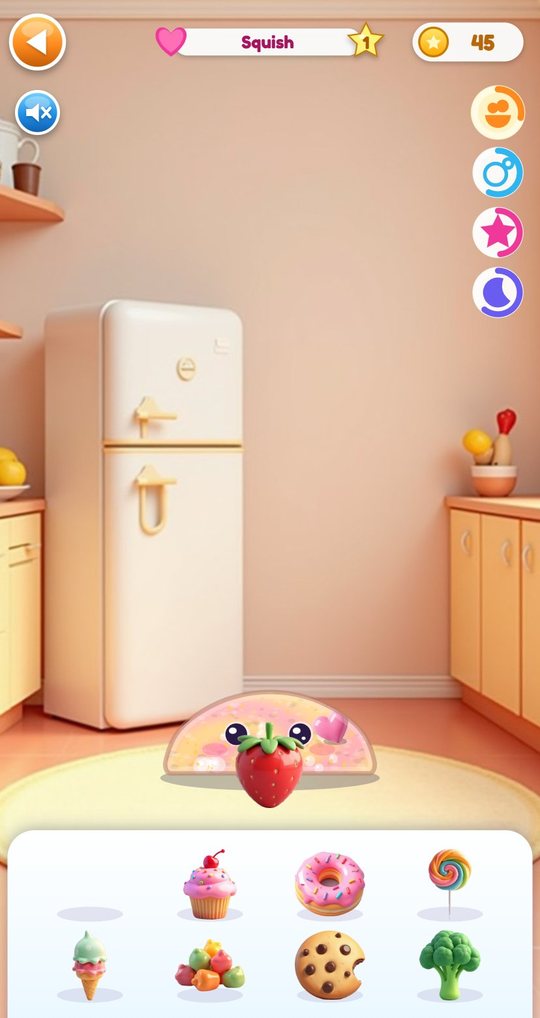
Feed, wash, dress and tuck in
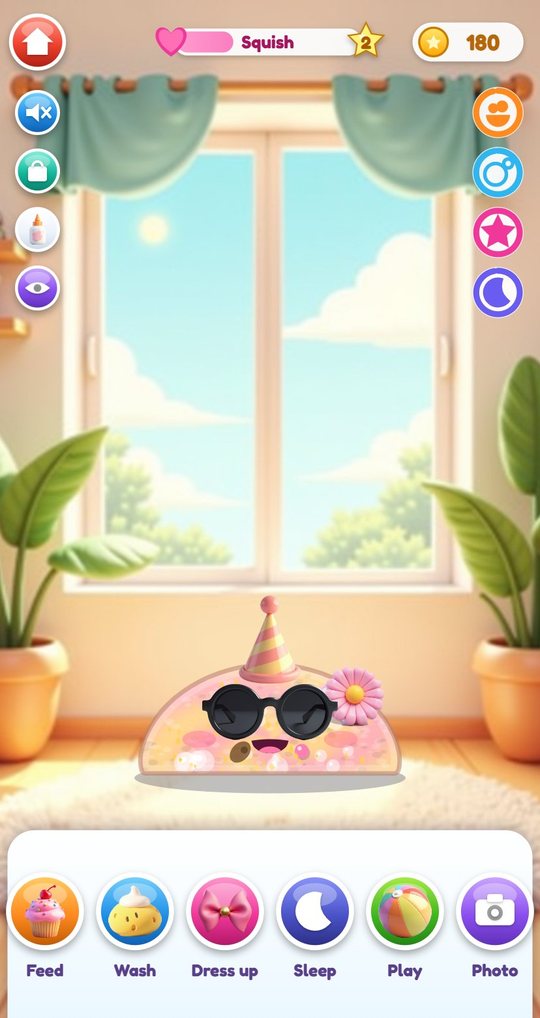
Six buttons under the pet lead to the care rooms. In the kitchen there are 8 foods to drag to its mouth, and each one does something: strawberry hearts, cupcake sprinkles, a cold shiver from the ice cream, crumbs from the cookie. In the bath the child lathers the pet with a sponge and rinses it with the shower.
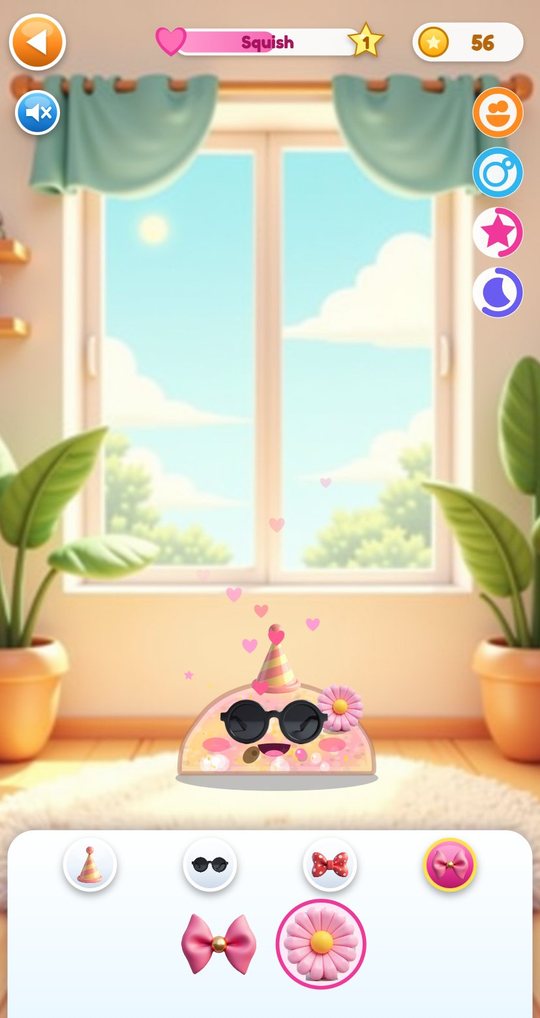
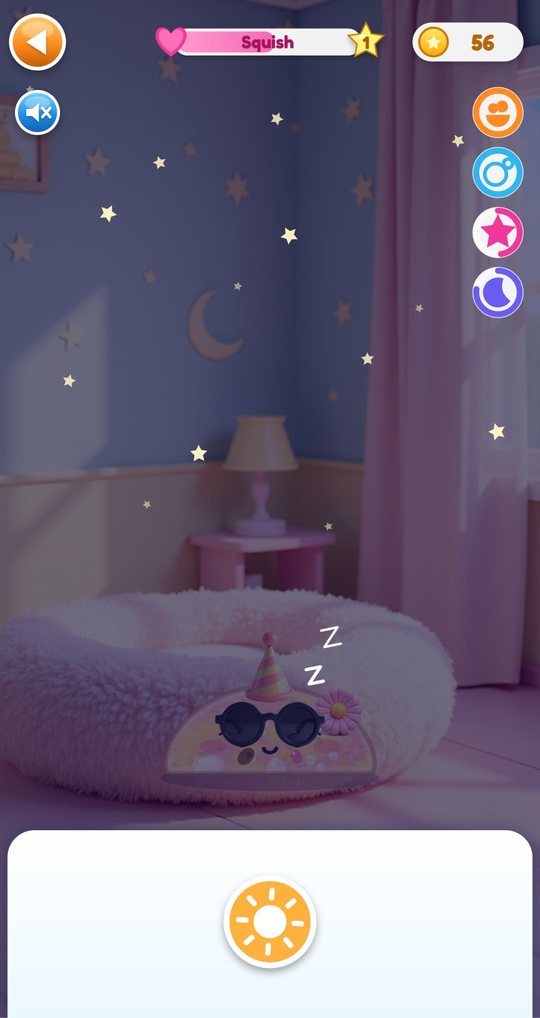
The wardrobe holds 10 accessories for the head, eyes, neck and side. In the bedroom the moon button turns the light off, a lullaby plays and the sleep ring fills up while the pet snores.
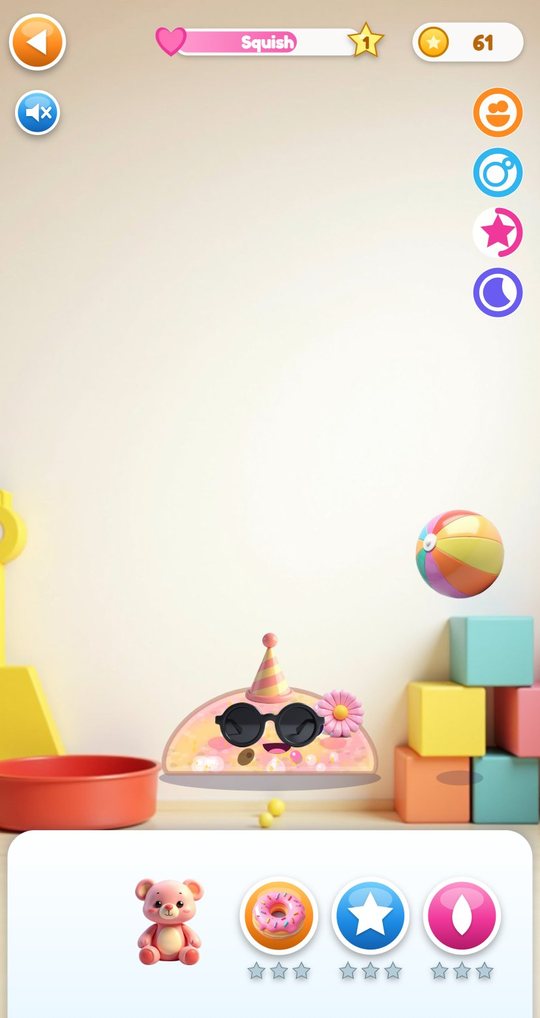
Playroom and three mini games
The playroom has a ball to bounce off the pet and a teddy to hand over. Now and then a critter walks or flies past: a bee, a snail, a frog, a duck or a ladybug. Tapping it adds it to the album and pays a few coins.
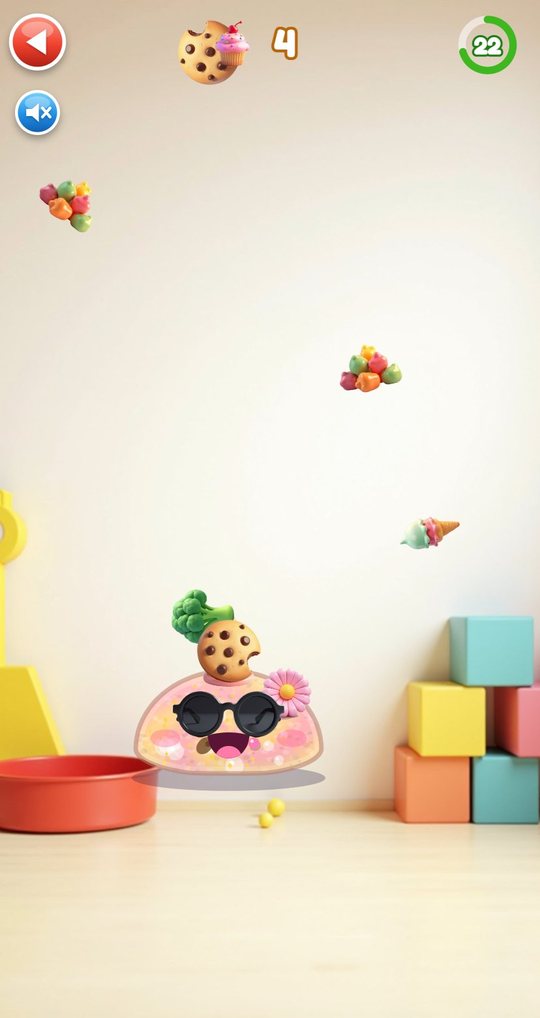
Three buttons start the mini games. In Goo Catch the pet slides left and right for 30 seconds to catch falling food. In Star Stretch the child pulls a piece of slime out to touch 10 stars. In Splat Wall the pet is thrown at the wall to leave up to 24 splats. Each ends with one to three stars and some coins.
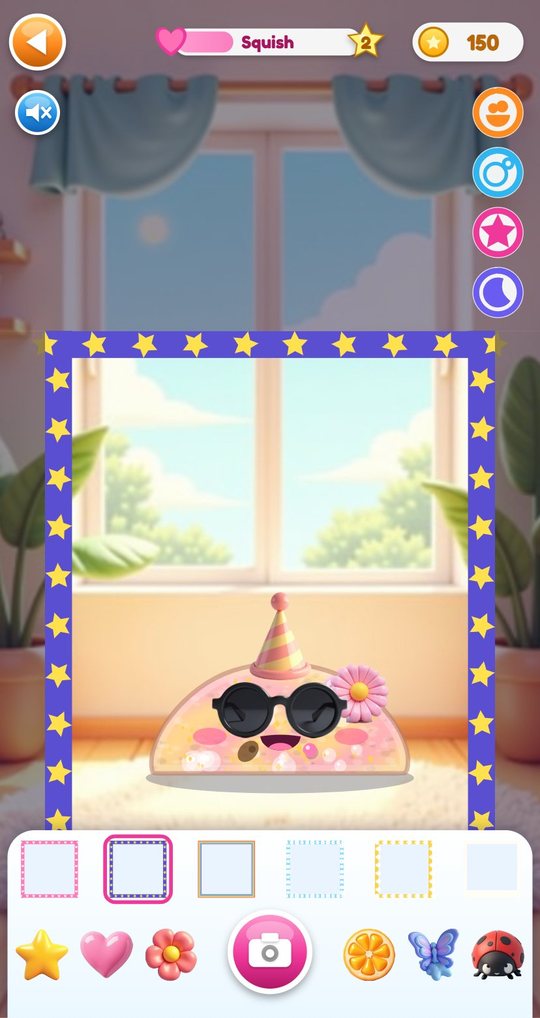
Photo booth and album
The photo booth puts a frame around the pet. There are 6 frames and 6 stickers to drag on, and the camera button saves the picture. The album keeps the last 12 photos on its first page, the five critters on the second and a collection of charms, accessories and foods on the third. Photos stay inside the game.
A shelf of pets
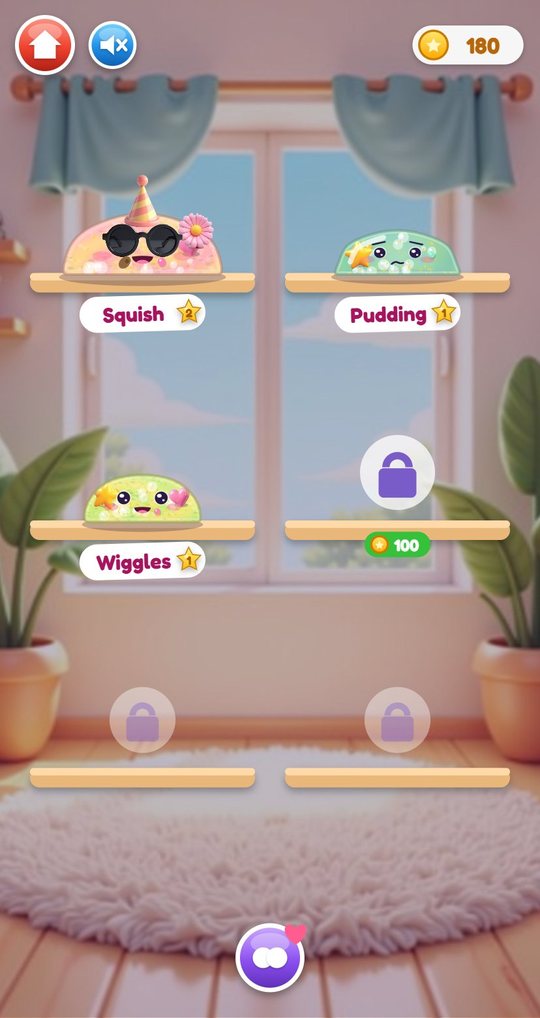
Leaving the room leads to the shelf, where every pet sits on its own board with its name and level. Three places are open from the start and three more are unlocked with coins. The merge button lets the child tap two pets to make a baby that mixes both recipes; the parents stay on the shelf.
How to play
- Tap Play and choose an empty place on the shelf to open the lab.
- Go through the six steps: finish, colours, glitter, charms and beads, foam and scent, kneading.
- Tap Done, watch the slime wake up and pick one of the 12 names.
- Poke, squish, stretch and throw the pet with one finger.
- Watch the four rings and use Feed, Wash, Sleep and Play when one runs low.
- Try the three mini games in the playroom and tap passing critters.
- Spend coins on new finishes, accessories and rooms, then mix another slime.
Screenshots
Full specification
| Step 1: finish | Pick one of 6 finishes |
|---|---|
| Step 2: colour | 12 colours; the slime shows the last two tapped, tapping one colour twice makes it the only one |
| Step 3: glitter | Pick a glitter, then drag the jar over the slime to shake it in; a bar shows how much; a button empties it |
| Step 4: charms and beads | Drag charms onto the slime; tap bead colours to drop in up to 12 beads; a button clears both |
| Step 5: foam and scent | Foam bottle: 0 to 3 pumps. Scent: pick one of 6 and add 1 to 3 drops |
| Step 6: kneading | Move a finger round and round on the slime until the colours blend, then tap Done |
| Tools on the shelf | Glue, activator, glitter jar, bead bowl, foam bottle, scent dropper; tapping a tool jumps to its step |
| Going back | Arrows and step dots move between steps freely; a pet can also be taken back to the lab from the home screen with the flask button |
| Finishes (6) | Clear (free), Fluffy (free), Butter (60 coins), Jelly (80), Metallic (100), Galaxy (120) |
|---|---|
| Colours (12) | Pink, red, orange, yellow, lime, green, mint, sky blue, blue, purple, lilac, white; all free |
| Glitter (6) | Gold, silver and pink (free); blue, rainbow and holo (40 coins each) |
| Charms (5) | Star and heart (free); flower, fruit and butterfly (40 coins each) |
| Beads | 8 colours, up to 12 beads in one slime; free |
| Foam | 0 to 3 pumps; free |
| Scents (6) | Strawberry, mint, vanilla, ocean, bubblegum, lullaby; each gives off its own little puffs (hearts, leaves, stars, drops, bubbles, notes); free |
| How it works | A critter in the corner of the lab asks for a colour, a glitter and a charm; later cards also ask for a finish. Ticks show what already matches. |
|---|---|
| Number of cards | 20 picture orders, 4 from each of the 5 critters; the first five need only free ingredients |
| Reward | 1 star, 25 coins and 25 love points for the new pet; then the next card appears |
| Optional | A slime that does not match the card is finished in the same way, without the reward |
| Names (12) | Gloop, Jelly, Bloop, Squish, Mochi, Pudding, Zuzu, Bubbles, Sprinkle, Wiggles, Nimbus, Pip |
|---|---|
| Touch | Tap = poke; hold = squish; drag an edge = stretch (the string snaps back when pulled too far); drag the middle = carry, and let go fast to fling |
| Face | Drawn by the game and changes with what happens: happy, surprised, laughing, sad, munching, yawning, sleeping and more |
| Needs (4 rings) | Hunger, clean, fun, sleep; they sink slowly during play and never fall below 20 out of 100; a thought bubble shows the lowest one |
| Love and levels | Care adds love points; every 100 points is a level, up to level 10, shown on the star next to the name |
| Growth | Three sizes: small at the start, medium from 100 love, large from 300; the voice gets lower as the pet grows |
| Home | Free play with the pet; buttons for sound, shop, lab and quiet mode; six care buttons: Feed, Wash, Dress up, Sleep, Play, Photo |
|---|---|
| Kitchen: foods (8) | Strawberry (hearts), cupcake (sprinkles), donut (a jump), lollipop (a spin), ice cream (a cold shiver), gummies (bouncing), cookie (crumbs), broccoli (green puffs and a giggle) |
| Bath | Sponge to lather, shower to rinse; a clean pet sparkles and the clean ring is full again |
| Wardrobe: accessories (10) | Head: party hat, crown, wizard hat, beanie, headphones. Eyes: sunglasses, heart glasses. Neck: bow tie. Side: bow, flower. One per place. |
| Bedroom | Moon button turns the light off, a lullaby plays and the sleep ring fills; sun button wakes the pet |
| Playroom | Beach ball, teddy, passing critters and the three mini game buttons |
| Photo booth | 6 frames, 6 stickers (star, heart, flower, fruit, butterfly, ladybug), camera button |
| Goo Catch | 30 seconds; slide the pet left and right to catch falling food. Stars at 8, 15 and 22 catches; one coin per catch. |
|---|---|
| Star Stretch | Pull a piece of the slime out to touch 10 stars, one after another. 3 stars if the string snaps at most once, 2 stars for up to four snaps; 10 coins. |
| Splat Wall | Fling the pet at the wall to leave up to 24 splats; the tick button ends the round. Stars at 8, 14 and 20 splats; up to 12 coins. A camera button saves the wall. |
| After a game | Fun ring goes up, love is added, best star count per game is kept; buttons for playing again or going back to the playroom |
| Who | Bee, snail, frog, duck, ladybug |
|---|---|
| Where | They walk, hop or fly through the playroom every few seconds; tap one to collect it |
| Reward | 6 coins the first time, 3 coins after that; a gift box with 60 coins and an item when all five have been met |
| Places | 6 in total: 3 open from the start, the 4th for 100 coins, the 5th for 150, the 6th for 200 |
|---|---|
| New slime | An empty place opens the lab |
| Merge | With two or more pets and a free place: tap the merge button, then two pets. The baby takes its finish from one parent, a colour from each, and a share of both parents' glitter, charms, beads, foam and scent. |
| Deleting | Pets cannot be deleted; a pet can be remade in the lab instead |
| Photos page | The last 12 photos; tap one to see it large |
|---|---|
| Critters page | 5 critters with a count of how often each was met |
| Collection page (24) | 5 charms, 10 accessories, 8 foods the pet has tasted and the gift box |
| Rooms and shelf places | Home room (free); Space, Candy, Beach and Forest rooms (150 coins each); shelf places 4, 5 and 6 (100, 150, 200) |
|---|---|
| Accessories (10) | Party hat, sunglasses, bow and flower (free); beanie, headphones, heart glasses and bow tie (40 each); crown and wizard hat (60 each) |
| Finishes (6) | Clear and Fluffy (free); Butter 60, Jelly 80, Metallic 100, Galaxy 120 |
| Glitter (6) | Gold, silver, pink (free); blue, rainbow, holo (40 each) |
| Charms (5) | Star, heart (free); flower, fruit, butterfly (40 each) |
| Real money | None. Locked ingredients can also be bought with coins right in the lab. |
| Feeding | 2 coins and love per food |
|---|---|
| Bath finished | 5 coins and love |
| Full night's sleep | 5 coins and love |
| New accessory worn | Love the first time each one is tried |
| Ball play | Love after six bounces off the pet |
| Order card matched | 1 star, 25 coins |
| Level gift | A gift box at every new love level: 20 coins plus 10 per level, often with a small item |
| Daily gift | A gift box on the title screen once a day: 30 coins, rising by 5 for each day in a row up to 50, plus a small item not yet owned |
| Effects | All synthesised in the app: pokes, squishes, stretches and snaps that differ by finish, munching, giggles, yawns, splashes |
|---|---|
| Music (3 tunes) | A marimba tune for the rooms, a slower one in the lab, a music-box lullaby in the bedroom |
| Quiet mode | Eye button on the home screen: hides the interface and stops the music; the faded eye button brings everything back |
| Sound button | On the title, the home screen and every room, lab and mini game |
| What is saved | Up to 6 pets with recipe, name, love, needs and outfit; coins, stars, owned items, critters, photos, order progress, best mini game results, language, sound setting |
|---|---|
| Where | On the device only, inside the app; no account, nothing uploaded |
| Screen | Portrait, one finger, no typing and no voice input |
| Version | 1.0 |
|---|---|
| File | SlimePet-1.0.apk, 2.1 MB |
| Android package | com.slimepet.kids |
| Requires | Android 8.0 or newer, phone or tablet, portrait |
| Internet | Not used. The game works fully offline |
| Android permissions | None |
| Ads and purchases | None |
| Accounts and data | No account. Nothing is collected or sent; progress is saved on the device only |
| Interface languages (20) | English, Español, Português, Français, Deutsch, Italiano, Nederlands, Polski, Русский, Українська, Türkçe, Bahasa Indonesia, Tiếng Việt, हिन्दी, বাংলা, العربية, ไทย, 中文, 日本語, 한국어 |
| Price | Free |
For parents
Your child makes a slime from pictures of ingredients, then plays with it as a soft toy and looks after it as a pet. There is no reading and no typing: names are picked from stickers, orders are shown as pictures. The slime play has no goal and cannot be done wrong. The mini games give one to three stars but never a failure screen.
The four need rings sink slowly and stop at 20 out of 100, so the pet never gets ill, runs away or is lost if the game is left for a week. A first slime takes two or three minutes to mix; after that a session is as long as the child likes, and one round of care takes about five minutes.
Slime Pet works fully offline. It has no ads, no purchases, no account, no chat and no links out, asks for no Android permissions and collects nothing. Coins are earned by playing and are the only way to open extra finishes, accessories and rooms. A daily gift box adds a few coins; skipping days costs nothing.
The interface is in 20 languages, chosen from the device language, with a switcher on the title screen. Every screen has a sound button, and quiet mode on the home screen hides the buttons and stops the music. Photos from the photo booth are pictures of the pet only and stay in the in-game album.
Questions and answers
What age is Slime Pet for?
Children of 3 to 9. The youngest tend to stay with poking and stretching the slime; older children follow the order cards, the needs and the mini games.
Can the pet get sick or disappear if we do not play?
No. The needs only move while the game is open and never fall below 20 out of 100. Nothing is taken away after a break.
Does it need internet?
No. The game is fully offline and asks for no Android permissions.
Are there ads or purchases?
No ads and no purchases. Everything in the shop is paid for with coins earned by playing.
Does my child need to read?
No. Ingredients, orders and needs are pictures and icons. A few labels such as Feed and Wash sit under picture buttons, in the device language.
Is progress saved?
Yes, on the device only: up to six pets, coins, items, critters and photos. Uninstalling the app removes them.
Where do the photos go?
The photo booth draws the pet in a frame; it does not use the camera. The last 12 pictures are kept in the album inside the app and are not exported.
Download and install
Open the downloaded file on your Android device. If prompted, allow installation from the browser or file manager, install the game, then switch that permission off again.
The game itself is available in 20 languages and picks yours automatically.
Original filename: SlimePet-1.0.apk · 2.1 MB · SHA-256:
506a88c9e445071ba037fd50457ee7218a11797972f43c168f35d087500bb6e6 Dentist Game
 Call Santa
 Spooky Tales
 Toy Hospital
 Keyboard Builder
 Unbox Surprise
 Emoji Doctor
 Post Office
 Hero Maker
 Ear Spa
 Birthday Party
 Pretend Bakery
 Tiny Restorer
 Calm Corner
 Dino Egg Lab
 Monster Salon
 Crunchy Lab
 Marble Wonder
 Chore Quest
 Hair Salon