 Call Santa
Call Santa
A pretend video call and an elf workshop
The phone rings, the child taps the green button, and a cartoon Santa appears by the fireplace. He greets the child by name, says how old they are, praises up to three good deeds and repeats the wish. After the call the elf workshop opens with four mini games, a 24-door advent calendar, a sticker book and a photo album.
Version 1.0 · 39.0 MB · Android 8.0+
- Plays offline
- No ads
- No purchases
- No account
- No permissions
- 20 languages
About the game
Call Santa is a make-believe call, and the game says so on its parent card: there is no live person on the other end. Everything Santa says is put together on the phone from what the child picked a moment earlier, so the call feels personal without any typing, microphone or camera.
The whole game is built from pictures. A child who cannot read yet picks a name from a list or a picture nickname, taps their age, chooses good deeds and a toy, and the call begins. The workshop games that follow have no timer and no way to lose.
What is inside
Setting up the call in four taps
A short wizard prepares each call. First the child picks a name: 48 names are offered per language, or one of 12 picture nicknames such as the little bear, the penguin or the snowman for a name that is not on the list. Next comes the age, from 3 to 9.
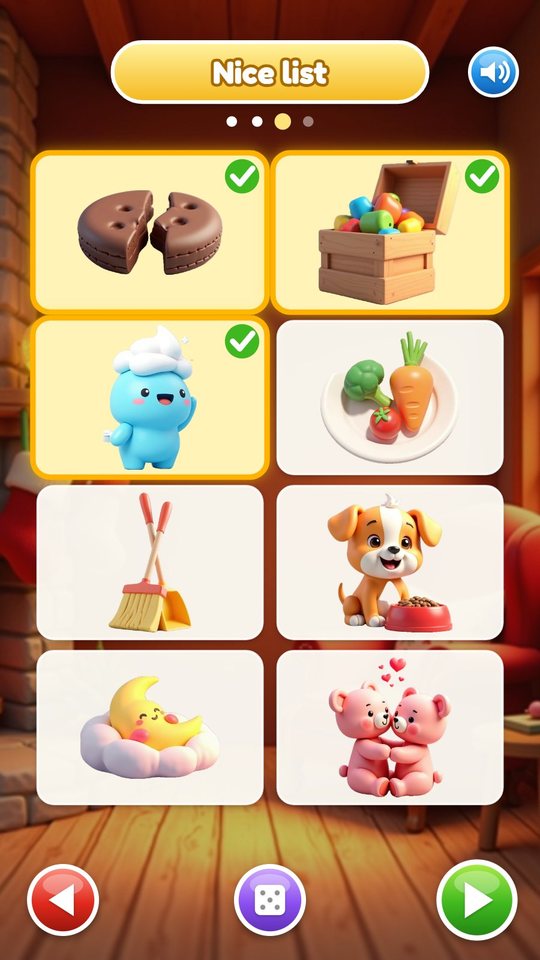
The third step is the Nice list. Eight pictures show good deeds: sharing, tidying up toys, brushing teeth, eating vegetables, helping with the sweeping, feeding the pet, going to sleep and being kind. The child ticks one to three of them, or taps the dice and lets Santa choose. The last step is the wish, one of 12 toys.
The call with Santa
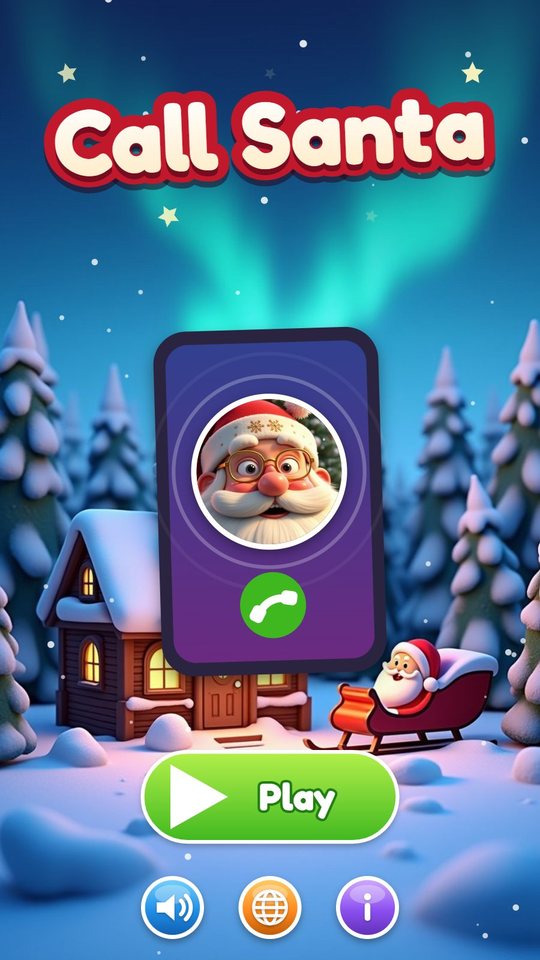
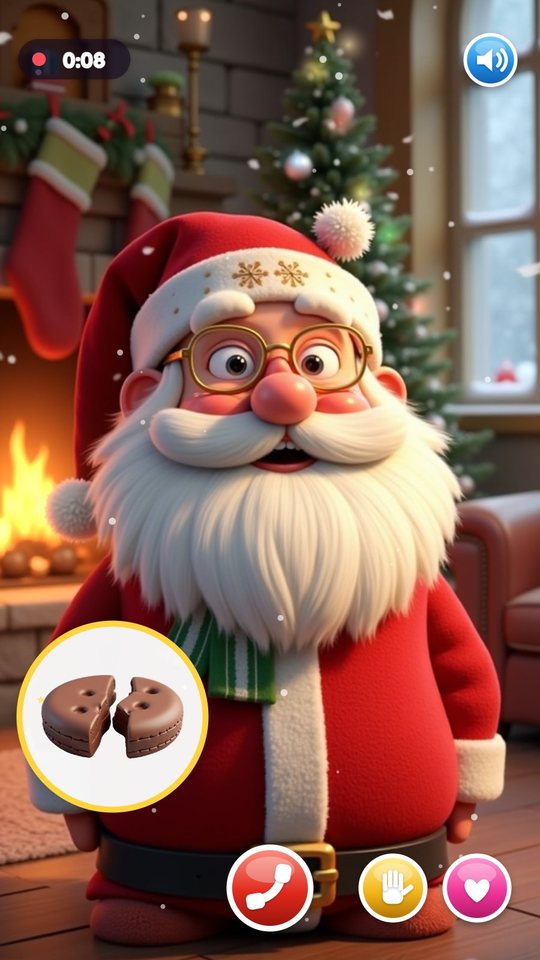
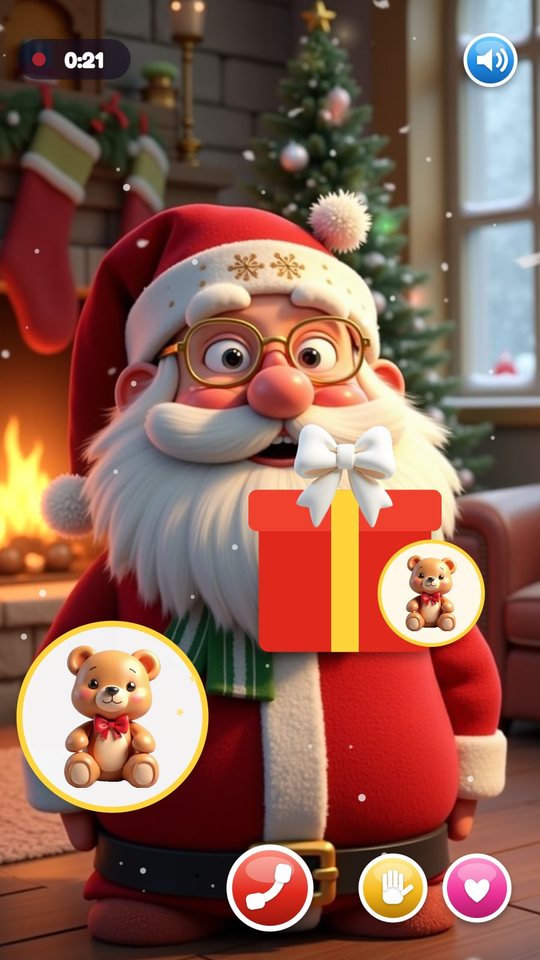
The ring screen shows Santa's picture and a green answer button. A bell button switches between four ring tones, and if nobody answers for 12 seconds a hint appears. Once the child picks up, Santa stands in his living room with a fire, a tree with twinkling lights and snow outside the window. He breathes, sways, blinks and winks, and his beard moves with his voice.
Santa says hello and the child's name on a banner, counts the age on a badge, then talks about each chosen good deed while its picture appears in a bubble. He holds up a gift with the wished toy, laughs and says goodbye. During the call the child can tap a hand button to wave and a heart button to send hearts. Hanging up needs a one-second hold, and Santa still says goodbye.
A postcard after every call
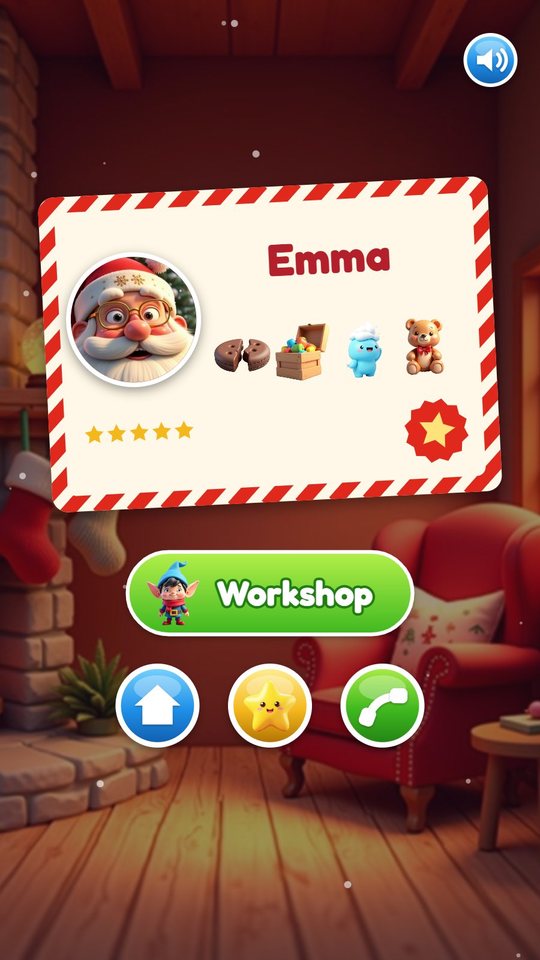
When the call ends, a Nice List postcard appears with Santa's portrait, the child's name, the good deeds and the wish. It is saved to the album. Tapping a postcard in the album later and pressing the phone button plays that same call again.
From the postcard screen the child can go to the workshop, go home, open the album or call Santa again.
The elf workshop
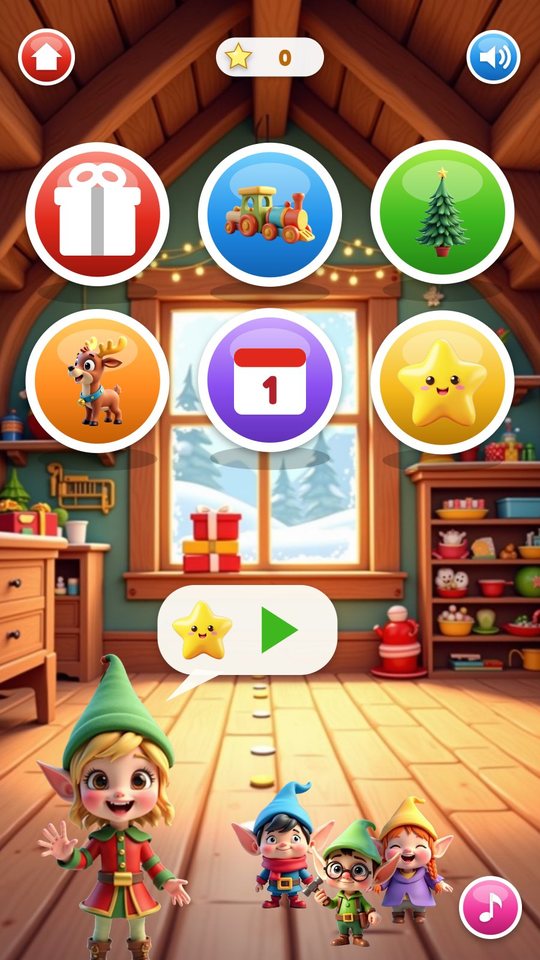
The workshop is a room under the roof with six round buttons: Wrap Gifts, Sort Toys, Decorate the Tree, Feed the Reindeer, the advent calendar and the sticker book. An elf host waves from the corner and shows with pictures what to do, three helper elves wander across the floor, and a radio button switches between three tunes.
After two finished workshop games Santa rings again for a short call back, once each time the app is started.
Four mini games without timers
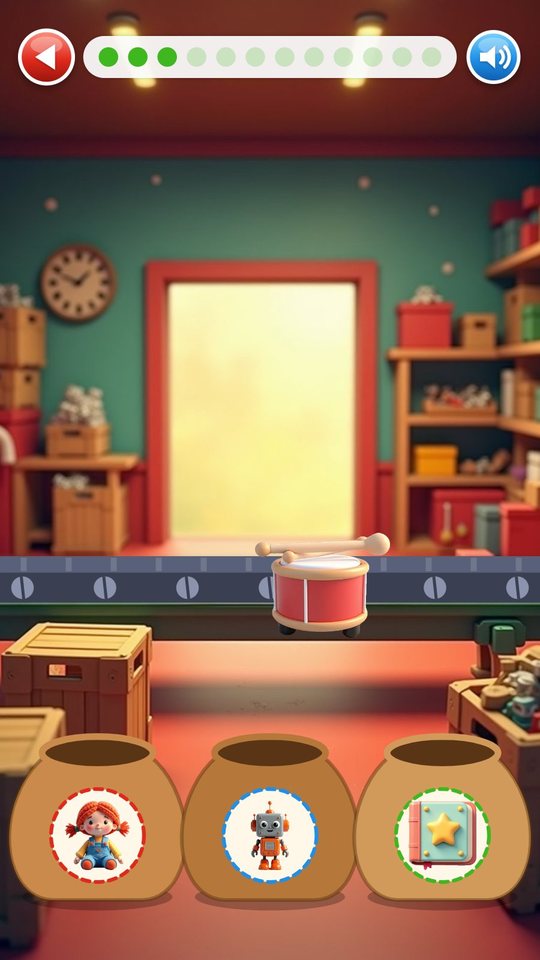
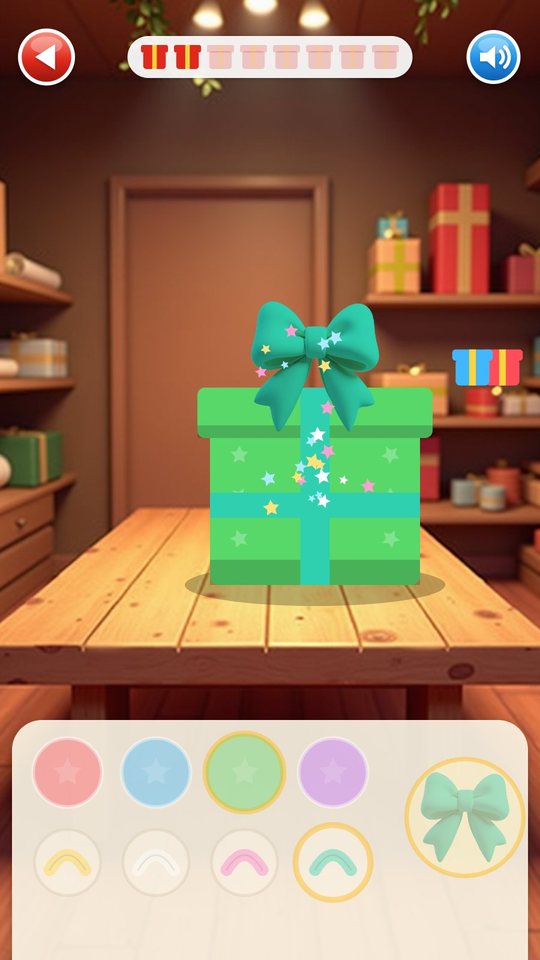
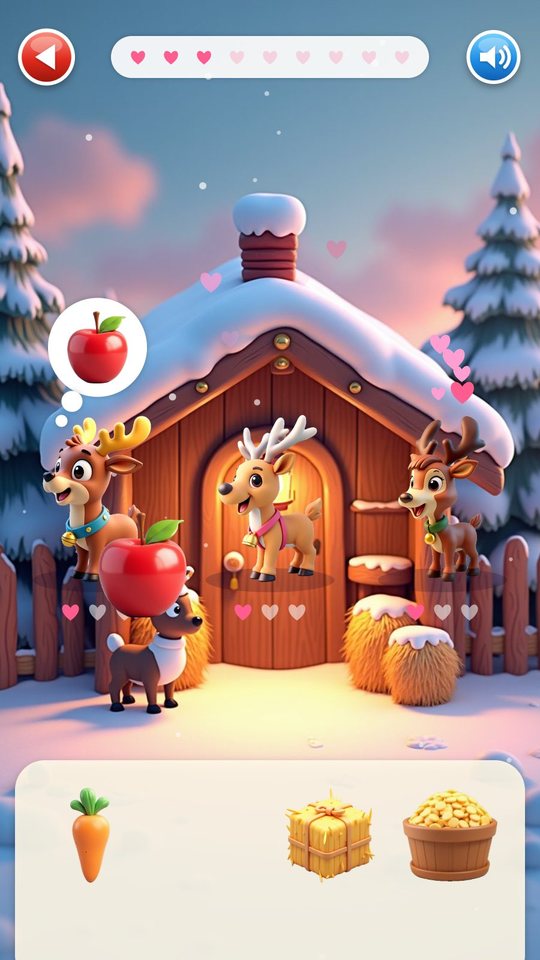
In Sort Toys, 12 toys ride in on a conveyor belt one at a time and the child drags each into one of three sacks marked with pictures. A toy dropped in the wrong sack hops back to the belt. In Wrap Gifts the child puts 8 toys into boxes and chooses a paper, a ribbon and a bow for each; the child's own wish is always the first toy. In Feed the Reindeer three reindeer think of a carrot, an apple, hay or oats, and each wants to be fed three times.
Every round ends with one to three stars, never zero. Half of the time a new sticker comes with them. If the child stops moving for a few seconds, a hand shows the next drag.
Decorate the tree
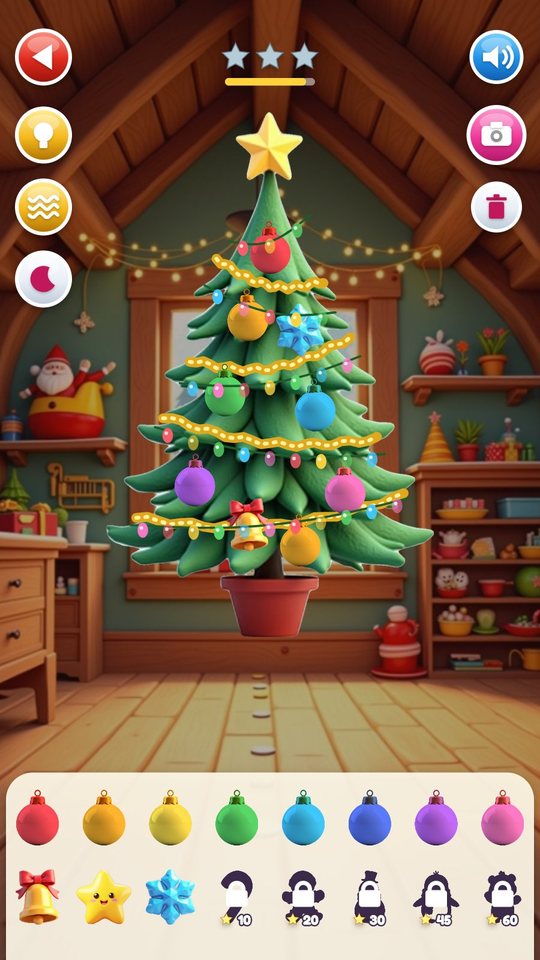
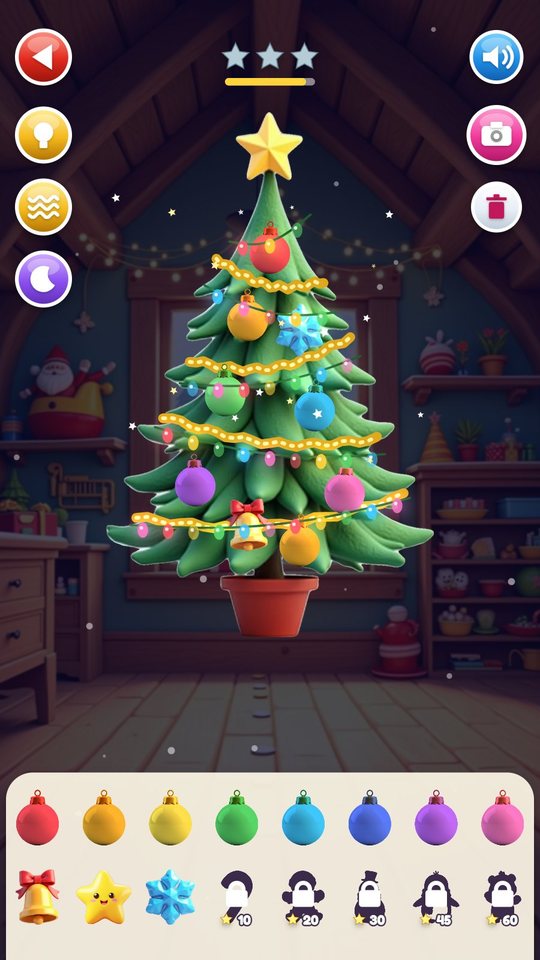
The tree is a free play corner. The child drags baubles in eight colours and friend ornaments onto the branches, up to 40 at once, and can move or remove each one. Three buttons switch the fairy lights, the garland and night mode, where the room goes dark and the lights glow. A camera button saves a photo of the tree to the album.
Two friend ornaments, the bell and the star, are there from the start. The snowflake, candy cane, gingerbread man, snowman, penguin and bear unlock at 5, 10, 20, 30, 45 and 60 stars. The tree is saved, so it looks the same on the next visit.
Advent calendar and sticker book
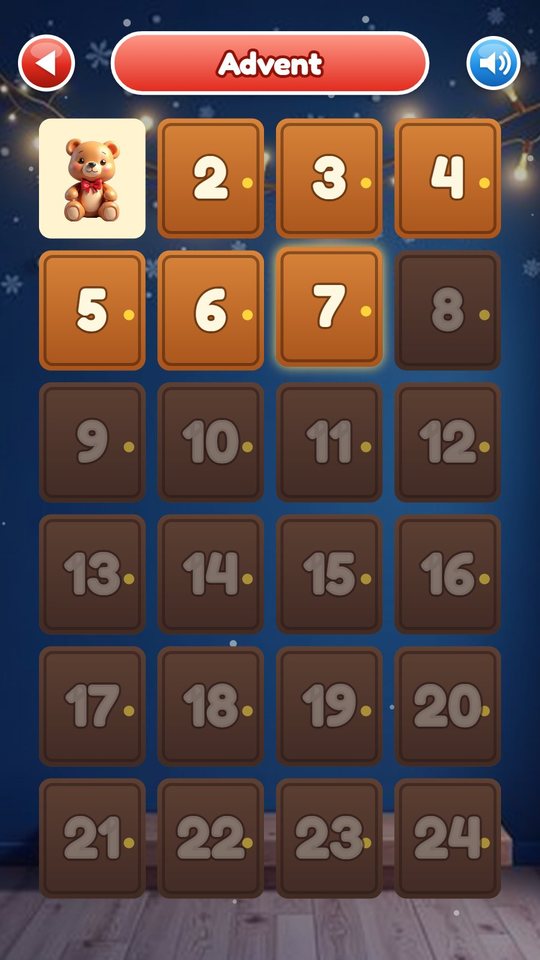
The advent calendar has 24 wooden doors. Door 1 opens on the first day the game is used and one more door becomes available each day after that, so the calendar works at any time of year. Each door gives one sticker. The sticker book has room for all 24, and the album next to it keeps postcards and tree photos.
How to play
- Tap Play and choose a profile or make a new one.
- Pick a name or a picture nickname, then the age.
- Tick one to three good deeds on the Nice list and choose a wish toy.
- When the phone rings, tap the green button and listen to Santa; wave or send hearts.
- Look at the postcard, then open the workshop.
- Play Wrap Gifts, Sort Toys, Feed the Reindeer or decorate the tree to earn stars and stickers.
- Come back each day to open the next advent door.
Screenshots
Full specification
| Child profiles | Up to 3 on one device; each keeps its own name, age, nice list, wish, stars, stickers, advent doors, album and tree. A profile is edited by holding the pencil button for 1 second |
|---|---|
| Name lists | 48 names per language (24 girls, 24 boys) with their own lists for English, Spanish, German, French, Portuguese, Italian, Russian, Dutch, Polish, Ukrainian and Turkish; other interface languages show the English list |
| Picture nicknames (12) | Little bear, little penguin, snowman, gingerbread, starlight, snowflake, jingle bell, candy cane, little reindeer, little elf, teddy, dear friend |
| Age | 3, 4, 5, 6, 7, 8 or 9 |
| Nice list (pick 1 to 3 of 8) | Sharing, tidying up toys, brushing teeth, eating vegetables, helping, feeding the pet, going to sleep, being kind; the dice button lets Santa pick three |
| Wish (12 toys) | Teddy, train, doll, ball, paints, puzzle, car, robot, book, blocks, drum, kite |
| Ring screen | Santa's picture, green answer button, bell button that cycles 4 ring tones (the choice is saved), hint after 12 seconds |
|---|---|
| Parts of a normal call | Hello and the child's name, the age, one part for each chosen good deed, the wish with a gift, a laugh, goodbye with the name |
| On screen during the call | Animated Santa portrait (breathing, sway, blink, wink, beard that moves with the voice), twinkling tree lights, fire glow, snow, name banner, age badge that counts up, picture bubbles, gift hand-over, call timer |
| Buttons during the call | Hang up (hold 1 second; Santa still says goodbye), wave, heart, sound on/off |
| Santa calls back | A short second call after two finished workshop games, once per app start |
| Christmas Eve call | On 24 December the call is longer and Santa calls from the sleigh |
| After the call | Nice List postcard, then buttons for Workshop, home, album and call again |
| Recorded voice | English, Spanish, German, French, Portuguese, Italian and Russian |
|---|---|
| Other interface languages | Hear the English voice |
| What is spoken | The greeting and goodbye with the child's name or nickname, the age, two alternating lines for each good deed, a line for each wish toy, three laughs, three closing lines, four call-back lines, Christmas Eve lines; the elf host, game intros, cheers after a round and a line for every advent door are spoken as well |
| Names without a recording | Santa says a 'dear friend' greeting instead |
| Video | The call is an animated picture of Santa, not a filmed video |
| Stations (6) | Wrap Gifts, Sort Toys, Decorate the Tree, Feed the Reindeer, Advent, Stickers |
|---|---|
| Characters | Elf host who explains with pictures and can be tapped, three wandering helper elves |
| Radio | A note button switches between 3 original tunes |
| Star counter | Shown at the top of the workshop |
| Wrap Gifts | 8 gifts per round. Drag the toy into the box, then choose 1 of 4 papers (red, blue, green, purple), 1 of 4 ribbons (yellow, white, pink, teal) and tap the bow. The child's wish toy comes first. 2 stars for finishing, 3 stars when at least four different paper and ribbon combinations were used |
|---|---|
| Sort Toys | 12 toys per round on a conveyor belt, three sacks: teddy and doll; train, car and robot; ball, kite, drum, blocks, puzzle, paints and book. A wrong sack sends the toy back. 3 stars with no mistakes, 2 stars with up to three, otherwise 1 |
| Feed the Reindeer | 3 reindeer, 4 foods (carrot, apple, hay, oats), each reindeer is fed 3 times, 9 feeds per round. The wanted food is shown in a thought bubble. 3 stars with no mistakes, 2 stars with up to three, otherwise 1 |
| Decorate the Tree | Free play: 8 bauble colours, 8 friend ornaments, up to 40 ornaments on the tree, fairy lights, garland, night mode, photo, clear-all button. 1 star for every 10 ornaments placed, up to 3 per visit |
| Rules shared by all games | No timers and no losing; a hint hand appears after a few idle seconds; result panel with home and replay buttons |
| Stars | 1 to 3 per finished round, added to the profile total |
|---|---|
| Stickers from games | Half of the finished rounds also give a random sticker that is still missing; once all are collected the round gives 3 bonus stars instead |
| Tree ornaments | Bell and star from the start; snowflake at 5 stars, candy cane at 10, gingerbread man at 20, snowman at 30, penguin at 45, bear at 60 |
| Advent calendar | 24 doors; door n opens n-1 days after the first launch, not tied to December; each door gives its sticker, or 1 star if the sticker is already owned |
| Sticker book (24) | Teddy, star, train, snowman, doll, Santa hat, ball, penguin, paints, gingerbread man, puzzle, snow globe, car, bear, robot, snowflake, book, mittens, blocks, bell, drum, candy cane, kite, sled |
| Contents | Nice List postcards from calls and photos of the decorated tree, the newest 24 items |
|---|---|
| Postcard | Santa's portrait, the child's name, the chosen good deeds and the wish; the phone button replays that call |
| Deleting | Hold the bin button for 2 seconds in the viewer |
| Parent card | Opens from the title screen by holding the info button for 2 seconds; explains that the call is pretend, lists the profiles, deletes one profile or resets everything (each with a 2-second hold) |
|---|---|
| Sound | On/off button on every screen |
| Language | Globe button on the title screen |
| Saved on the device only | Profiles, stars, stickers, opened doors, album, tree, ring tone, language |
| Recorded | Santa's and the elf's spoken lines in 7 languages |
|---|---|
| Synthesised | All sound effects, 4 ring tones, 3 radio tunes, the fireplace, and a wordless jingle voice used when a line has no recording |
| Orientation | Portrait |
| Version | 1.0 |
|---|---|
| File | CallSanta-1.0.apk, 39.0 MB |
| Android package | com.santacall.kids |
| Requires | Android 8.0 or newer, phone or tablet, portrait |
| Internet | Not used. The game works fully offline |
| Android permissions | None |
| Ads and purchases | None |
| Accounts and data | No account. Nothing is collected or sent; progress is saved on the device only |
| Interface languages (20) | English, Español, Português, Français, Deutsch, Italiano, Nederlands, Polski, Русский, Українська, Türkçe, Bahasa Indonesia, Tiếng Việt, हिन्दी, বাংলা, العربية, ไทย, 中文, 日本語, 한국어 |
| Price | Free |
For parents
Your child chooses a name, an age, a few good deeds and a wish from pictures, then watches and listens to a short call from a cartoon Santa. After that they drag toys into boxes and sacks, feed reindeer and hang ornaments on a tree. Nothing has to be typed or read, and the game never asks the child to speak.
The games are gentle: no timer, no losing, at least one star for every round, and a hint hand when the child is stuck. A call ends by itself with a postcard, and a workshop round ends with a result panel, so there are natural places to stop. The advent calendar gives one new door a day.
The game works fully offline and asks for no Android permission: no internet, no microphone, no camera. There are no ads, no purchases, no account, no chat and no links out. Nothing is collected or sent; the name, age and choices stay in the game's storage on the phone. Tree photos are pictures of the game screen, not camera photos.
You can set up to three profiles for siblings. The parent card, behind a two-second hold on the title screen, lets you delete a profile or reset everything. It also states plainly that the call is pretend and that no real person is involved, which is worth telling an older child who asks.
Questions and answers
Is this a real call with a real person?
No. It is a pretend call with a cartoon Santa. The game builds the call on the phone from the name, age, good deeds and wish the child picked. Nobody is on the other end and nothing is sent anywhere.
Will Santa say my child's name?
Each language list has 48 names, and in the seven voice languages Santa says the chosen name aloud. If the name is not on the list, the child picks one of 12 picture nicknames, such as little bear or snowflake, and Santa uses that. Where a name has no recording, Santa says a 'dear friend' greeting.
Which languages does Santa speak?
Santa has a recorded voice in English, Spanish, German, French, Portuguese, Italian and Russian. The buttons and labels are available in 20 languages; in the other 13 the child hears the English voice.
Does the game use the camera or microphone?
No. The game requests no Android permissions at all. The child answers by tapping, and the photos in the album are pictures of the decorated tree taken from the game screen.
Does my child need to read?
No. Names can be replaced by picture nicknames, and everything else is chosen from pictures. The few labels in the game are short words such as Play and Workshop.
Is progress saved, and can two children share the phone?
Yes. Up to three profiles are kept on the device, each with its own stars, stickers, advent doors, album and tree. Removing the app or using Reset everything on the parent card deletes them.
Can we use the advent calendar outside December?
Yes. The first door opens on the day the game is first started and one more door becomes available each day, whatever the month. Only the longer Christmas Eve call from the sleigh is tied to a date, 24 December.
Download and install
Open the downloaded file on your Android device. If prompted, allow installation from the browser or file manager, install the game, then switch that permission off again.
The game itself is available in 20 languages and picks yours automatically.
Original filename: CallSanta-1.0.apk · 39.0 MB · SHA-256:
83880a7eaa55a20754d78a9e0b57ba9db0d7f8f2aa668ca38d64e417a53158d3 Dentist Game
 Spooky Tales
 Toy Hospital
 Keyboard Builder
 Unbox Surprise
 Slime Pet
 Emoji Doctor
 Post Office
 Hero Maker
 Ear Spa
 Birthday Party
 Pretend Bakery
 Tiny Restorer
 Calm Corner
 Dino Egg Lab
 Monster Salon
 Crunchy Lab
 Marble Wonder
 Chore Quest
 Hair Salon