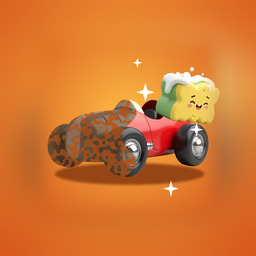
 Tiny Restorer
Tiny Restorer
Old toys made new with one finger
Old toys arrive covered in dust, mud and rust. The child rubs with one finger and the dirt comes off exactly where the finger went, one layer after another, until the toy shines again. There are 24 things to restore in four rooms, and nothing in the game can be lost or failed.
Version 1.0 · 2.4 MB · Android 8.0+
- Plays offline
- No ads
- No purchases
- No account
- No permissions
- 20 languages
About the game
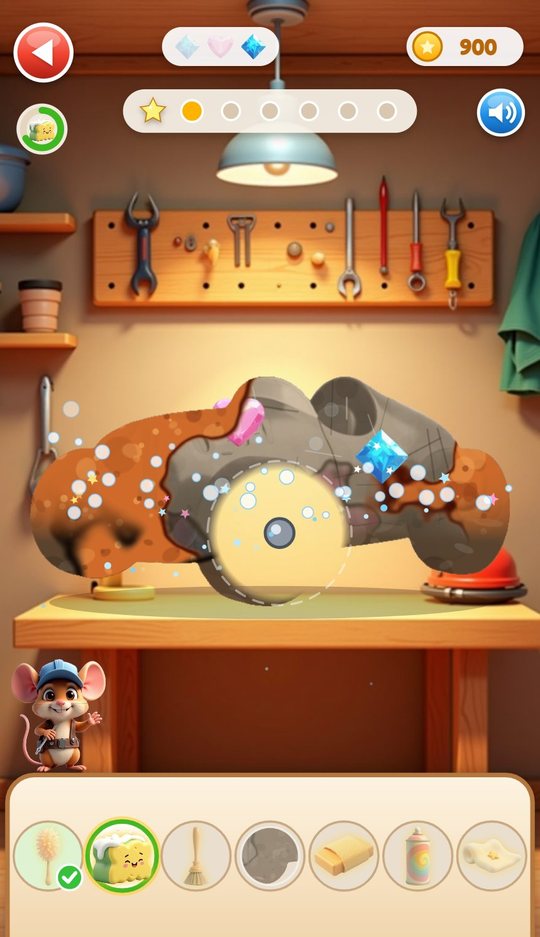
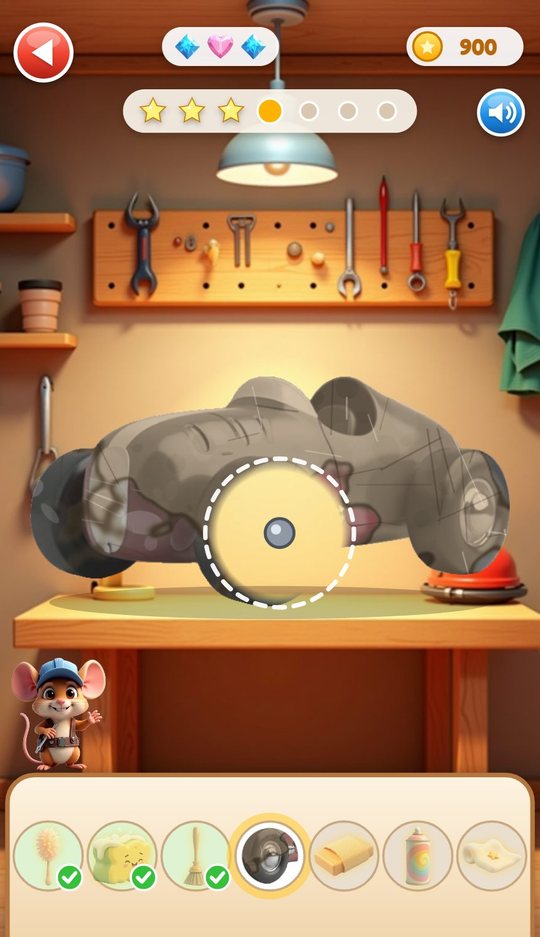
Tiny Restorer is a workshop on a phone screen. A dusty toy car, a rocking horse or a cuckoo clock sits on the bench, and a row of tools waits in the tray below. The child picks the tool that is lit up, rubs the toy, and watches the grey dust, the brown mud and the orange rust come away under the finger. Each toy takes four to seven stages, and at the end a wipe across the screen shows it clean and freshly painted.
There is no clock on a restoration, no score to beat and no way to do it wrong. A small mouse in a blue cap stands beside the bench and shows the next tool if the child stops for five seconds. Finished toys go onto a shelf, earn stars and coins, and can be photographed with a before and after slider.
What is inside
Rubbing the dirt off
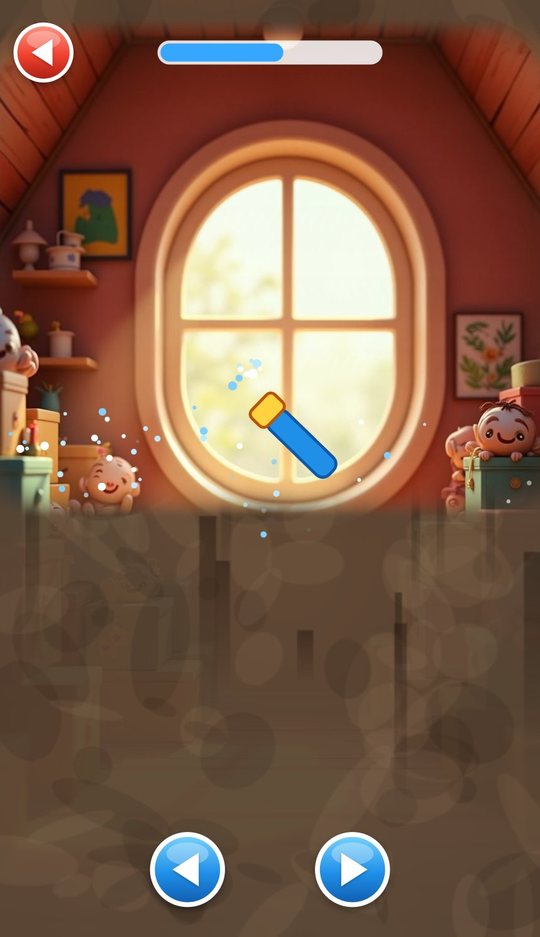
Every toy starts under several layers of dirt. The child drags a finger over the picture and the current tool clears a soft round patch wherever it passes, so half-cleaned toys look half-cleaned. A ring in the top corner fills up, and when about 85 percent of a layer is gone a sparkle sweeps across and the rest disappears.
The dirt is laid out differently every time a toy is played, so a second go at the same car does not look like the first. The rubbing sound follows the finger: slow strokes are quiet, fast strokes are louder.
Six tools, one layer each
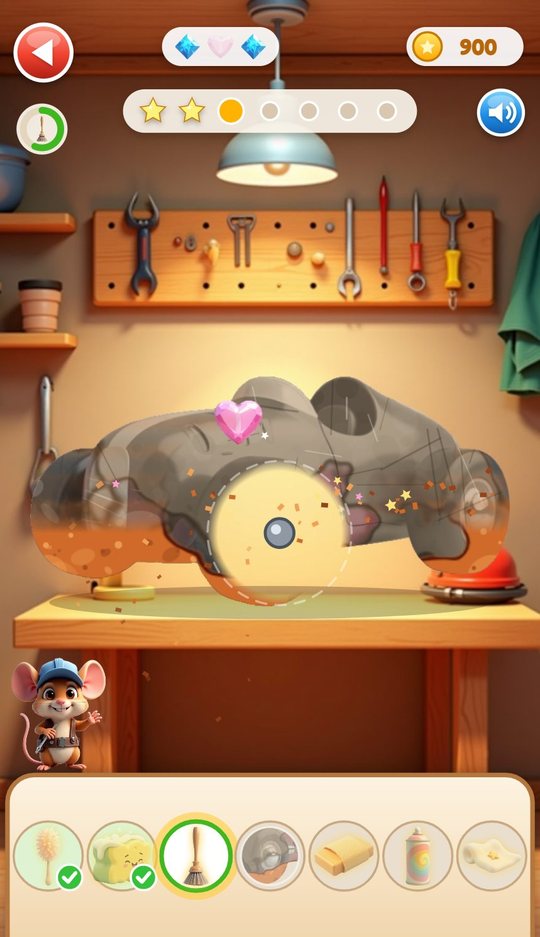
The tools come in a fixed order and each one removes only its own layer: the duster takes the dust and cobwebs, the sponge takes the mud, the wire brush takes the rust, the sanding block takes the old primer, the spray can lays on new paint and the cloth polishes off the last haze. A tool only works where the layers above are already gone. Rubbing with the wrong one gives a soft tink and nothing else.
- Duster: dust and cobwebs
- Sponge: mud and drips
- Wire brush: rust, old varnish, green tarnish, moss or stains, depending on the toy
- Sanding block: old primer
- Spray can: new paint
- Polishing cloth: the final haze
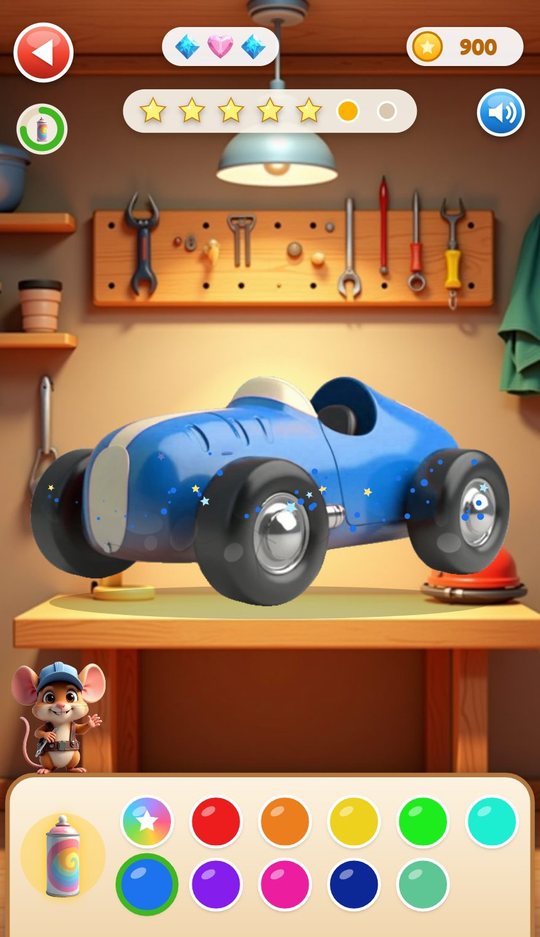
A missing part and a new colour
Thirteen of the 24 toys have lost a part, such as a wheel on the car. A dashed circle marks the empty place and the part waits in the tray; the child drags it into the circle and it snaps in.
At the paint stage the tray turns into a palette. The first swatch keeps the toy's original colours, eight more are free (red, orange, yellow, green, teal, blue, purple and pink) and four can be bought in the shop with coins (lime, coral, navy and mint). The chosen colour is sprayed on by rubbing, like every other stage.
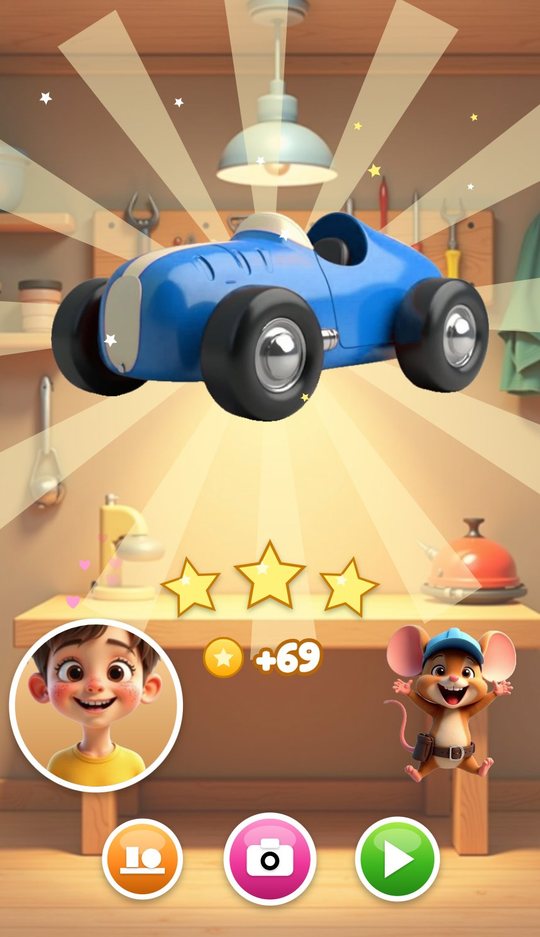
The reveal, stars and coins
When the last stage is done a bright line wipes across the toy from dirty to clean. The owner of the room and the mouse cheer, and up to three stars light up: one for finishing, one for doing every stage by hand, and one for tapping all three gems that were hidden under the dirt.
Coins are counted out on the same screen. From here the child can go to the shelf, take a photo or pick the next toy.
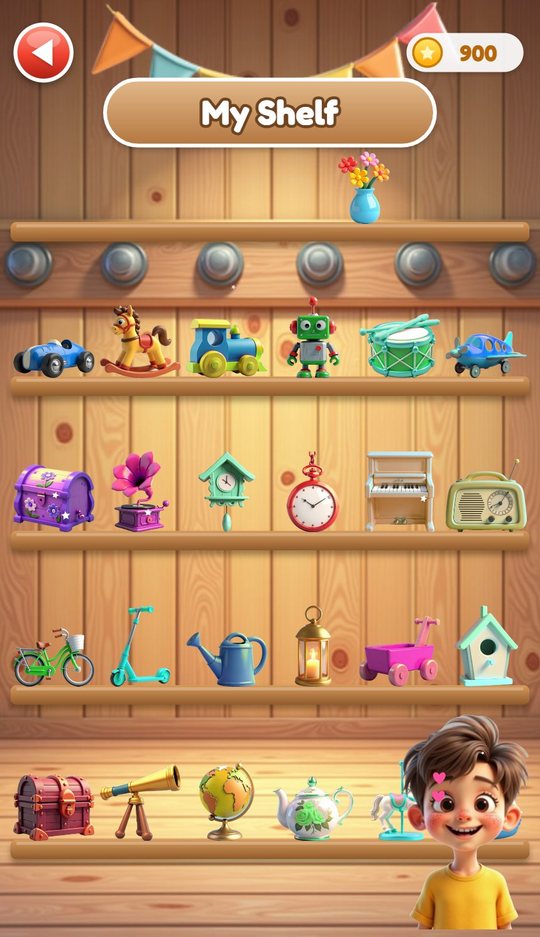
My Shelf
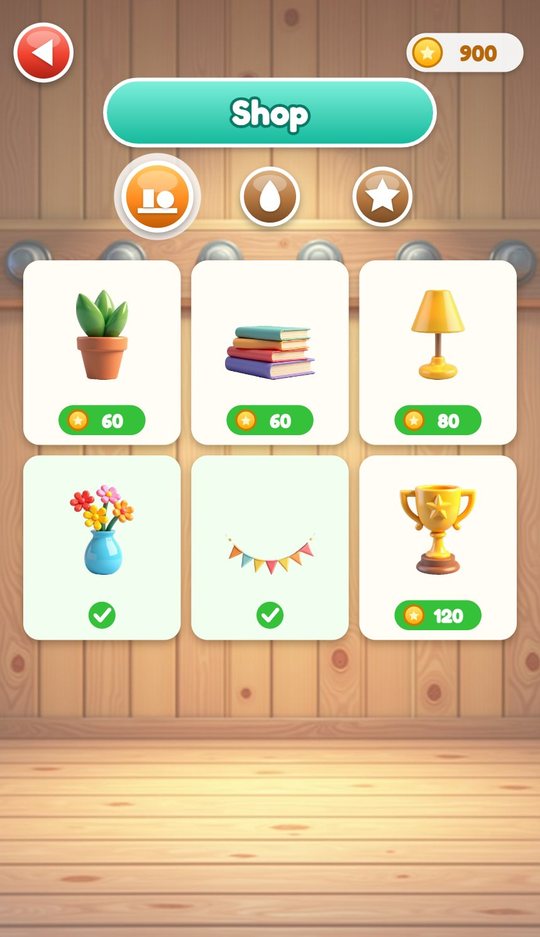
Every restored toy stands on a wooden shelf in the colour the child gave it, six toys to a row, one row per room. Decorations bought in the shop sit on the top board, and from time to time one of the four room owners walks by to look.
Tapping a toy opens a card with its stars and three buttons: take a photo, restore it again with new dirt, or close.
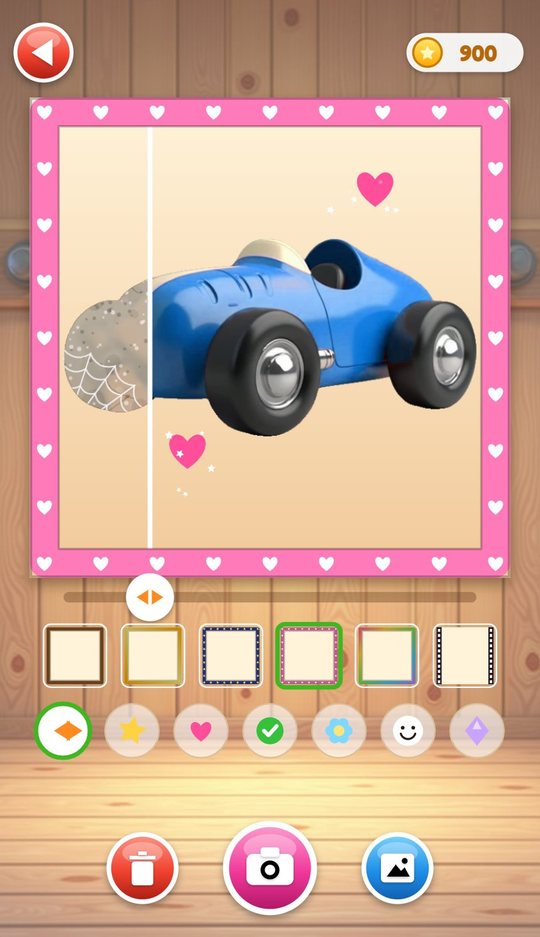
Photo booth and album
The photo booth shows the toy with a slider: drag it left and right to see more of the dirty or the clean version. The child picks one of six frames (wood, gold, stars, hearts, rainbow, film) and can press up to 16 stamps onto the picture, choosing from a star, a heart, a tick, a flower, a smiley and a diamond.
Saved pictures go to an album of up to 24. These are pictures of the game's own toys. The device camera is never used.
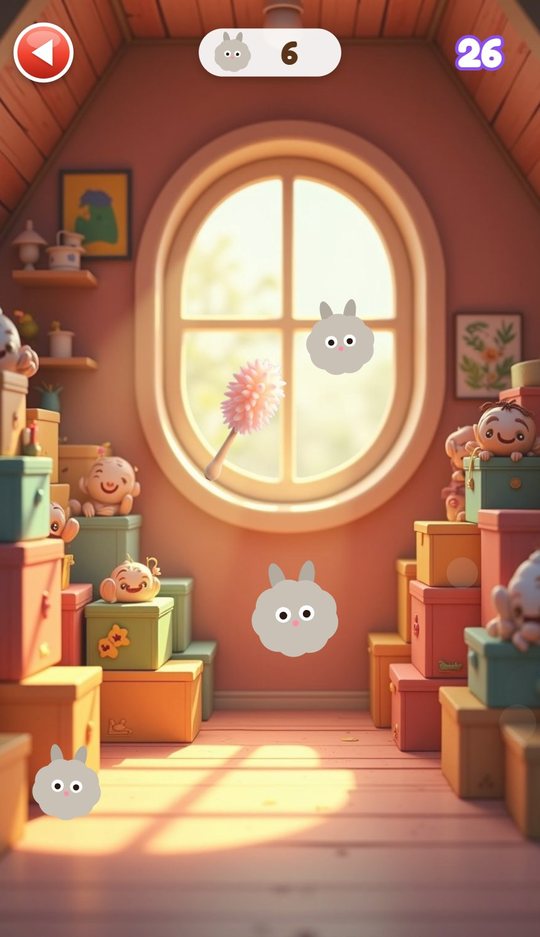
Mini games and Wash the Wall
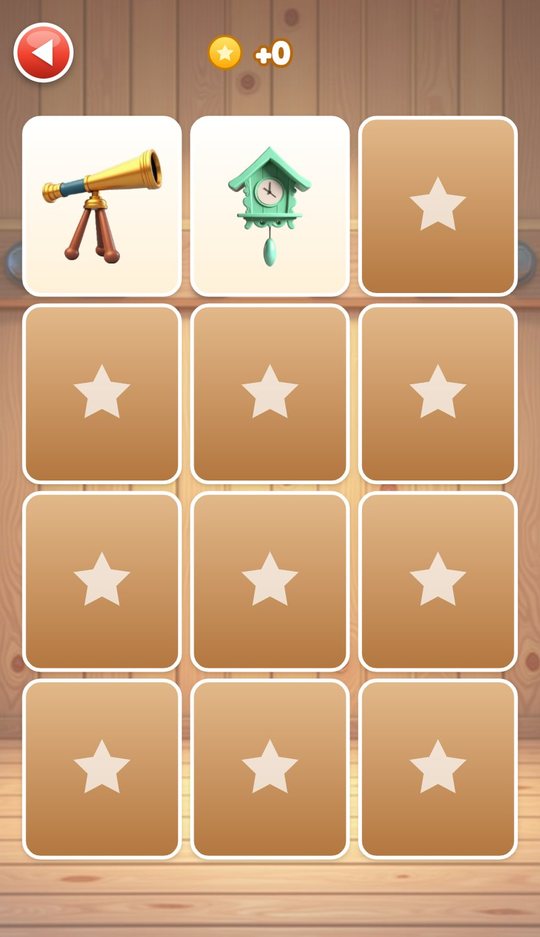
Three short games sit behind the Games button. In Shiny Pairs the child turns over 12 cards to find six pairs of toys. In Dust Bunnies a duster sweeps fluffy dust bunnies out of a room for 30 seconds. In Bubble Wash soap bubbles float up from a sponge for 30 seconds and are popped with a tap; golden ones count for six. All three pay coins, and none can be lost.
Wash the Wall is a free mode with no reward at all: a water jet clears a layer of grime off one of the four room pictures, and arrows switch to the next room.
How to play
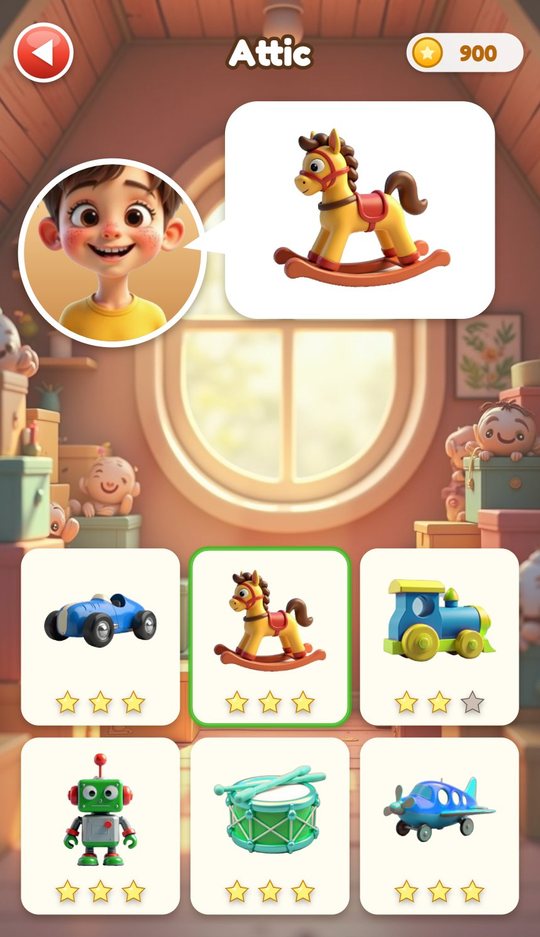
- Press Play, choose a room and tap one of its six toys.
- Tap the first tool in the tray and rub the toy until the layer is gone.
- Take the next tool. If you are not sure which one, wait and the mouse will show it.
- Tap the gems when they appear from under the dirt.
- Drag the missing part into the dashed circle if the toy has one.
- Pick a colour, spray it on, then polish with the cloth.
- Watch the reveal, collect stars and coins, and put the toy on the shelf or take a photo.
Screenshots
Full specification
| Rooms (4) | Attic, Parlor, Garden Shed, Cellar |
|---|---|
| Stars needed to open | Attic 0, Parlor 6, Garden Shed 14, Cellar 24 (total stars across all toys) |
| Stars per room | Up to 18 (six toys with up to three stars each); 72 in the whole game |
| Room owners | Four, one per room. The owner shows the toy on the choice screen, cheers at the reveal and visits the shelf |
| Helper | A mouse in a blue cap beside the workbench |
| About the names | The game shows every toy as a picture, without a written name; the names below describe the pictures |
|---|---|
| Attic (6) | Toy car, Rocking horse, Train, Robot, Drum, Plane |
| Parlor (6) | Music box, Gramophone, Cuckoo clock, Pocket watch, Toy piano, Radio |
| Garden Shed (6) | Bicycle, Scooter, Watering can, Lantern, Wagon, Birdhouse |
| Cellar (6) | Chest, Telescope, Globe, Teapot, Carousel, Ship |
| Seven stages | Toy car, Train, Bicycle: dust, wash, rust, fix, sand, paint, polish |
|---|---|
| Six stages | Robot, Gramophone, Chest: dust, wash, rust, sand, paint, polish. Plane, Scooter, Watering can, Wagon: dust, wash, rust, fix, paint, polish. Music box, Cuckoo clock: dust, wash, fix, sand, paint, polish. Telescope: dust, wash, rust, fix, sand, polish |
| Five stages | Rocking horse, Toy piano, Birdhouse, Carousel: dust, wash, sand, paint, polish. Pocket watch, Globe: dust, wash, rust, paint, polish. Radio, Teapot, Ship: dust, wash, fix, paint, polish. Lantern: dust, wash, rust, sand, polish |
| Four stages | Drum: dust, wash, paint, polish |
| Toys with a missing part (13) | Toy car, Train, Plane, Music box, Cuckoo clock, Radio, Bicycle, Scooter, Watering can, Wagon, Telescope, Teapot, Ship |
| Toys that are not repainted (2) | Lantern, Telescope |
| Duster | Removes the dust layer with its cobwebs |
|---|---|
| Sponge | Removes the mud layer with its drips |
| Wire brush | Removes the third layer: orange rust, old varnish, green tarnish, moss or a stain, depending on the toy |
| Sanding block | Removes the old primer |
| Spray can | Covers the faded paint with the chosen colour |
| Polishing cloth | Wipes off the haze that appears at the end |
| Fix | Not a tool: the missing part is dragged from the tray into a dashed circle on the toy |
| Order | Fixed for each toy; a tool works only on its own layer and only where the layers above are gone; the wrong tool makes a soft tink |
| When a stage ends | At about 85 percent cleared a sparkle sweep finishes the layer and a star appears on the stage bar |
| Free (9) | Original colours, Red, Orange, Yellow, Green, Teal, Blue, Purple, Pink |
|---|---|
| From the shop (4) | Lime, Coral, Navy, Mint, 80 coins each; one may also come out of the daily gift |
| Colour names | Shown as round swatches without text |
| Hint | After 5 seconds without a touch the mouse shows the next tool moving over the toy |
|---|---|
| Finish for me | Tapping the mouse completes the current stage |
| Cost | If the mouse did more than half of a stage, or placed the missing part, the star for doing everything by hand is not given |
| Hidden gems | Three under the dirt of every toy (blue diamonds and pink hearts); tap one when it is uncovered |
|---|---|
| Star 1 | The toy is finished |
| Star 2 | Every stage was done by hand |
| Star 3 | All three gems were tapped |
| Stars kept | The highest star count for each toy is kept |
| Coins for a restoration | 20 the first time or 10 on a replay, plus 10 per star, 15 for the gems, 2 per finished stage, and 10 more the first time a toy is done in a given colour |
| Starting coins | 40 |
| Daily gift | Once a day a dusty mystery box appears on the title screen; swiping the dust off opens it for 30 coins or, sometimes, one of the shop paints |
| Shelf decorations (6) | Plant 60, Books 60, Lamp 80, Vase 80, Bunting 100, Trophy 120 |
|---|---|
| Paints (4) | Lime, Coral, Navy, Mint, 80 each |
| Upgrades (3) | Golden tools 200 (the tools turn gold and clean a wider patch), Star trail 150, Heart trail 150 (sparkles that follow the finger) |
| Currency | Coins earned in the game only; there is nothing to buy with real money |
| My Shelf | Four boards of six toys in their last colours, bought decorations, visiting owners |
|---|---|
| Toy card | Stars, photo button, replay with new dirt, close |
| Photo booth | Before and after slider that can be dragged |
| Frames (6) | Wood, Gold, Stars, Hearts, Rainbow, Film |
| Stamps (6) | Star, Heart, Tick, Flower, Smiley, Diamond; up to 16 on one picture |
| Album | Up to 24 saved pictures; open one to see it large; hold the bin for 1.5 seconds to delete it |
| Camera | Not used; pictures are drawn by the game |
| Shiny Pairs | 12 cards, six pairs of toys; 3 coins per pair and 10 for clearing the board; no timer |
|---|---|
| Dust Bunnies | 30 seconds of sweeping dust bunnies away with a duster; one coin for every two bunnies |
| Bubble Wash | 30 seconds of popping bubbles that rise from a sponge; a golden bubble counts as six; one coin for every two points |
| Wash the Wall | A water jet washes grime off the picture of a room; a bar shows progress; arrows switch between the four rooms; no coins and no end |
| Saved on the device | Stars, coins, bought items, the last colour of each toy, album pictures, the chosen language and the sound setting |
|---|---|
| Leaving in the middle | The finished stages and found gems of the current toy are kept, and the toy can be continued later |
| Where it is stored | Only in the app's own storage on the device; removing the app removes it |
| Sound | All synthesised: a rubbing sound for each tool that follows the finger speed, short effects and a quiet lullaby |
| Sound button | On the title screen, the room screen and the workbench |
| Language | Chosen automatically; the globe button on the title screen opens the list |
| Controls | One finger: tap and drag; no typing anywhere |
| Orientation | Portrait |
| Fail states | None; a restoration has no timer |
| Version | 1.0 |
|---|---|
| File | TinyRestorer-1.0.apk, 2.4 MB |
| Android package | com.tinyrestorer.kids |
| Requires | Android 8.0 or newer, phone or tablet, portrait |
| Internet | Not used. The game works fully offline |
| Android permissions | None |
| Ads and purchases | None |
| Accounts and data | No account. Nothing is collected or sent; progress is saved on the device only |
| Interface languages (20) | English, Español, Português, Français, Deutsch, Italiano, Nederlands, Polski, Русский, Українська, Türkçe, Bahasa Indonesia, Tiếng Việt, हिन्दी, বাংলা, العربية, ไทย, 中文, 日本語, 한국어 |
| Price | Free |
For parents
The child does one thing throughout: rubs a picture with a finger and sees it change. The order of tools is fixed and the next one is always lit, so a three-year-old can follow it without reading, while an older child will aim for three stars by finding every gem and not asking the mouse for help. One toy takes a few minutes. There are no lives, no losing and no timer on a restoration; only two of the mini games run on a 30 second clock, and they end with coins either way.
A session can stop at any point. If the child leaves in the middle of a toy, the stages already finished are remembered. Progress is stored on the device only.
The game works fully offline. It has no ads, no purchases, no account, no chat and no links out, it asks for no Android permissions and collects nothing. Coins are earned by playing and are spent only in the in-game shop. There are 20 interface languages, picked automatically with a switcher on the title screen, and a sound button on the main screens. All sound is synthesised.
Questions and answers
What age is Tiny Restorer for?
It is made for ages 3 to 9. The youngest can rub and follow the lit tool; older children tend to chase three stars on every toy and fill the shelf.
Does my child need to read?
No. Tools, colours, toys and buttons are pictures. The few words on screen are room names and menu labels.
Does it work without internet?
Yes. The game makes no network calls at all and everything is inside the app.
Are there ads or purchases?
No. The shop sells decorations, four paints and three upgrades for coins earned in the game. Real money is not used anywhere.
Is progress saved?
Yes, on the device: stars, coins, bought items, album pictures and the stages already finished on the current toy. Nothing is sent anywhere, so uninstalling the app erases it.
Does the photo booth use the camera?
No. A photo is a picture of the game's toy with a frame and stamps. The app has no camera permission and no access to the gallery.
Can my child get stuck or lose?
No. After five seconds without a touch the mouse shows the next tool, and tapping the mouse finishes the stage. The only cost is one of the three stars.
Download and install
Open the downloaded file on your Android device. If prompted, allow installation from the browser or file manager, install the game, then switch that permission off again.
The game itself is available in 20 languages and picks yours automatically.
Original filename: TinyRestorer-1.0.apk · 2.4 MB · SHA-256:
c8676a7e9ee1e2d42fb8d63c6c2d2a503aa9b3e27c51af23cafcd222c69bec1c Dentist Game
 Call Santa
 Spooky Tales
 Toy Hospital
 Keyboard Builder
 Unbox Surprise
 Slime Pet
 Emoji Doctor
 Post Office
 Hero Maker
 Ear Spa
 Birthday Party
 Pretend Bakery
 Calm Corner
 Dino Egg Lab
 Monster Salon
 Crunchy Lab
 Marble Wonder
 Chore Quest
 Hair Salon