 Marble Wonder
Marble Wonder
Build the track, drop the marble, hear the tune
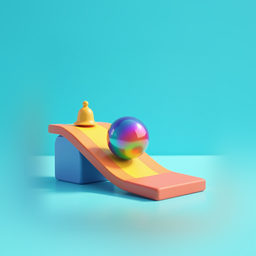
In Marble Wonder the child builds a marble run from ramps, curves, funnels, bells, xylophone bars, spinners, trampolines and a pair of portals. A press on the big green button drops a marble, and it rolls, bounces and rings its way down to a cup where a cheering animal is waiting. There are 40 puzzles in 8 worlds and a free building mode.
Version 1.0 · 1.5 MB · Android 8.0+
- Plays offline
- No ads
- No purchases
- No account
- No permissions
- 20 languages
About the game
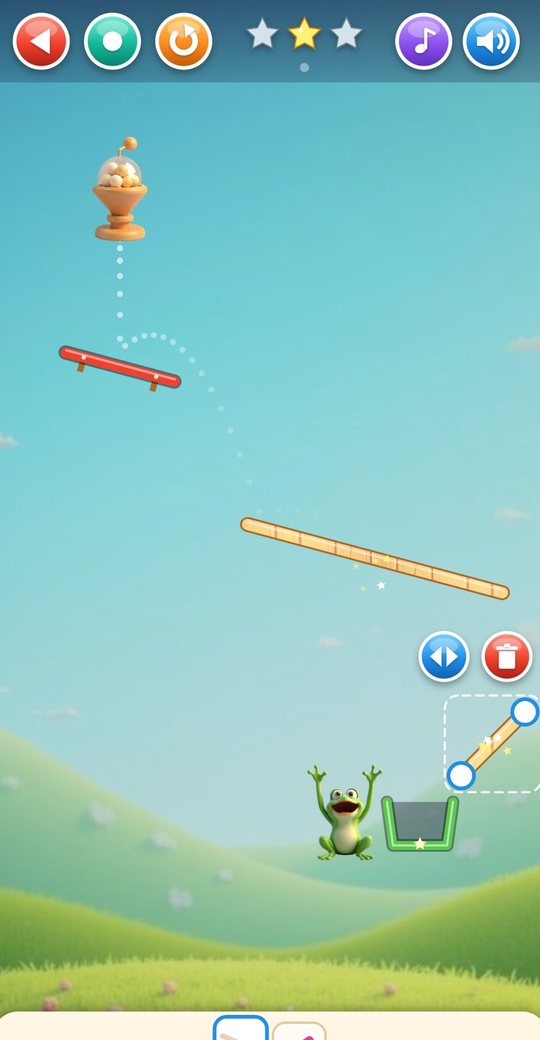
Every puzzle shows a marble dropper at the top, a cup somewhere below and a few fixed pieces in between. A small tray holds the pieces that may be used on this board. The child drags them onto the board, turns and stretches them, presses Drop and watches what happens. If the marble misses, nothing is lost: the pieces stay where they are, the child moves one and tries again.
Bells and xylophone bars turn the run into an instrument. Each of them is tuned to one of eight notes, shown in rainbow colours from red for the lowest to pink for the highest, and whatever order the marble hits them in, the notes fit together. A level can be solved quietly, but the third star goes to a run that also rings enough notes.
The marble moves the same way every time. The same track gives the same run, so a child can change one thing, see exactly what it did, and work a solution out step by step.
What is inside
Drag a piece, then press Drop
The child takes a piece from the tray and drags it onto the board. A tap on a placed piece selects it: a ramp gets two round handles for its ends, and small buttons appear next to the piece to flip it, turn it, resize it, change its note or throw it away. A dotted line under the dropper shows where the marble will start to fall.
The round buttons at the bottom are undo, the marble picker, the green Drop button and a yellow lamp. Each tap on the lamp shows one more piece of a working solution as a faint ghost, so a stuck child gets a nudge and still places the piece.
Watch it roll and ring
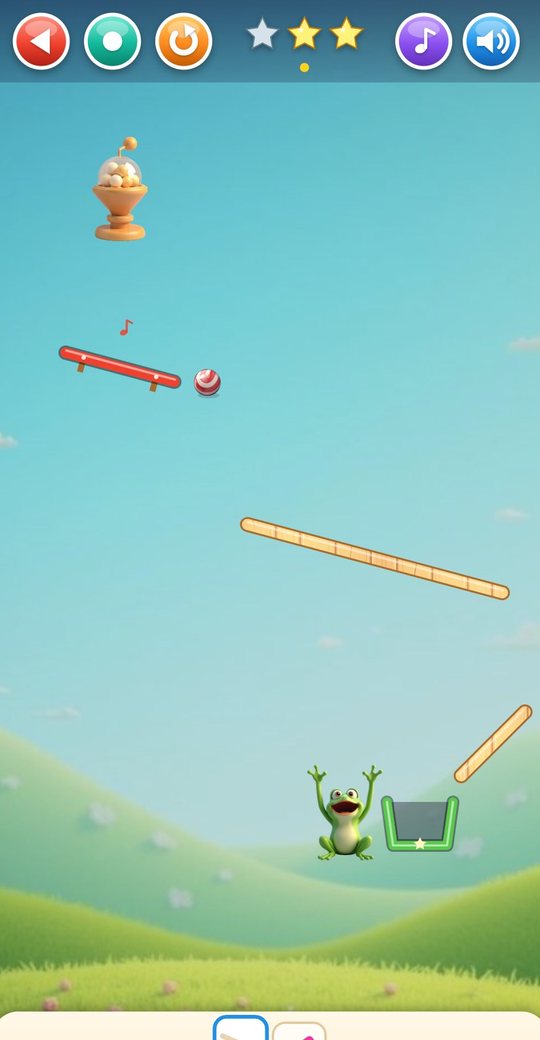
After Drop the marble falls from the dropper, rolls along the ramps, pings off bars and bells and, with a good track, lands in the cup. The three stars at the top light up during the run: one for the cup, one for a track with few pieces, one for the notes. The row of dots under the stars counts the notes that are still needed.
The teal button switches between normal speed, double speed and half speed, which helps when a child wants to see where exactly the marble went wrong. The orange button starts the run again.
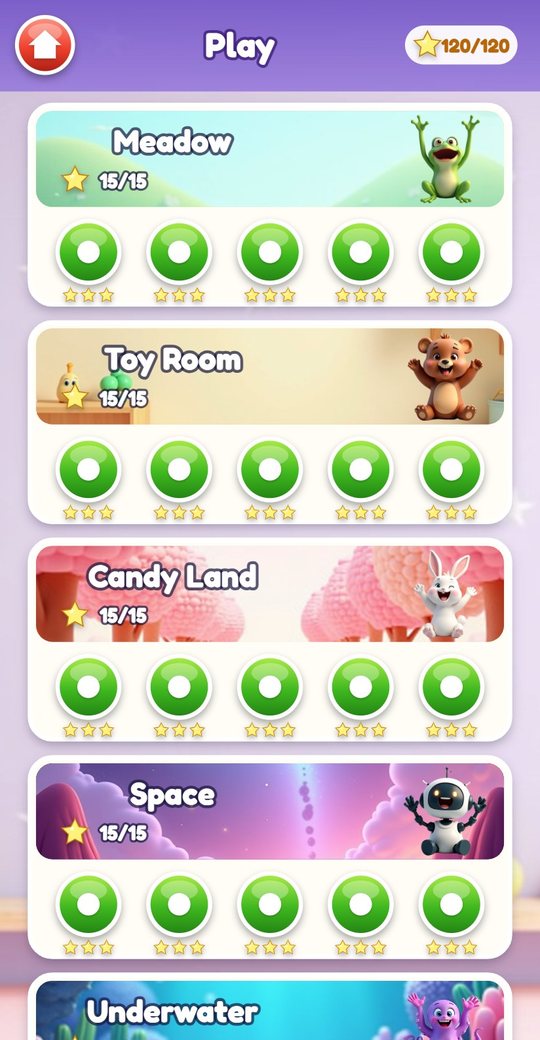
Eight worlds, five puzzles each
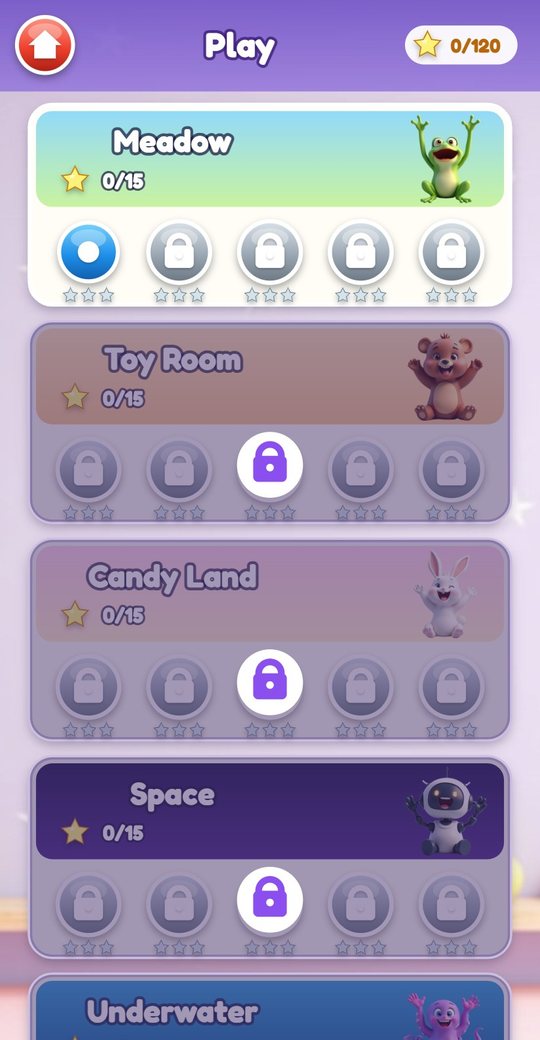
The worlds are Meadow, Toy Room, Candy Land, Space, Underwater, Winter, Jungle and Desert, each with its own background and its own animal by the cup: a frog, a bear, a bunny, a robot, an octopus, an owl, a dino and a cat. Puzzles inside a world open one after another. The next world opens when the third puzzle of the current one is solved, or when the current world has 8 stars.
New pieces arrive with the worlds. Meadow uses ramps, bells, bars and trampolines. Toy Room adds the funnel and the curve, Candy Land the spinner, Space the portal pair. The last puzzle of each world is a music level with many bars and bells.
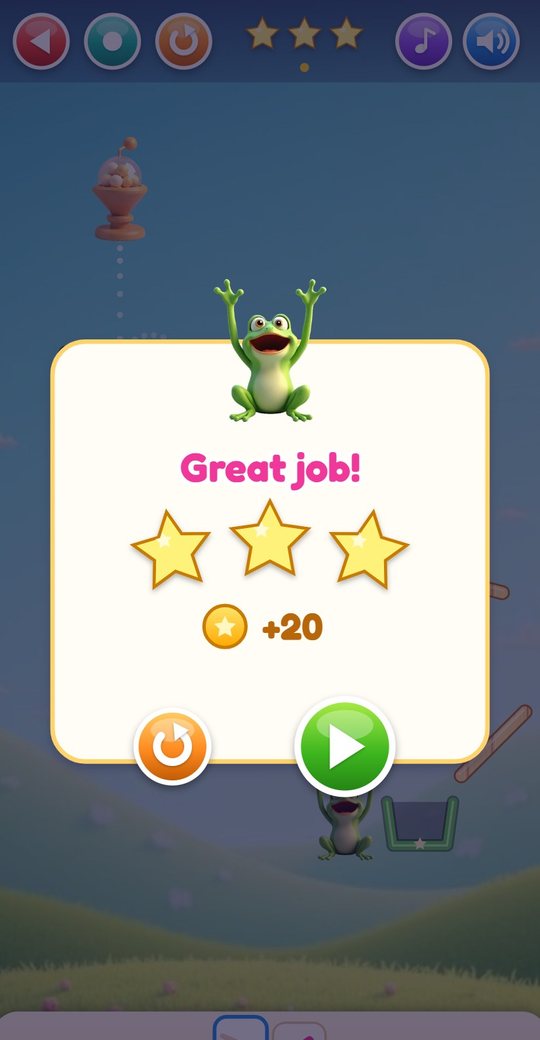
Three stars and what they bring
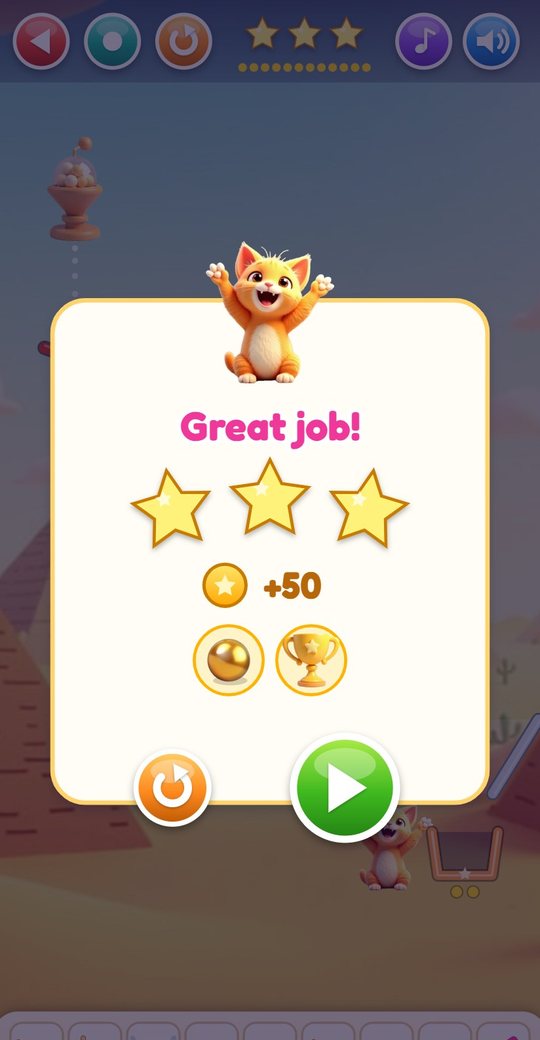
A solved puzzle shows the animal of the world, the stars and the coins. The first star is worth 10 coins, the second and third 5 each. Finishing all five puzzles of a world adds a trophy and 30 coins, and every 20 stars up to 100 open a gift box with 50 coins.
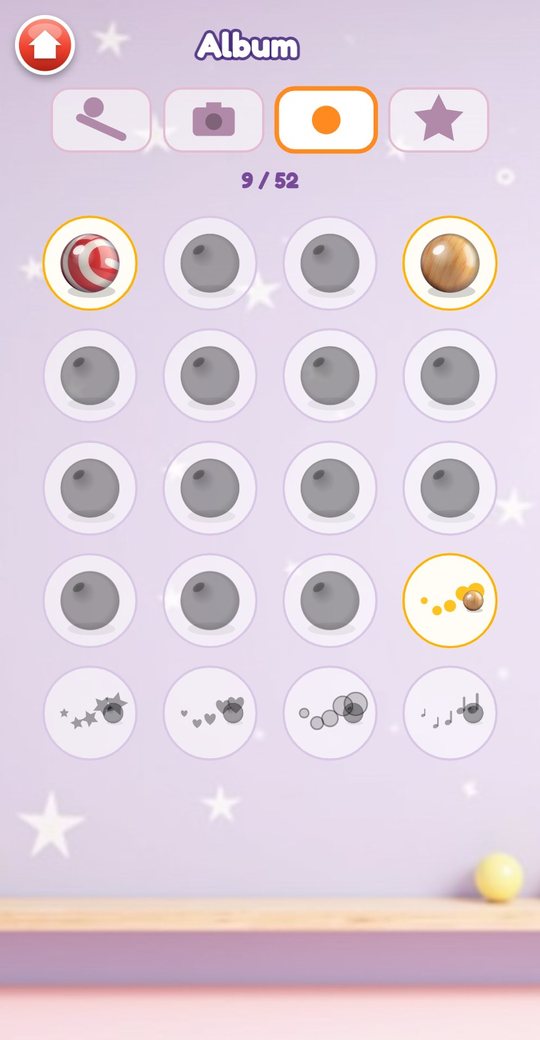
Stars also unlock marbles on their own. The blue swirl comes at 6 stars, the green swirl at 12, the pearl at 30, the rainbow at 50 and the galaxy at 70. The gold marble goes to a child who has solved all 40 puzzles.
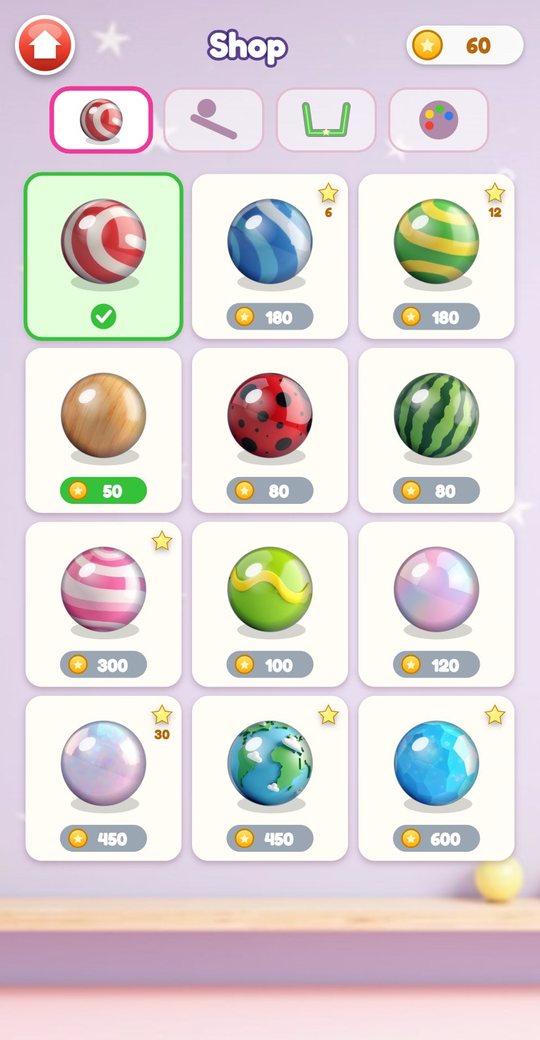
The shop: marbles, trails and materials
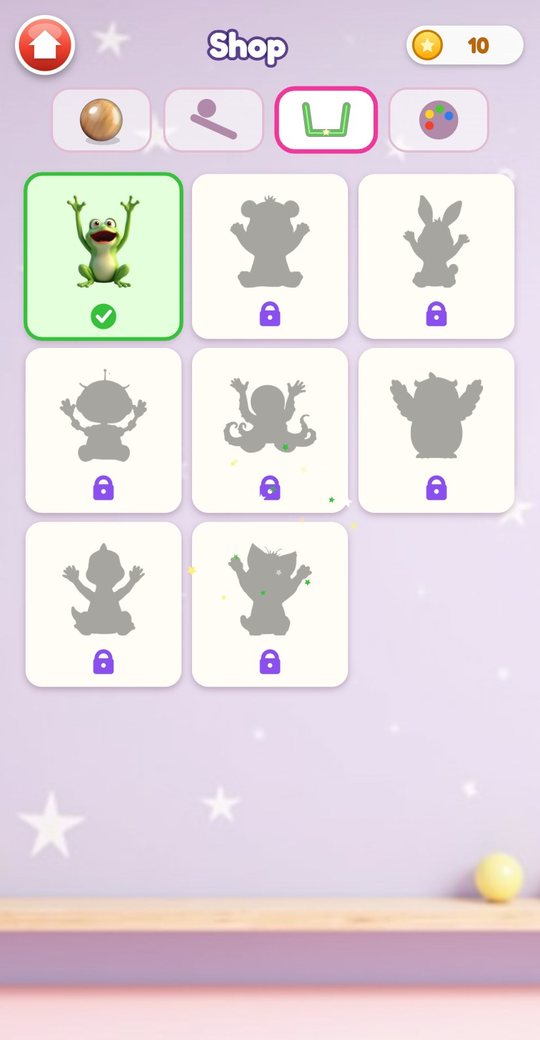
Coins are spent in a shop with four tabs. The first has 15 marbles and 8 trails that follow a rolling marble, such as stars, hearts, bubbles or notes. The second has 6 track materials, from wood to gold, and other looks for the bell, funnel, spinner and trampoline. The third shows the 8 cup animals and the fourth the decorations and backgrounds.
A marble that is waiting for stars can be bought early for three times its price. The shop takes coins only; there is no real money in the game.
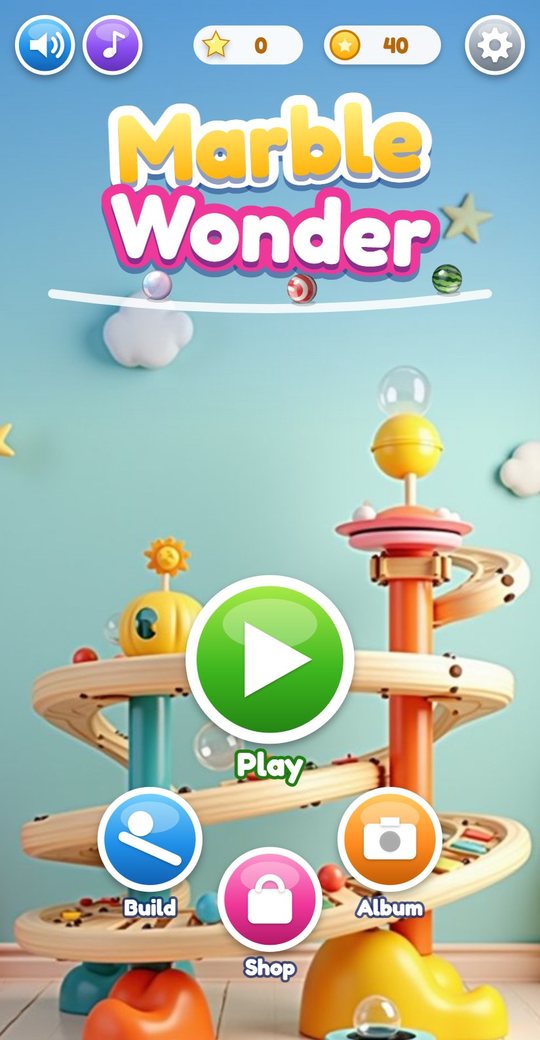
Build mode: a board with no task
The blue Build button on the title screen opens an empty board. All eight piece types are in the tray, and a second tray page adds three toys that the puzzles do not have: a conveyor belt, a magnet and a track drawn with the finger. The child can drop 1, 3 or 5 marbles per press, with up to 12 on the board, and switch on a loop so that marbles that fall out at the bottom come back at the top.
A palette button changes the world, the cup animal and adds decorations. A build can be saved into one of 6 slots in the album and opened again later, and the camera button keeps a picture of it. A row of coloured dots above the tray is a small tune challenge: ring those notes in that order in one run.
The corner for grown-ups
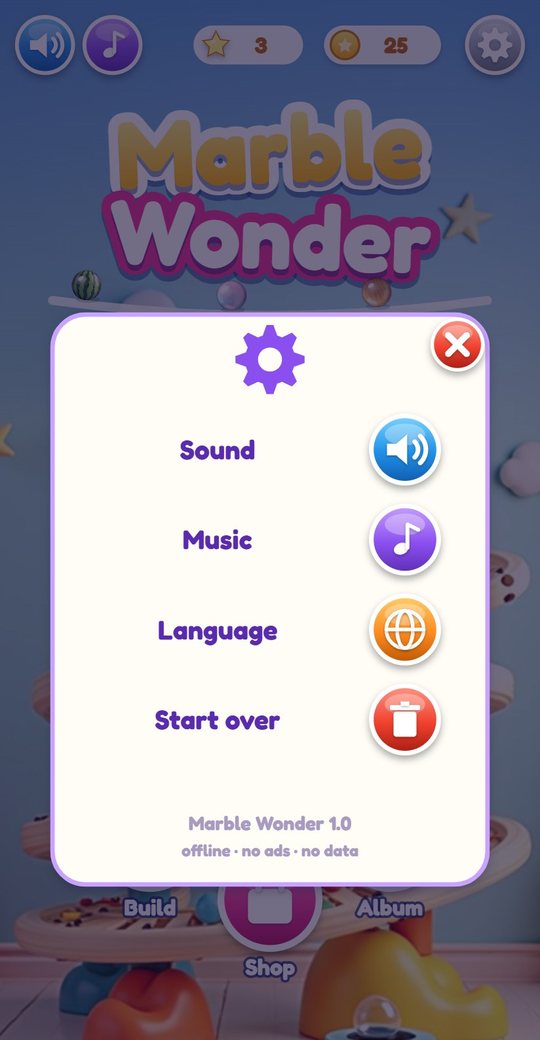
The grey gear on the title screen opens only after it is held for three seconds. Behind it are the switches for sound and music, the language list and Start over, which wipes the progress and itself needs a three-second hold. The same panel states what the game is: offline, no ads, no data.
How to play
- Tap Play and choose a puzzle on the world map.
- Drag pieces from the tray onto the board.
- Tap a piece to move its ends, flip it, turn it or change its note.
- Press the green Drop button and watch the marble.
- If it misses the cup, move a piece and drop again. Tap the lamp for a hint.
- Collect up to three stars: reach the cup, use few pieces, ring enough notes.
- Open Build for a free board with every piece and as many marbles as you like.
Screenshots
Full specification
| Worlds (8) | Meadow, Toy Room, Candy Land, Space, Underwater, Winter, Jungle, Desert |
|---|---|
| Meadow (5) | First Roll, Over the Gap, Ding Ding, Bounce Hill, Meadow Song |
| Toy Room (5) | Funnel Fun, Round the Bend, Shelf Hop, Two Marbles, Toy Parade |
| Candy Land (5) | Spin Me, Candy Cane Slide, Sweet Catch, Gumdrop Bounce, Lollipop Tune |
| Space (5) | Beam Me, Orbit, Low Gravity, Comet Trail, Space Symphony |
| Underwater (5) | Bubble Slide, Coral Zigzag, Whirlpool, Shell Bounce, Reef Concert |
| Winter (5) | Snow Slide, Icicle Drop, Cozy Chimney, Sleigh Bells, Winter Waltz |
| Jungle (5) | Vine Swing, Banana Bounce, Waterfall Run, Drum Circle, Jungle Jam |
| Desert (5) | Dune Slide, Pyramid Path, Camel Hump, Sand Chimes, Grand Finale |
| Marbles per puzzle | 1 in most puzzles, 2 or 3 in later ones. Grand Finale drops 3 and needs 2 in the cup |
| World unlock | The third puzzle of the previous world solved, or 8 stars in the previous world |
| Puzzle unlock | In order inside a world |
| Board | The same layout on every phone; the board is scaled as a whole |
| Puzzle pieces (8) | Ramp, Curve, Funnel, Bell, Xylophone bar, Spinner, Trampoline, Portal pair |
|---|---|
| Sandbox-only pieces (3) | Conveyor belt, Magnet, Finger-drawn track |
| Fixed parts on puzzle boards | Walls, pegs and pieces already in place |
| Editing a placed piece | Drag to move; ramp: drag either end, flip; curve: rotate, size; funnel: size; bell: note; xylophone bar: rotate, note; spinner: speed; bin button to remove. Angles snap to 15 degree steps |
| Tray tools | Eraser; in the sandbox also a button for the second tray page |
| Piece unlock in the sandbox | Funnel when Toy Room opens, Spinner when Candy Land opens, Portal pair when Space opens |
| Notes | 8 notes, coloured red, orange, yellow, green, teal, blue, purple, pink from low to high |
| Top row in a puzzle | Back, Speed (normal, double, half), Replay, three stars with note dots, Music, Sound |
|---|---|
| Bottom row in a puzzle | Undo (20 steps; hold to clear the board), Marble picker, Drop, marbles in this puzzle, Hint lamp |
| Hint lamp | Each tap shows one more piece of a working solution as a ghost. It wiggles after a miss |
| Top row in the sandbox | Back, Speed, Replay, Save, Photo, Palette, Music, Sound |
| Bottom row in the sandbox | Undo, Marble picker, Drop, 1 / 3 / 5 marbles per press, Loop |
| Star 1 | The needed marbles reach the cup |
|---|---|
| Star 2 | The track uses no more pieces than the level allows for this star |
| Star 3 | Enough bells and bars are rung in the same run |
| Total | 120 stars, 15 per world |
| Coins for a puzzle | 10 for the first star, 5 for the second, 5 for the third; 2 for a replay that earns nothing new |
| World finished | Trophy and 30 coins |
| Star gift boxes | At 20, 40, 60, 80 and 100 stars: 50 coins each |
| Sandbox coins | 1 coin per 12 notes and 2 coins per finished tune challenge, 20 coins a day at most |
| Starting coins | 40 |
| Marbles (15) | Red swirl (free), Blue swirl (60), Green swirl (60), Wood (50), Ladybug (80), Watermelon (80), Candy (100), Cat's eye (100), Bubble (120), Pearl (150), Planet (150), Crystal (200), Rainbow (250), Galaxy (300), Gold (300) |
|---|---|
| Marbles unlocked by play | Blue swirl: 6 stars. Green swirl: 12 stars. Pearl: 30 stars. Rainbow: 50 stars. Galaxy: 70 stars. Candy: Candy Land finished. Planet: Space finished. Crystal: Winter finished. Gold: all 40 puzzles solved |
| Buying one of those early | Three times the listed price |
| Trails (8) | Sparkle (free), Stars (40), Hearts (60), Bubbles (60), Notes (80), Confetti (100), Snow (100), Glow (150) |
| Track materials (6) | Wood (free), Candy (80), Ice (80), Metal (100), Leaf (100), Gold (200) |
|---|---|
| Bell looks (3) | Gold (free), Crystal (100), Flower (100) |
| Funnel looks (2) | Tin (free), Candy (100) |
| Spinner looks (2) | Windmill (free), Flower (100) |
| Trampoline looks (2) | Mushroom (free), Cloud (100) |
| Cup animals (8) | Frog, Bear, Bunny, Robot, Octopus, Owl, Dino, Cat. One per world, free, available when its world opens |
|---|---|
| Backgrounds (8) | One per world, free, available when its world opens |
| Decorations (6) | Tree, Flower, Mushroom house, Cloud, Rock, Balloon. 40 coins each, for sandbox builds |
| Tab 1 | 15 marbles and 8 trails |
|---|---|
| Tab 2 | 6 track materials and 9 piece looks |
| Tab 3 | 8 cup animals |
| Tab 4 | 6 decorations and 8 backgrounds |
| Currency | Coins earned in the game. No real money |
| Builds | 6 slots for sandbox builds. Tap to open, hold to delete |
|---|---|
| Photos | The 20 newest pictures of boards. Tap to view, hold to delete |
| Collection | All 52 collectibles with a counter |
| Badges (8) | 10 stars, 25 stars, 50 stars, 80 stars, 100 stars, a 7-day gift streak, 500 notes rung, 3 saved builds |
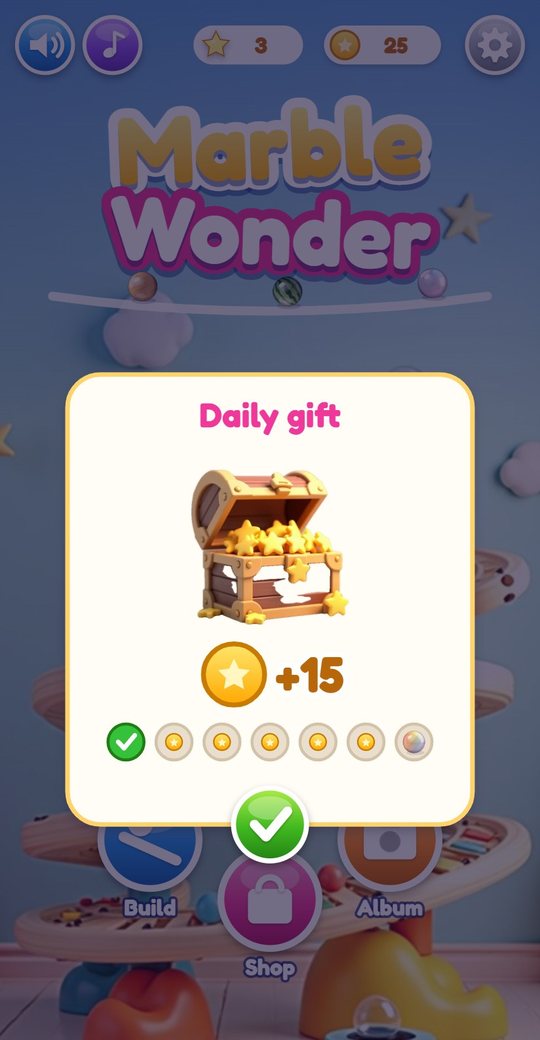
| Where | The chest on the title screen, once per calendar day |
|---|---|
| 7-day streak | 15, 20, 25, 30, 35 and 40 coins on days 1 to 6; a marble on day 7, or 60 coins when no marble is left to give |
| Missed day | The streak starts again at day 1. Nothing else changes |
| How to open | Hold the gear on the title screen for 3 seconds |
|---|---|
| Inside | Sound, Music, Language, Start over (hold 3 seconds) |
| Language | Chosen automatically; a language screen is shown at first launch and can be reopened here |
| Sound | All synthesised by the game, no recordings: bells, xylophone, trampoline boing, rolling, knocks, funnel swirl, a music-box tune |
|---|---|
| Switches | Sound and Music, on the title screen, on the play screen and in the parent corner |
| What is saved | Stars per puzzle, coins, owned and chosen items, 6 builds, 20 photos, gift streak, notes rung, speed and marble count settings, language |
| Where | On the device only |
| Orientation | Portrait |
| Version | 1.0 |
|---|---|
| File | MarbleWonder-1.0.apk, 1.5 MB |
| Android package | com.marblewonder.kids |
| Requires | Android 8.0 or newer, phone or tablet, portrait |
| Internet | Not used. The game works fully offline |
| Android permissions | None |
| Ads and purchases | None |
| Accounts and data | No account. Nothing is collected or sent; progress is saved on the device only |
| Interface languages (20) | English, Español, Português, Français, Deutsch, Italiano, Nederlands, Polski, Русский, Українська, Türkçe, Bahasa Indonesia, Tiếng Việt, हिन्दी, বাংলা, العربية, ไทย, 中文, 日本語, 한국어 |
| Price | Free |
For parents
The child builds a track by dragging pieces and then tests it with one tap. A puzzle takes from under a minute to several minutes and ends with a pop-up that offers a replay or the next puzzle, so stopping after any puzzle is easy. A miss costs nothing: there are no lives, no timer and no limit on attempts.
The first puzzles need one or two ramps. Later ones combine funnels, spinners, trampolines and portals and send two or three marbles at once, which is closer to the upper end of the 3 to 9 range; a younger child may want help there or may prefer Build mode, which has no task at all. The hint lamp shows a working solution one piece at a time. No reading is needed to play: goals are shown with stars, dots and pictures.
The game is fully offline, with no ads, no purchases, no account, no chat and no links out. It asks for no Android permissions and collects nothing. Progress, saved builds and photos stay on the device; the photos are pictures of the game board, not camera pictures.
The interface comes in 20 languages and picks the device language by itself. Sound and music have separate switches. Holding the gear on the title screen for three seconds opens the corner for grown-ups with the language list and the Start over button.
Questions and answers
What age is Marble Wonder for?
About 3 to 9. The Meadow puzzles and Build mode suit the youngest. The later worlds, with several marbles and many pieces, are for older children or for playing together.
Does it need internet?
No. The game has no network code and asks for no permissions, so it plays the same in flight mode.
Are there ads or in-app purchases?
No. Marbles, trails and track looks are bought with coins that come from solving puzzles, from the sandbox and from the daily gift.
What if my child gets stuck on a puzzle?
The yellow lamp shows one piece of a working solution per tap, as a faint ghost on the board. Every puzzle has a stored solution that earns all three stars.
Does my child need to read?
No. Pieces, goals and rewards are pictures. The only words are on menus such as Play, Build, Shop and Album.
Is progress saved?
Yes, automatically, on the device: stars, coins, items, up to 6 builds and 20 photos. Start over in the parent corner erases it, and so does uninstalling the game.
Can the music be turned off?
Yes. Music and sound effects have separate buttons on the title screen and on the play screen.
Download and install
Open the downloaded file on your Android device. If prompted, allow installation from the browser or file manager, install the game, then switch that permission off again.
The game itself is available in 20 languages and picks yours automatically.
Original filename: MarbleWonder-1.0.apk · 1.5 MB · SHA-256:
3a20bcf4463067e4ae34b1d044a44d85ab38555ea91e229fb94b6d26038deae8 Dentist Game
 Call Santa
 Spooky Tales
 Toy Hospital
 Keyboard Builder
 Unbox Surprise
 Slime Pet
 Emoji Doctor
 Post Office
 Hero Maker
 Ear Spa
 Birthday Party
 Pretend Bakery
 Tiny Restorer
 Calm Corner
 Dino Egg Lab
 Monster Salon
 Crunchy Lab
 Chore Quest
 Hair Salon