 Calm Corner
Calm Corner
A soft pet and a shelf of quiet toys
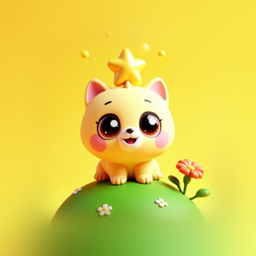
Calm Corner is a cosy toy with no score, no timer and nothing to get wrong. A plush bunny, kitten or bear cub comes to the corner a little out of sorts, and the child plays with eight gentle toys from the shelf beside it: a glitter jar, a pop-it, a rainy window, a music box and more. When the pet settles down, a star floats up and a small gift arrives.
Version 1.0 · 1.7 MB · Android 8.0+
- Plays offline
- No ads
- No purchases
- No account
- No permissions
- 20 languages
About the game
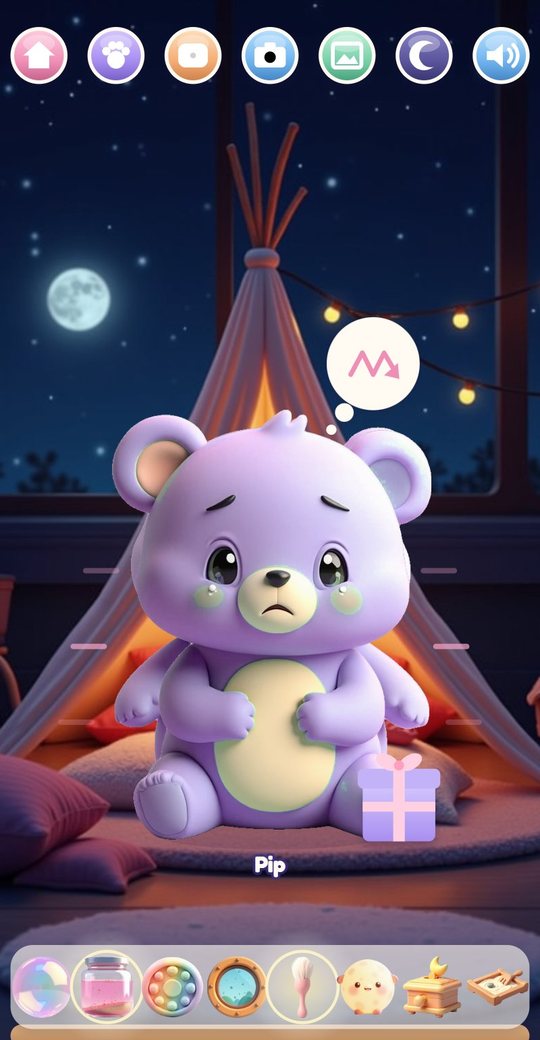
The game opens on a corner of a room at night: a tent with cushions, a string of lights, the moon in the window. In the middle sits the pet the child chose, with a small picture in a thought bubble that shows what is bothering it. Along the bottom is a shelf with eight toys. Tapping one opens it full screen, with the pet watching from the corner of the screen.
Every toy is something to touch slowly. Glitter swirls after the finger, pop-it bubbles press in with a soft note, raindrops run down a foggy pane. Whatever the child does, the pet only ever gets cosier, and after a few minutes it closes its eyes. There are no wrong moves and nothing to read.
What is inside
A pet comes to the corner
Each visit starts with the pet arriving in one of four moods: things are too loud, too fast, it is sad, or it is not sleepy yet. The mood is shown as a picture in a thought bubble and in the way the pet sits. Two toys on the shelf glow softly as a hint that this pet would like them, but any toy works.
The pet's picture changes gradually from upset to content as the child plays. Trying a new toy helps a little, and so does every second spent with one. Nothing the child does can make the pet feel worse.
Nine pets and twelve names
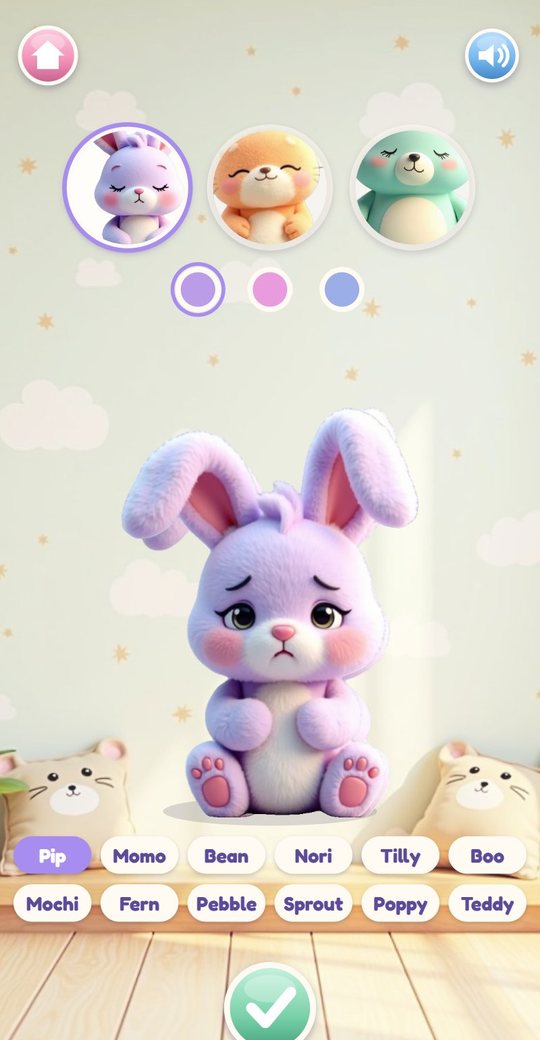
The pet is chosen on its own screen: a bunny, a kitten or a bear cub, each in three coat colours, which makes nine pets. Under the pet are twelve ready-made names to tap, from Pip and Momo to Poppy and Teddy, so there is nothing to type. The paw button in the corner brings this screen back whenever the child wants a different pet.
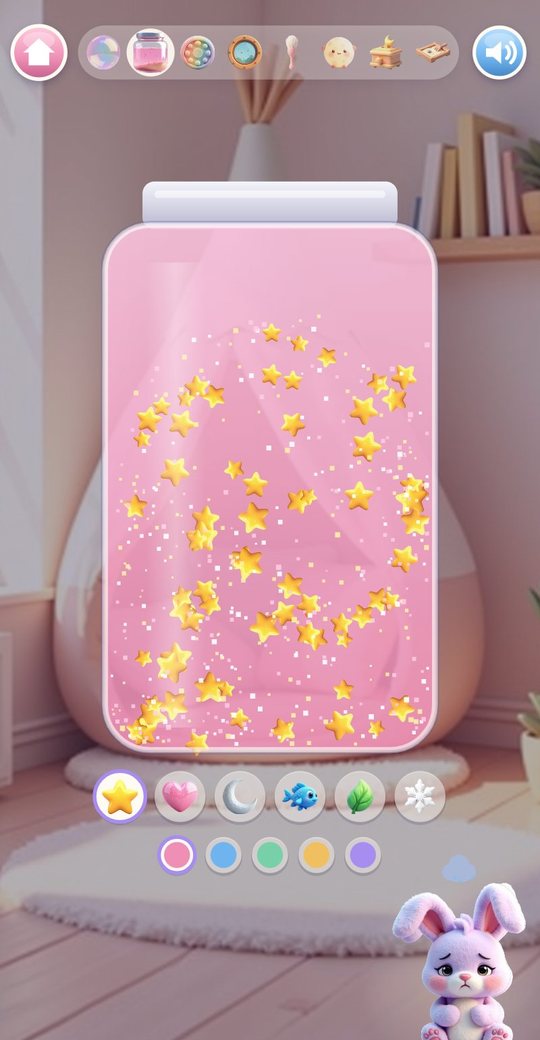
Eight toys on the shelf
Each toy is a small simulation with its own synthesised sound, and each has a few things to change.
- Breathing Bubble: a big bubble that grows and shrinks slowly, at three paces
- Glitter Jar: stir with a finger, flick to shake, or tilt and shake the phone; six charms and five water colours
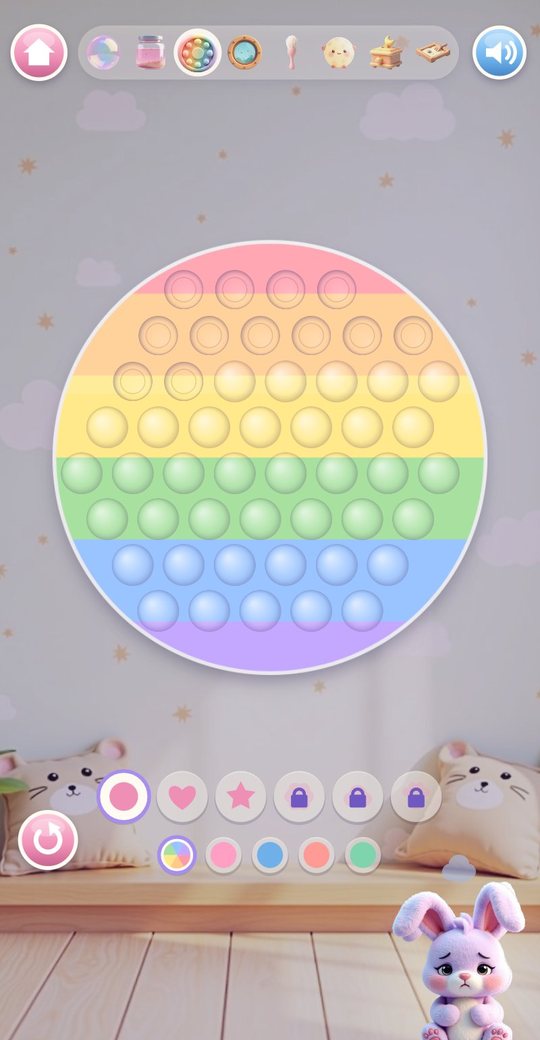
- Pop-It: press every bubble for a soft note, then flip the board to start again; six shapes and five colour themes
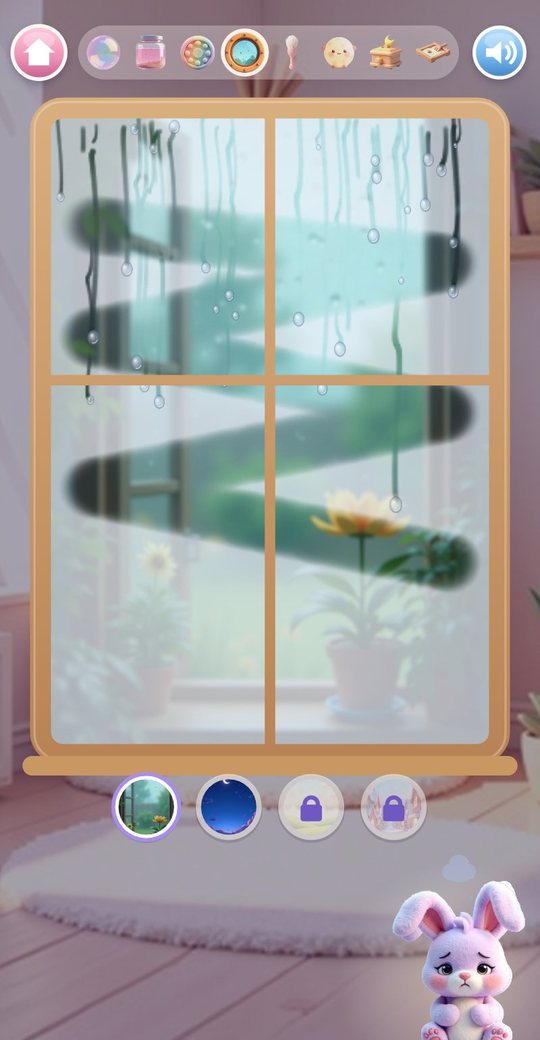
- Rain Window: wipe the fog with a finger while drops run down and join; four views
- Slow Stroke: stroke the pet's fur with a brush and it purrs
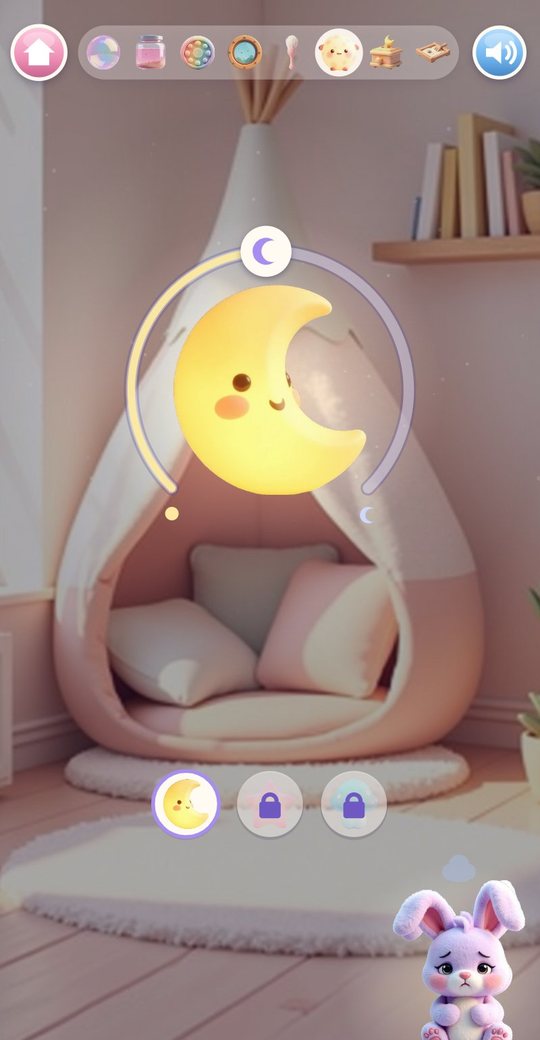
- Night Light: three lamps with a dimmer ring to turn up and down
- Lullaby Music Box: draw circles to turn the crank and the tune plays note by note
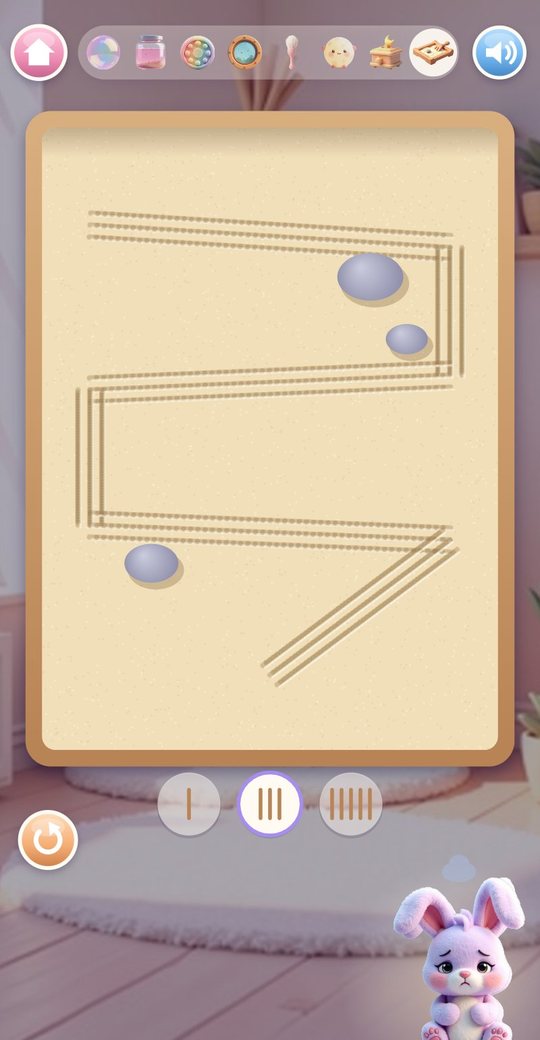
- Sand Tray: draw lines with a rake of one, three or five prongs, then smooth the sand over
Things that open up over time
Some choices inside the toys are locked at first and open as more pets have settled. The Rain Window starts with a rainy garden and a night sky; a meadow arrives after 3 settles and a snowy view after 6. The Night Light starts with the moon lamp; the star lamp arrives after 4 and the mushroom lamp after 8. The Pop-It starts with a circle, a heart and a star; the flower comes after 5, the cloud after 7 and the paw after 9.
A locked choice shows a small padlock. There is nothing to buy and no way to hurry it.
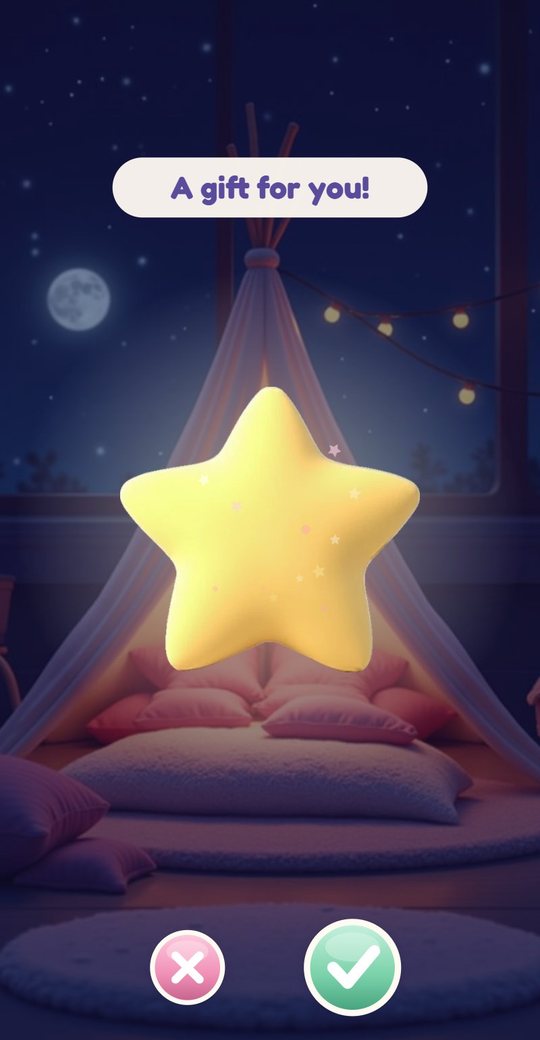
A star and a gift
When the pet has settled, a star floats up into the sky and a wrapped box appears. Three taps open it. Inside is the next of 16 gifts, always in the same order: 12 decorations for the corner and 4 cosy things for the pet to wear. The tick puts the gift straight into the corner or onto the pet; the cross keeps it for later.
A second pet drops by to sit next to the first one after each settle. Once a day there is also a daily gift box beside the pet.
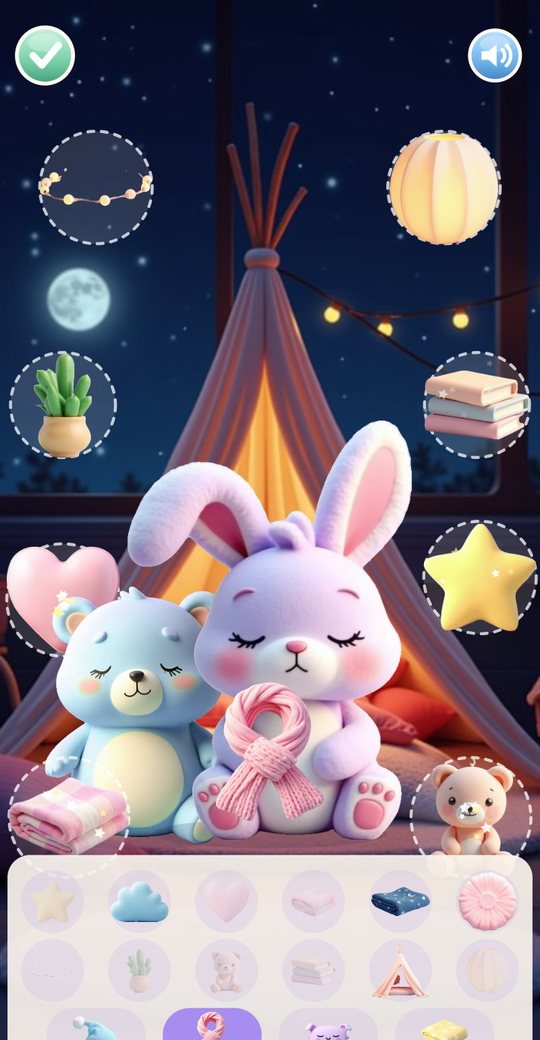
Decorating the corner
The My corner button opens an editor. Eight dashed circles mark the places where things can go: two up high, three in the middle and three on the floor. The child taps a decoration in the tray to place it, drags it to another circle to move or swap it, or drags it back to remove it. The bottom row of the tray holds the cosy things, and tapping one puts it on the pet.
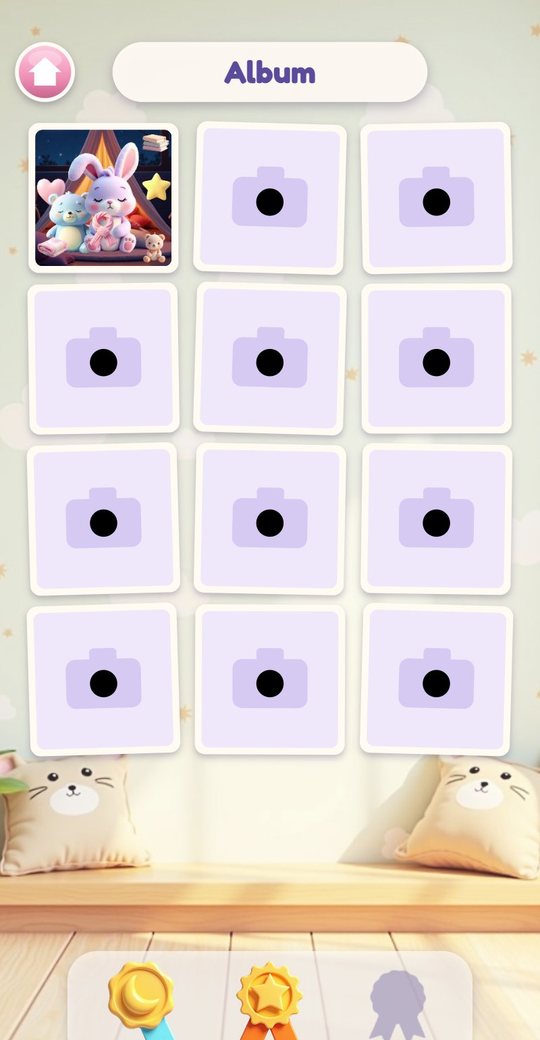
The camera button on the main screen takes a picture of the corner as it looks right now and saves it to the album.
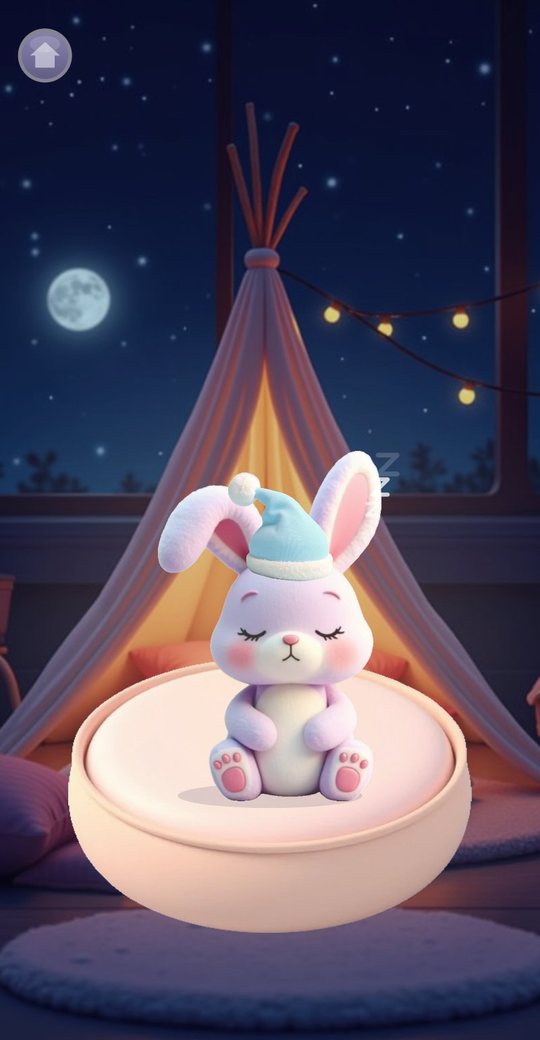
Bedtime mode
The moon button offers three lengths: 5, 10 or 15 minutes, drawn as one, two or three moons. The pet moves to a round bed, the lullaby plays slowly by itself and the screen dims. No clock or countdown is shown. Over the last 20 seconds the sound fades to silence, and the screen ends dark with a moon and the word Goodnight. A tap brings the corner back.
How to play
- Press Play, pick a bunny, kitten or bear cub, a coat colour and a name.
- Look at the thought bubble, then tap any toy on the shelf. Two of them glow as a hint.
- Play slowly: stir the jar, press the pop-it, wipe the window, turn the crank.
- Switch toys from the strip at the top whenever you like.
- When the star floats up, tap the gift box three times to open it.
- Put the gift in the corner or on the pet, then rearrange things in My corner.
- Take a photo for the album, or press the moon for bedtime mode.
Screenshots
Full specification
| Species (3) | Bunny, Kitten, Bear cub |
|---|---|
| Coats (3 per species, 9 pets) | Bunny: lilac, pink, blue. Kitten: orange, yellow, rose. Bear cub: mint, blue, purple |
| Names (12) | Pip, Momo, Bean, Nori, Tilly, Boo, Mochi, Fern, Pebble, Sprout, Poppy, Teddy |
| Changing the pet | The My pets button on the main screen, at any time |
| Visiting friend | After each settle a second pet of another species sits beside the first |
| Too loud | Glowing toys: Night Light, Breathing Bubble |
|---|---|
| Too fast | Glowing toys: Glitter Jar, Slow Stroke |
| Sad | Glowing toys: Slow Stroke, Lullaby Music Box |
| Not sleepy yet | Glowing toys: Lullaby Music Box, Night Light |
| After 3 settles | One of the two glowing toys is swapped in turn for the Pop-It, the Rain Window or the Sand Tray |
| How it is shown | A picture in a thought bubble, the pet's pose and its own background sound; no words |
| Order | Random, never the same mood twice in a row |
| Breathing Bubble | A bubble that grows, pauses and shrinks; 3 paces: it grows for 4 seconds and shrinks for 6, or 5 and 7, or 4 and 8, each with a 1 second pause in between |
|---|---|
| Glitter Jar | Stir with a finger, flick left and right to shake, tilt or shake the phone; charms (6): star, heart, moon, fish, leaf, snowflake; water colours (5): pink, blue, green, yellow, purple |
| Pop-It | Press bubbles in, flip button to reset; shapes (6): circle, heart, star, flower, cloud, paw; themes (5): rainbow, pink, blue, coral, mint |
| Rain Window | Fog to wipe, drops that run down and merge; views (4): rain, night, meadow, snow |
| Slow Stroke | The fur follows the finger and the pet purrs |
| Night Light | Lamps (3): moon, star, mushroom; a dimmer ring around the lamp |
| Lullaby Music Box | Draw circles to turn the crank; plays the game's own lullaby |
| Sand Tray | Rakes (3): one, three or five prongs; a button to smooth the sand |
| From the start | Views: rain, night. Lamp: moon. Pop-It shapes: circle, heart, star |
|---|---|
| 3 settles | Meadow view |
| 4 settles | Star lamp |
| 5 settles | Flower pop-it |
| 6 settles | Snow view |
| 7 settles | Cloud pop-it |
| 8 settles | Mushroom lamp |
| 9 settles | Paw pop-it |
| How the pet settles | A hidden value rises while a toy is open, faster while the child plays and faster again with a glowing toy; each new toy tried adds a small step; it never goes down |
|---|---|
| Length | About 2.5 to 5 minutes of play, about 10 minutes if the child only watches |
| Ending | A star floats into the sky, then a gift box that opens after three taps |
| Score, timer, fail state | None |
| Daily gift | Once a day a gift box waits beside the pet; it holds the next gift, or a star when all 16 are collected |
| 1 to 4 | Star cushion, Lantern, Nightcap, Cloud cushion |
|---|---|
| 5 to 8 | Plant, Striped blanket, Scarf, Fairy lights |
| 9 to 12 | Teddy, Books, Eye mask, Round rug |
| 13 to 16 | Heart cushion, Moon blanket, Blanket wrap, Mini tent |
| Decorations (12) | Star cushion, Cloud cushion, Heart cushion, Striped blanket, Moon blanket, Round rug, Fairy lights, Plant, Teddy, Books, Mini tent, Lantern |
| Cosy things to wear (4) | Nightcap, Scarf, Eye mask, Blanket wrap; each pet keeps its own |
| Places (8) | Two up high, three in the middle, three on the floor |
|---|---|
| Editing | Tap to place, drag to move or swap, drag away to remove |
| Photo | The camera button saves a picture of the corner drawn by the game; the device camera is not used |
| Album | 12 photos; a 13th replaces the oldest; open one to see it large, hold the bin to delete |
| Medals (3) | Moon after 3 days on which a pet settled, Sun after 7, Rainbow after 14; the days need not be in a row |
| Play | The corner with the pet and the shelf |
|---|---|
| Bedtime | 5, 10 or 15 minutes; the lullaby plays by itself and fades to silence; no countdown; ends on a dark Goodnight screen |
| Toys without the pet | With Show pet switched off the shelf opens the toys on their own, with no moods and no gifts |
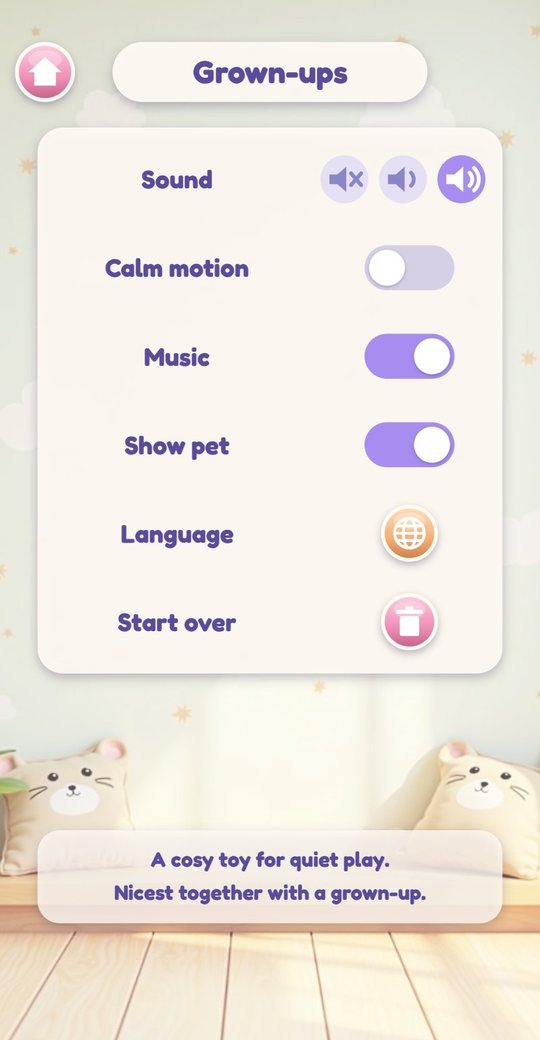
| How to open | Hold the moon on the title screen for 3 seconds |
|---|---|
| Sound | Off, low or medium |
| Calm motion | Switches off floating, bobbing and drifting sparkles |
| Music | Background music on or off |
| Show pet | On or off |
| Language | Opens the list of 20 languages |
| Start over | Hold for 3 seconds to erase everything saved |
| Note on the screen | A cosy toy for quiet play. Nicest together with a grown-up. |
| Saved on the device | Settings, the chosen pet and name, gifts, the corner layout, what each pet wears, the count of settles and days, up to 12 photos |
|---|---|
| Where it is stored | Only in the app's own storage; removing the app removes it |
| Sound | All synthesised: soft background music, a sound for every toy, the lullaby; no recordings |
| Sound button | On every screen, with three levels |
| Controls | One finger: tap, drag, draw circles; tilting the phone moves the glitter where the device supports it; no typing |
| Orientation | Portrait |
| Version | 1.0 |
|---|---|
| File | CalmCorner-1.0.apk, 1.7 MB |
| Android package | com.calmcorner.kids |
| Requires | Android 8.0 or newer, phone or tablet, portrait |
| Internet | Not used. The game works fully offline |
| Android permissions | None |
| Ads and purchases | None |
| Accounts and data | No account. Nothing is collected or sent; progress is saved on the device only |
| Interface languages (20) | English, Español, Português, Français, Deutsch, Italiano, Nederlands, Polski, Русский, Українська, Türkçe, Bahasa Indonesia, Tiếng Việt, हिन्दी, বাংলা, العربية, ไทย, 中文, 日本語, 한국어 |
| Price | Free |
For parents
Calm Corner is a toy, not a game with goals. The child touches things and watches them move: glitter, raindrops, sand, a lamp getting dimmer. A pet sits nearby and gradually looks more content. There is no score, no timer, no losing and no reading, and a visit with one pet takes about three to five minutes. It is made for quiet play and makes no promise about how a child will feel afterwards. As the note in the app says, it is nicest together with a grown-up.
Hold the moon on the title screen for three seconds to open the Grown-ups corner. There you can set the sound to off, low or medium, switch off the background music, turn on Calm motion to stop floating and bobbing on screen, hide the pet so that only the toys remain, change the language, or start over. Some children dislike particular sounds such as rain or purring; the sound button is on every screen.
The app works fully offline. It has no ads, no purchases, no account, no chat and no links out, it asks for no Android permissions and collects nothing. The photos in the album are pictures of the game's own corner, not camera photos. Everything is saved on the device only. There are 20 interface languages, chosen automatically, and all sound is synthesised.
Questions and answers
What age is Calm Corner for?
Ages 3 to 9. There is nothing to read and nothing that needs quick fingers, so the youngest can play alone, though it is nicest with a grown-up alongside.
Is this a relaxation or wellbeing programme?
No. It is a toy for quiet play: soft pets and gentle things to touch. It makes no claim about a child's mood, behaviour or sleep and is not a replacement for professional support.
How long does a session last?
A pet settles after roughly three to five minutes of play. The child can stop at any moment, and bedtime mode runs for 5, 10 or 15 minutes and then goes quiet by itself.
Does it work offline, and are there ads?
It works without any connection and makes no network calls. There are no ads and nothing to buy; gifts and new lamps, views and shapes arrive by playing.
Does the album use the camera?
No. A photo is a small picture of the in-game corner. The app has no camera permission and cannot see the device gallery.
Can I make it quieter or less busy?
Yes. The sound button on every screen steps through three levels, and the Grown-ups corner can switch off the music and turn on Calm motion, which stops floating and bobbing.
Is progress saved?
Yes, on the device only: the pet, gifts, corner layout, photos and settings. Start over in the Grown-ups corner erases it, and so does uninstalling the app.
Download and install
Open the downloaded file on your Android device. If prompted, allow installation from the browser or file manager, install the game, then switch that permission off again.
The game itself is available in 20 languages and picks yours automatically.
Original filename: CalmCorner-1.0.apk · 1.7 MB · SHA-256:
a9fcd4a8b553b7961689b801c0817d2a069c40251a9b38453d3e579cedf383b9 Dentist Game
 Call Santa
 Spooky Tales
 Toy Hospital
 Keyboard Builder
 Unbox Surprise
 Slime Pet
 Emoji Doctor
 Post Office
 Hero Maker
 Ear Spa
 Birthday Party
 Pretend Bakery
 Tiny Restorer
 Dino Egg Lab
 Monster Salon
 Crunchy Lab
 Marble Wonder
 Chore Quest
 Hair Salon